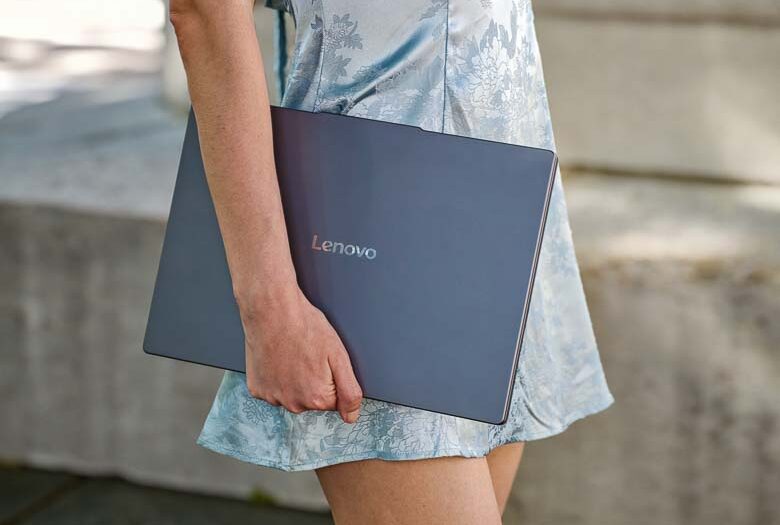
The Lenovo IdeaPad Slim 3i is a budget friendly laptop that should handle basic computing …
Continue reading
The Lenovo IdeaPad Slim 3i is a budget friendly laptop that should handle basic computing …
Continue readingBack in the days of Windows CE 2.1 for Palm Sized PCs, the “Pocket Streets” mapping program at the time was able to map addresses and locations saved in your appointments’ locations fields. This made perfect sense since if you needed to go to a location for a meeting, chances are you might need to figure out where that location is on a map. That feature disappeared from the planet about 10 years ago, but …
Continue readingYou may remember a while back the Windows Mobile 6.5.3 SDK was release, and then pulled. Some thought this was because it was posted by accident. Actually there was a problem with the installation. The problem is now fixed and you can download the updated SDK files here. Originally published on Pocketnow on February 18, 2010. More Software articles from the Pocketnow archive.
Continue readingMichael Chang, Product Manager, Windows Phones will be hosting a live Q & A on Twitter at 7:30pm CET/10:30am Pacific/1:30pm EST using #wp7QA. This may be a good time to get your Windows Phone 7 Series questions answered. Originally published on Pocketnow on February 15, 2010. More Smartphone News articles from the Pocketnow archive.
Continue readingIt’s Valentine’s Day weekend! You’re probably going to want to take your special someone out somewhere nice, and you’re probably going to want to wear a great outfit. Nothing says “No sense of style” better than a mobile phone that clashes with your outfit. Luckily we’re here to help. First off decide what you’re going to wear. Then take a quick close-up photo of a certain texture or element of your clothing. Load the photo …
Continue readingGoogle Maps for Windows Mobile has just reached version 4.0, and with it comes Google Buzz. While Google Maps already has “Latitude” which will allow you to see and share your location with friends, the Buzz layer allows you to see the locations of everybody using Buzz along with thier location-aware little messages. You can also make comments on other people’s Buzz messages. To download Google Maps 4.0, visit: m.google.com/maps Originally published on Pocketnow on …
Continue readingApple has updated their iTunes website to show details for iPhone applications online. As you know, the Windows Mobile Marketplace has been able to do this since shortly after its launch. Actually, Microsoft still has something better. With the Apple App store, you have to run iTunes in order to install any program you find through the website. With the Windows Mobile Marketplace, all you have to do is sign in with your Live ID. …
Continue reading