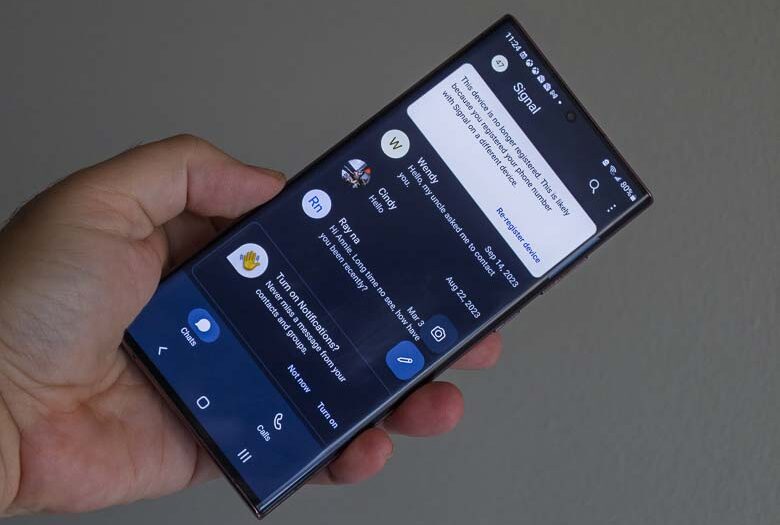
Signal should probably no longer be included as a top choice for activist messaging, secure messaging, business and personal messaging for the following trust-worthiness red-flag reasons.
- Signal’s server is no longer open source. In 2021, they announced a closed-source component for scanning and blocking certain users. You can see for yourself as the source code for the “spam-filter @ e73138e” folder in https://github.com/signalapp/Signal-Server is private. As you know, if any part becomes closed source, that compromises the entire system.
- Signal’s server is dependent on closed-source un-trusted proprietary services such as DynamoDB and Amazon SQS SAAS products.
- Signal requires entering your personal phone number for identification (dependent on closed-source un-trusted external telephony systems). This can trace back to you if you paid for the phone service with a credit card or phone bills are sent to your address (the phone company can log SMS messages sent from Signal servers). Using a Google Voice number doesn’t help because that’s associated with your Google Account which also requires a phone number to create thus still identifying you.
- Signal requires use of their centralized server and doesn’t allow federated servers from independent entities. This means one dictator has control over your communications and can change things whenever they want. It also means the service is easy to block on a locale-wide basis. It also means a governing body where Signal Servers are located can force them to change things without you knowing. It also means Signal can change their server software whenever they want while publishing different software in the public repository (as they have done in the past.)
- If Signal has undergone any 3rd party security audits, they don’t publish the results(1). (Although the protocol was audited in 2019, there are no published audits for their servers.)
- Signal accounts are easy to hijack with a SIM swap of your regular phone number since insecure SMS messaging is what’s used for authentication (though old messages won’t be visible, new ones will go to the new user).
The smarter thing is to base private communications on distributed or decentralized open protocols and technologies that “we the people” can take ownership of and modify as we see fit. Below are a few messaging systems that fall into that category. None of these collect any type of personal data and all use in-person QR code encryption key sharing to create contact connections for the upmost security. Onboarding is easier than Signal because there is no SMS text messaging requirement for creating accounts, however creating conversations is more difficult because they don’t scan your phone’s contact list in order to match other phone numbers to Signal’s database. The below apps require more secure contact relationships such as in-person QR code encryption key sharing.
Delta Chat. This is a client for the most widely-used electronic communications system ever created and it’s also completely open and decentralized (SMTP), thus making it the ideal system for self-agency. Not all SMTP systems are as secure as they could be, though things have improved a lot in recent years with the proliferation of better encryption & security capabilities and standards. Delta Chat is a SMTP messaging app that is leading the way in more security and privacy while maintaining the decentralized, open, and “for the people, by the people” nature and integrating modern chat features. The app also works with standard email accounts and servers, but there’s a new “chatmail” server that adds some good features and one is provided as the default “new profile” connection for new users. For info and a video about how to use it with Chatmail, see: Using Delta Chat with Chatmail servers for decentralized, open, secure, private messaging.. Delta Chat also publishes security audits which improves their trustworthiness and is completely open-source on both the server and client level (though the iPhone version must use Apple’s Notification Servers for push notifications as all apps are required to do that).
Delta Chat also integrates with Jitsi Meet so that you can run your own video conferencing server for real-time audio/video communications.- Cheogram. This one uses another open standard messaging protocol called XMPP. It’s similar to Delta Chat in that regard and also even shares the same webXDC app sharing programming structure.
Briar. This one can be completely serverless with only peer-to-peer connections. It can work with no internet at all as well since it has the direct WiFi and Bluetooth mesh network connection capabilities (but in those cases you need to be physically close to other Briar users). For info and video about how to use it see: How to keep communicating when your internet is disrupted. The big advantage here is that there are no servers that can be compromised and it doesn’t need internet access at all. A large mass of people within close proximity can communicate through Bluetooth/Wifi in their own mesh network even if the local cellular towers are shut down or the entire City/Country’s internet access is turned off. Messages/data can even be transferred via feathernet (data cards attached to pigeons). The disadvantages are that the app needs to be running in order to transfer and receive messages… and Apple does not allow this type of tech on iOS devices.
SimpleX. Similar to email in that it uses open-source federated servers for transferring messages, but it uses a new protocol that isn’t dependent on the domain name system. The website says that it doesn’t have any IDs, but it does (so that you can add contacts). It’s just that they are different for each conversation which makes figuring out which person is which much more difficult. Simple X also publishes security audits and is completely open-source on both the server and client levels (though again push notifications on iPhones are required to use Apple’s proprietary notification system as all apps are.)
Communications systems to avoid:
- Anything that requires a phone number, separate email address, credit card, mailing address, etc.
- Anything that cannot be run on your own server (in your house or on a rented virtual private server). Even if you don’t want to make your own server, the ability to make one means self-agency is attainable whereas with other systems you’re forced into someone else’s way of doing things. It’s a matter of transparency, sustainability, and freedom.
- Anything controlled by a single entity. Centralized systems always become corrupt.
Also see:
- How to tell if it’s trustworthy
- I don’t trust Signal · Jan Harasym
- Why We Stopped Using Signal Messenger – Decode the World
- I don’t trust Signal – Drew Devault
- Signal has been subverted! WARNING do not use it anymore! It is not secure · Issue #7676 · signalapp/Signal-Android
- Signalapp (7.15.0) on macOS stores photos and docs sent through the app locally without encryption.
- Signal’s Terrible MobileCoin Betrayal