
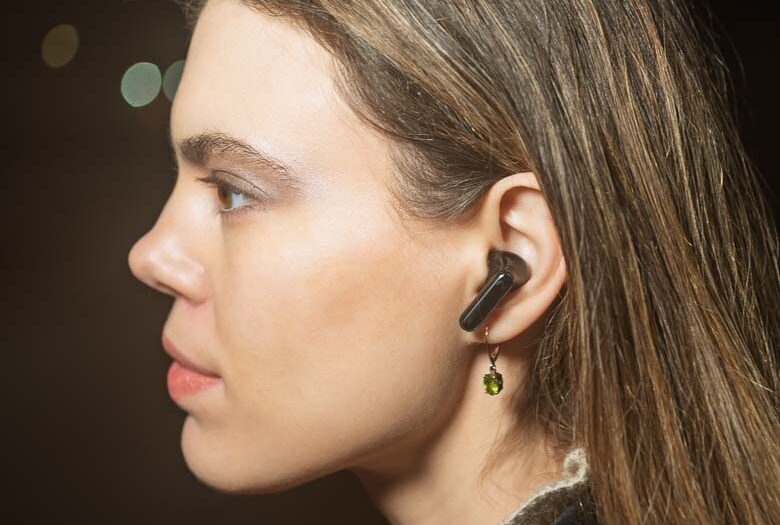
Wireless earbuds for listening to audio and using video conferencing software are very common these days. It seems like every tech company makes a variety of wireless earbuds in various price ranges as accessories for you to buy. So it’s kind of hard to differentiate. While something like the Angry Miao Cyberblades brings in a flashy Chroma flair paint job and extra low latency radio frequencies, Viaim is differentiating with some new functionality.
The Viaim RecDot aims to grab your attention with something potentially very useful; on-device audio recording, and cloud-subscription AI driven transcription.
Specifications
The Viaim RecDot supports high quality Bluetooth 5.2 + Dual-Device Pairing with Hi-Res certified audio and 48db active noise cancellation. The earbuds should last for 9 hours of continuous use and the charging case can extend that to about 36 hours of non-continuous use. A 5 minute charge should get another 1 hour of use. The earbuds weigh 4.90g each and the Charging Case weighs 52g. Each earbud also includes enough flash storage for about 69 minutes of audio recording even when not connected to a phone.
What’s in the Box
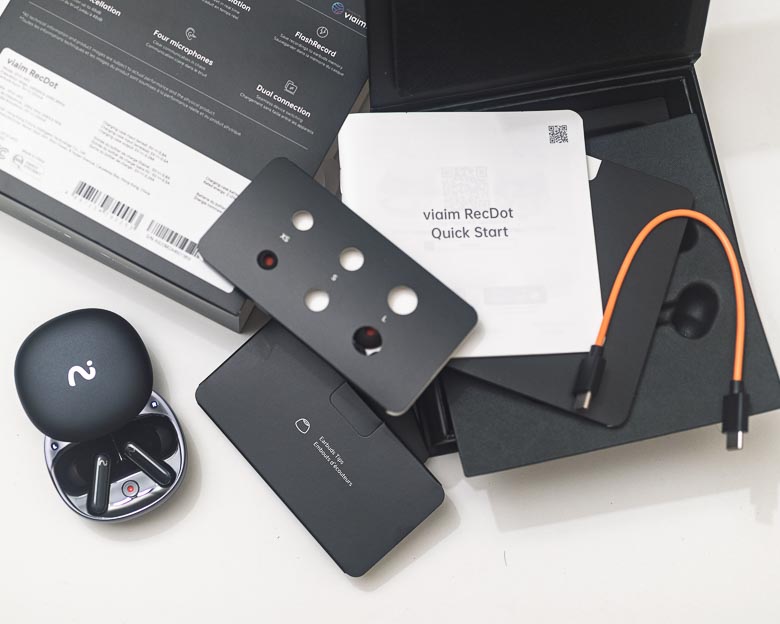
In the box you get the earbuds, the charging case, some printed documentation, a short orange USB-C to USB-C charging cable, and a set of rubber ear inserts that you can swap out for different sized ears.
Hardware
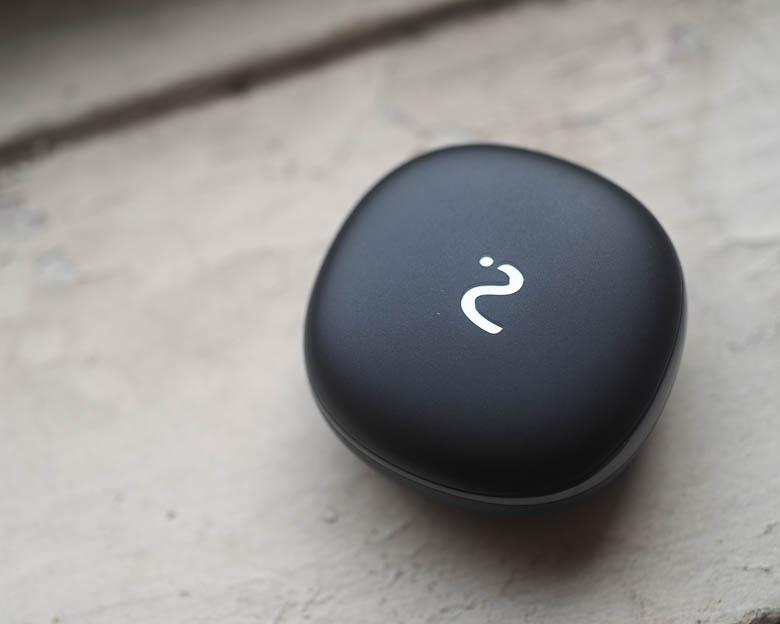
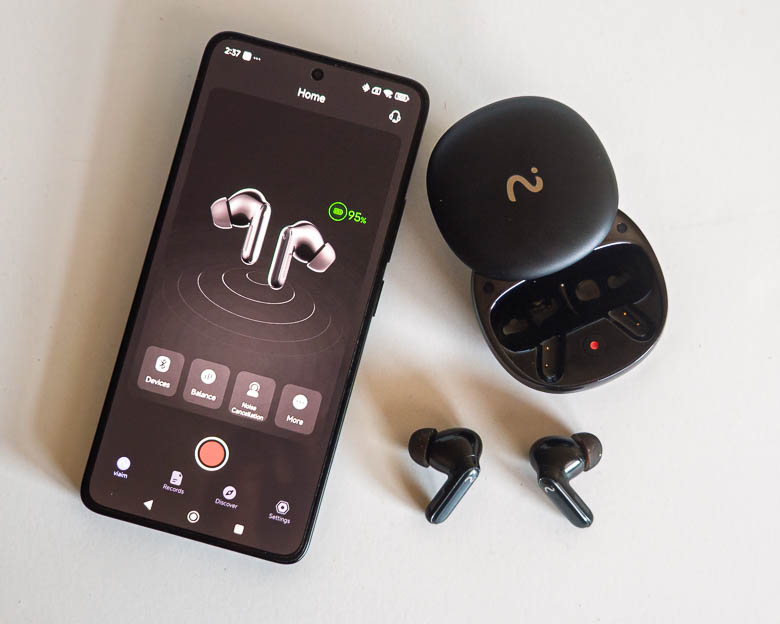
Like many earbud charging cases, the design is very smooth with rounded corners like a polished stone. It’s feels extremely ergonomic in the hand. There’s a very discreet hidden button next to the USB-C port for initiating pairing mode.
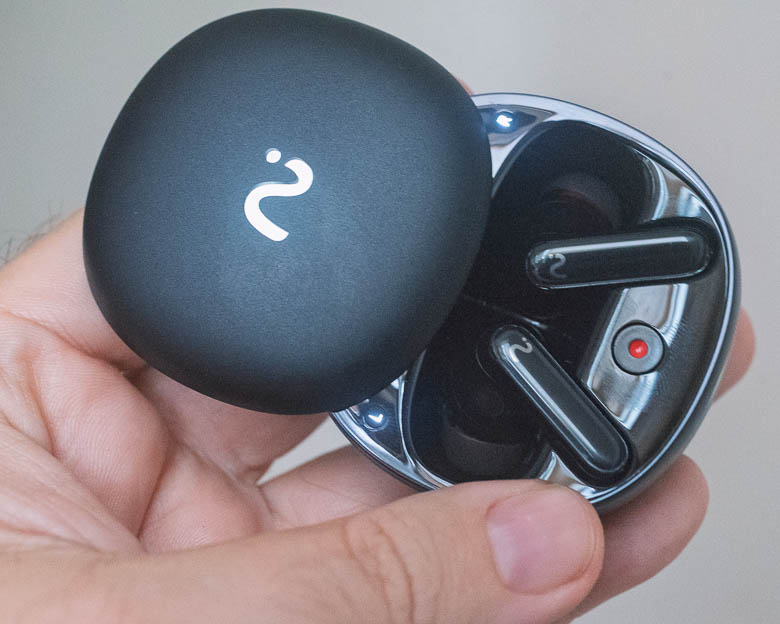
The charging case is honestly a bit difficult to figure out how to open. Is it a clamshell hatch that opens with a hinge somehow? Nope! You have to slide one side in the correct direction and there are no visual indicators on the case that would communicate which direction you have to slide in order to open it.
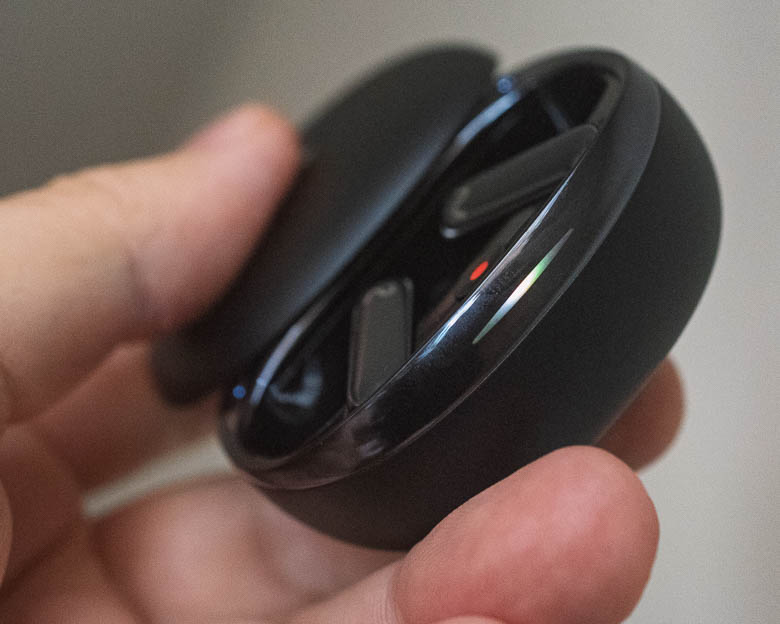
It turns out, you have to slide it away from the LED indicator light which is on the opposite side of the USB-C charging port on the charging case. The indicator light is completely invisible when it’s not lit as it integrates seamlessly with the case’s shiny plastic rim. This is great for looks, but not great for usability. When the light does go on, the different colors and blinking patterns may indicate things like charging process, pairing mode, powering on, etc. It does not seem to indicate when the earbuds are recording audio though.
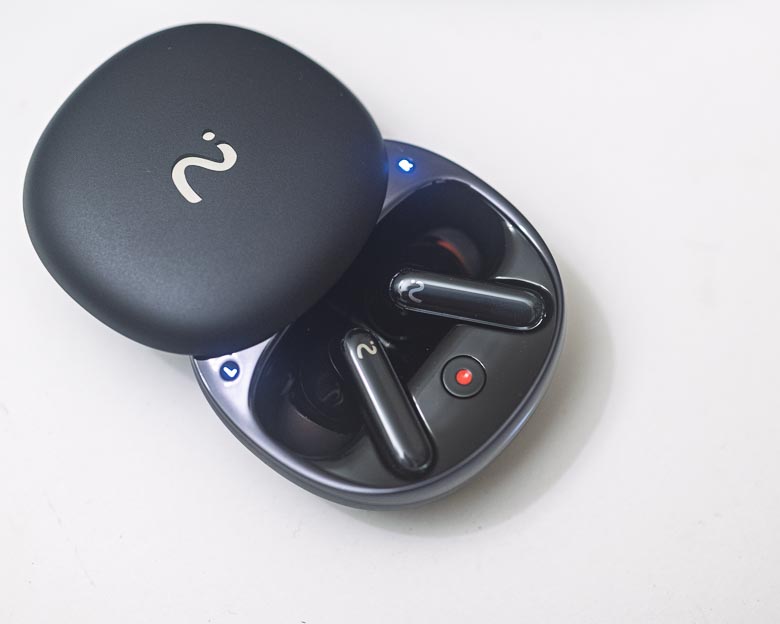
When the case is open though, there are two more “L” and “R” lights just above where the earbuds sit inside the case. There’s also a red circular dot button, the “recDot”, which you can use to start and stop recording audio in the memory of the earbuds. When you press that, either the L or R light will start blinking and THAT’s the indicator that they are recording audio.
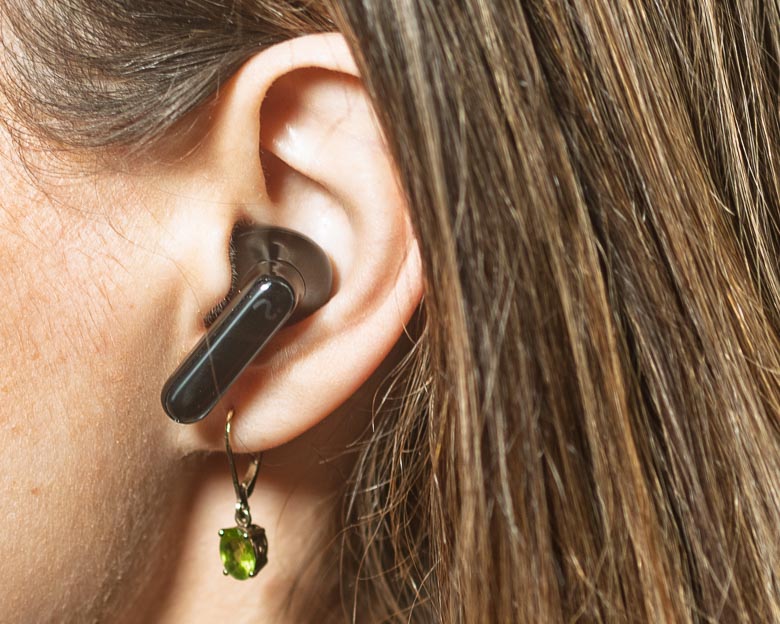
The earbuds themselves are very similar to most other wireless earbuds these days. They’re very lightweight and comfortable with variously sized rubber ear inserts for the perfect fit.
The audio quality is great too as the earbuds support Hi-Res audio codecs over Bluetooth 5.2.
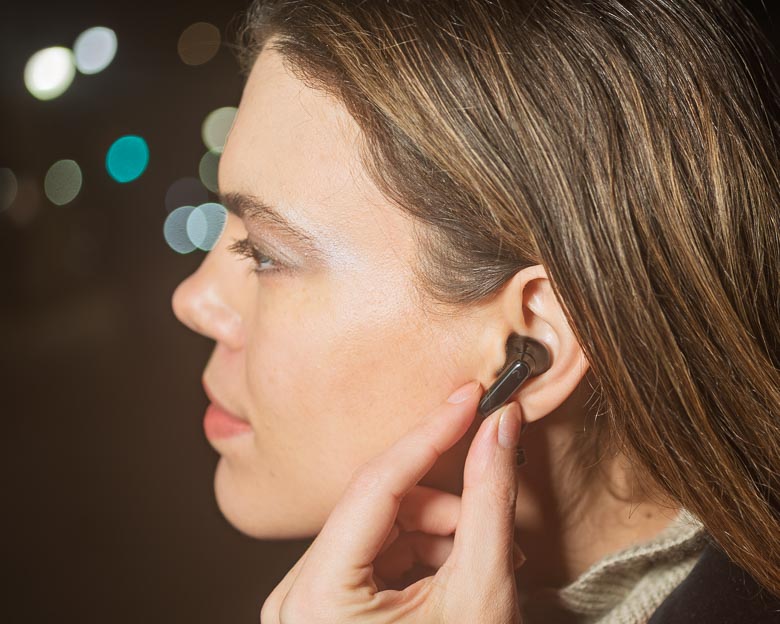
When the earbuds are actually in your ear, there are some nice “pinch” based controls. I much prefer pinch controls over press controls because pressing the earbud into your ear is something I do a lot when I’m afraid one might fall out. If that “press” can also activate something like pausing the music, that can be very annoying. Thankfully the Viaim RecDot earbuds have their control button on the tail of the earbuds on the front area where you can simply pinch the tail to activate. A single press will pause/play, a double pinch will go to the next track, and a pinch & hold will start recording audio. All earbuds should have this type of interface.
Voice command controls are also available, but the “always listening” mode my run your battery down quicker than you’ll like so this can be disabled in the settings.
Software
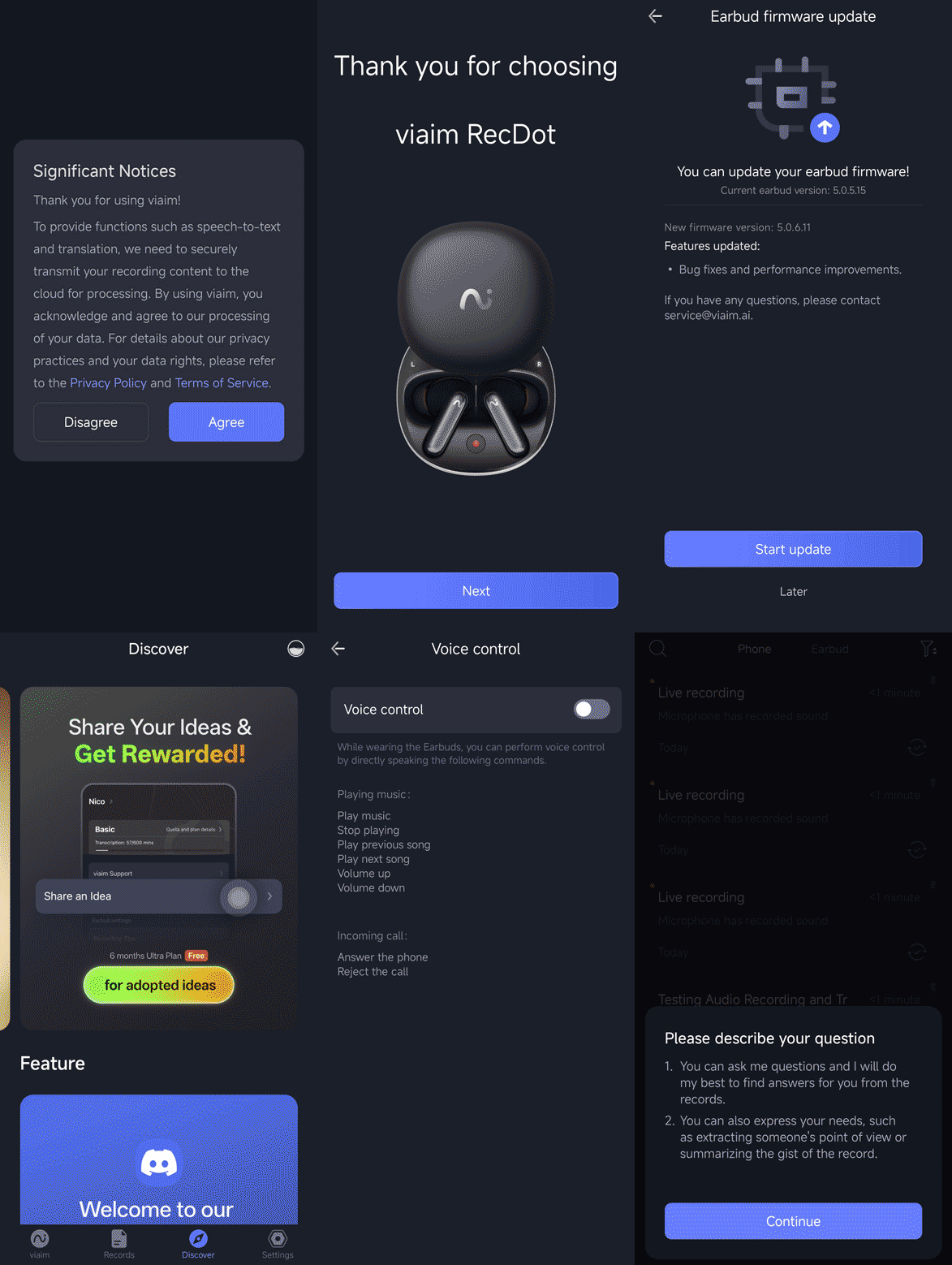
You’re going to need to download and install the Viaim app in order to do anything other than the standard Bluetooth audio and phone call features of these earbuds. The software isn’t available on macOS or Windows either, so you’re going to need to us an Android or iOS device, too.
The software has a lot of functionality. You can customize the earbud pinch button controls, you can change the noise cancellation modes, you can update the firmware, change equalization settings, etc. There are also up-sell advertising for AI transcription subscriptions that give you more features than the free option. The basic free plan gives you 600 minutes of transcription per month, which is pretty good.
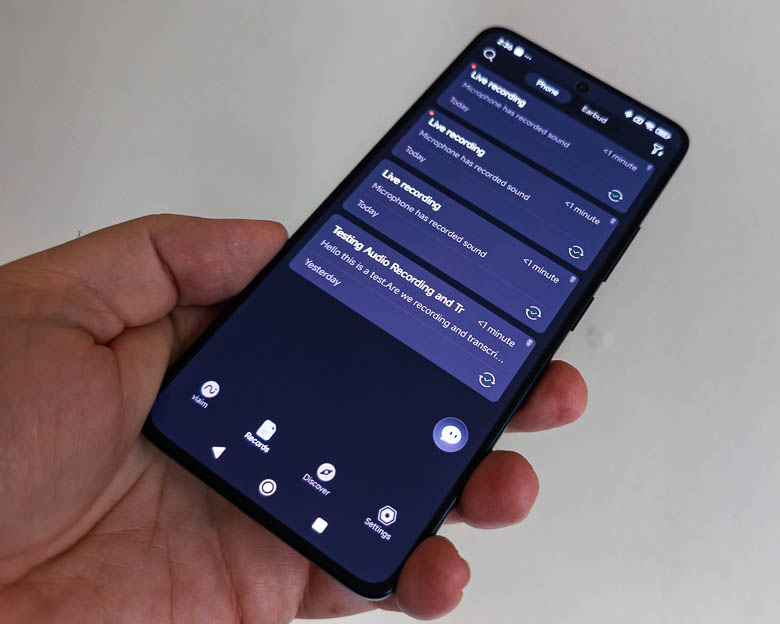
You can use the software to copy recordings from the earbuds onto the phone and then you can use the phone app to upload the audio to Viaim’s cloud service which will then transcribe the audio. It can understand multiple languages as well. There’s also a “translate” button hidden deep in the menus for each recording which you can use to translate the transcription into different languages. Unfortunately, it didn’t work well for my test in French. I was expecting some live in-ear language translation capabilities, but that does not seem to be the case. For live translation, you have to initiate the recording from the app on your phone. It can’t do live translation from the earbud recording button or charging case recording button. Still, there are some other great features as well such as automatic title generation and multiple speaker labelling so you can very easily tell what the conversation subject was about as well as who was saying what.
There’s an AI chatbot within the software which lets you process or query the audio recordings on your device. For example, you can ask questions that may have answers in the transcriptions or you can ask for summaries of a specific person’s point of view.
The app itself can also do the audio recording but the recording button isn’t available unless you’re connected to the earbuds via Bluetooth. In fact, you’ll have to use the app’s recording button if you want to record video conferencing or telephone call audio. You’ll also have to use the app’s record button directly if you want to enable live transcription and/or translation. It’s kind of annoying that the record button on the earbuds doesn’t record in-ear audio coming through Bluetooth. Only the app can do that.
Pros/Cons
Pros
- Audio recording capabilities
- Active Noise Cancellation & Transparency mode
- Excellent audio quality
- Pinch activated controls
- Connects to 2 devices at the same time
- Software on phone includes AI driven transcription and translation services
Cons
- Software transcription/translation requires creating an account and may require a fee after exceeding the free limits
- Telephone, Video call recording needs to be initiated from the app (hardware button recording only uses the earbud microphone.)
- Record button on charging case does nothing if the earbuds are not in the case
- Translation requires looking at the phone (no in-ear live translation)
Pricing
The Viaim RecDot wireless AI recording earbuds cost about $199 on the Viaim web store.
Conclusion
Viaim’s addition of voice recording to wireless earbuds certainly is a big innovative differentiator from other earbuds who are competing on basics like sound quality, battery life, and prices. The Viaim RecDot earbuds have a clear value proposition with their audio recording feature and transcription/translation software. The fact that they can record audio without the paired smartphone nearby is quite interesting. You could leave the earbuds with the charging case open in a secret hiding place and let them record conversations while you’re away, and then just download the audio recordings when you’re back within Bluetooth range. So as an illegal spy device, that’s kind of cool. As a device for recording business meetings, it may have its uses as well, but we could probably just us a regular smartphone with an audio recording app for that kind of situation too. So while, this certainly is innovative and interesting, it’s hard to tell if it’s genuinely useful.
Guest appearance by Supermodel Brana Dane.