



The Lenovo IdeaPad Slim 3i is a budget friendly laptop that should handle basic computing needs just fine. There aren’t any serious stand out special features, other than the very nice navy blue color finish. Everything else is certainly satisfactory for basic work that takes place in a web browser or email program. Microsoft Office works very well on the IdeaPad Slim 3i as well. It can run higher end programs like Adobe Creative Cloud, but those will certainly be slower than if they were running on something more expensive with better hardware. The IdeaPad Slim is best for someone who may be used to a Chromebook, but wants to be able to run more serious programs made for Windows.
What’s in the Box
The Lenovo IdeaPad Slim 3i doesn’t come with a ton of accessories. Basically, all you get is the barrel shaped charger and a little paperwork in a mostly plain cardboard box. That’s totally fine. We don’t need a lot of wasted packaging.


Specs
For specifications, the Lenovo IdeaPad Slim 3i has
- Product
- Lenovo IdeaPad Slim 3 15IWC11 (83RR0000US)
- Processor
- Intel Core 7 350, 6C (2P + 4LPE) / 6T, Max Turbo up to 4.8Ghz, 6MB Intel Smart Cache
- Graphics
- Integrated Intel Graphics
- Memory
- One DDR5 SODIMM slot, 16GB DDR5-5600
- Operating System
- Windows 11 Home
- Display
- 15.3″ WUXGA (1920×1200) IPS 400nits Anti-glare, 100% sRGB, 120Hz, Touch
- Storage
- 512GB SSD M.2 2242 PCIe 4.0×4 NVMe
- WLAN & Bluetooth
- Wi-Fi 6, 802.11ax 2×2 + BT5.3
- Ports
- 2x USB-A (USB 5Gbps / USB 3.2 Gen 1)
- 1x USB-C® (USB 5Gbps / USB 3.2 Gen 1), with USB PD 45-65W and DisplayPort™ 1.2
- 1x HDMI® 1.4
- 1x Headphone / microphone combo jack (3.5mm)
- 1x SD card reader
- 1x Round tip power connector
- Audio
- Stereo speakers, 2W x 2, optimized with Dolby Audio, Dual-microphone array
- Keyboard
- 6-row, multimedia Fn keys, English
- Touchpad
- Buttonless Mylar multi-touch touchpad, supports Precision TouchPad (PTP), 75 x 120mm (2.95 x 4.72 inches)
- Camera
- HD 720p with Privacy Shutter
- Battery
- 50 Wh, Rapid Charge Boost (2hrs of runtime in 15 min)
- Dimensions
- 343.4 x 239.5 x 17.9-18.9 mm (13.52 x 9.43 x 0.70-0.74 inches)
- Weight
- Starting at 1.59 kg (3.51 lbs)
- Color/Material
- Cosmic Blue
- PC-ABS (top), PC-ABS (bottom)
Hardware
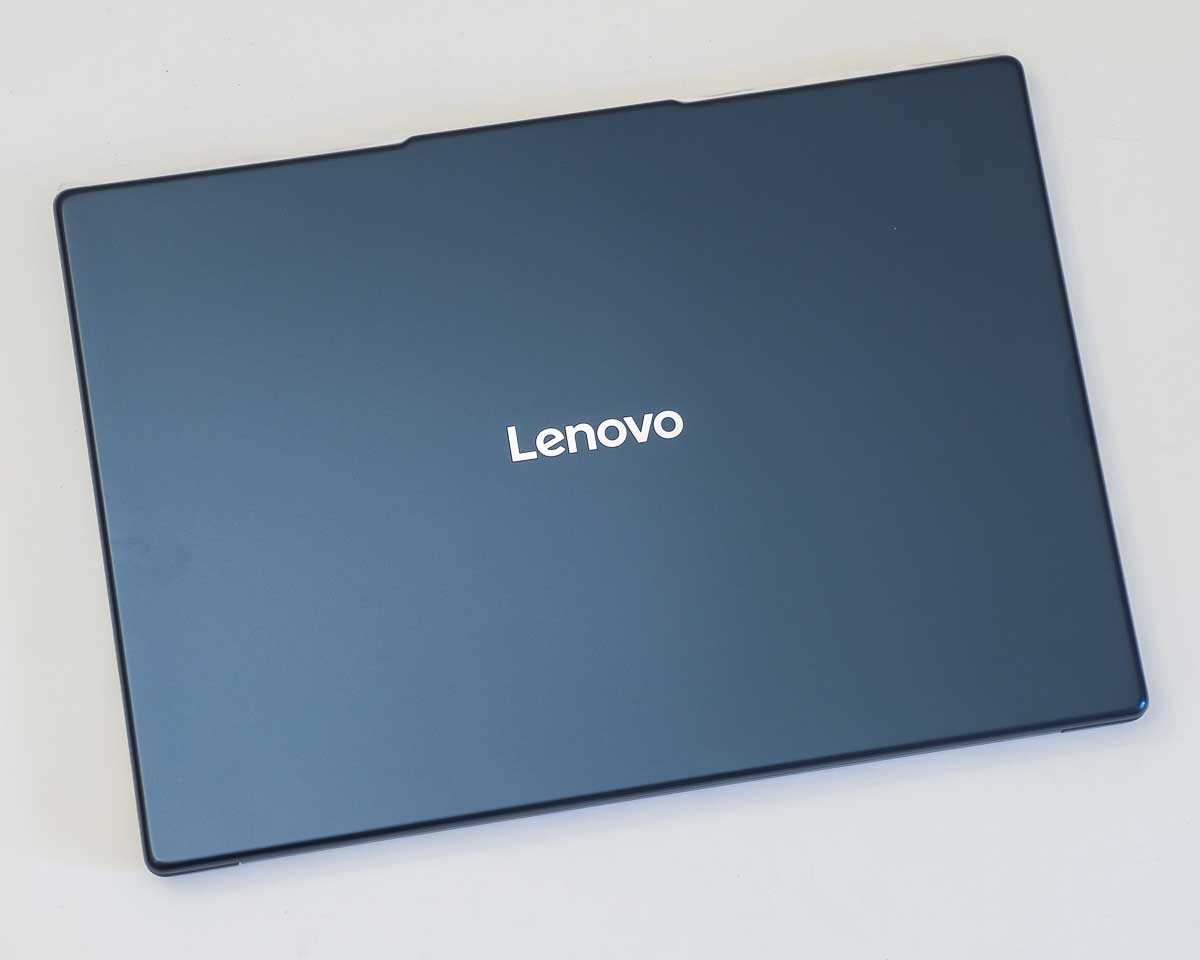
The top of the lid is a slightly smoother glossier blue plastic while the bottom is a matte plastic. The blue color looks really nice. I love it! But this material attracts fingerprint grease a little too much, so it will get uglier quickly unless you cover it with stickers or are vigilant about keeping it clean.
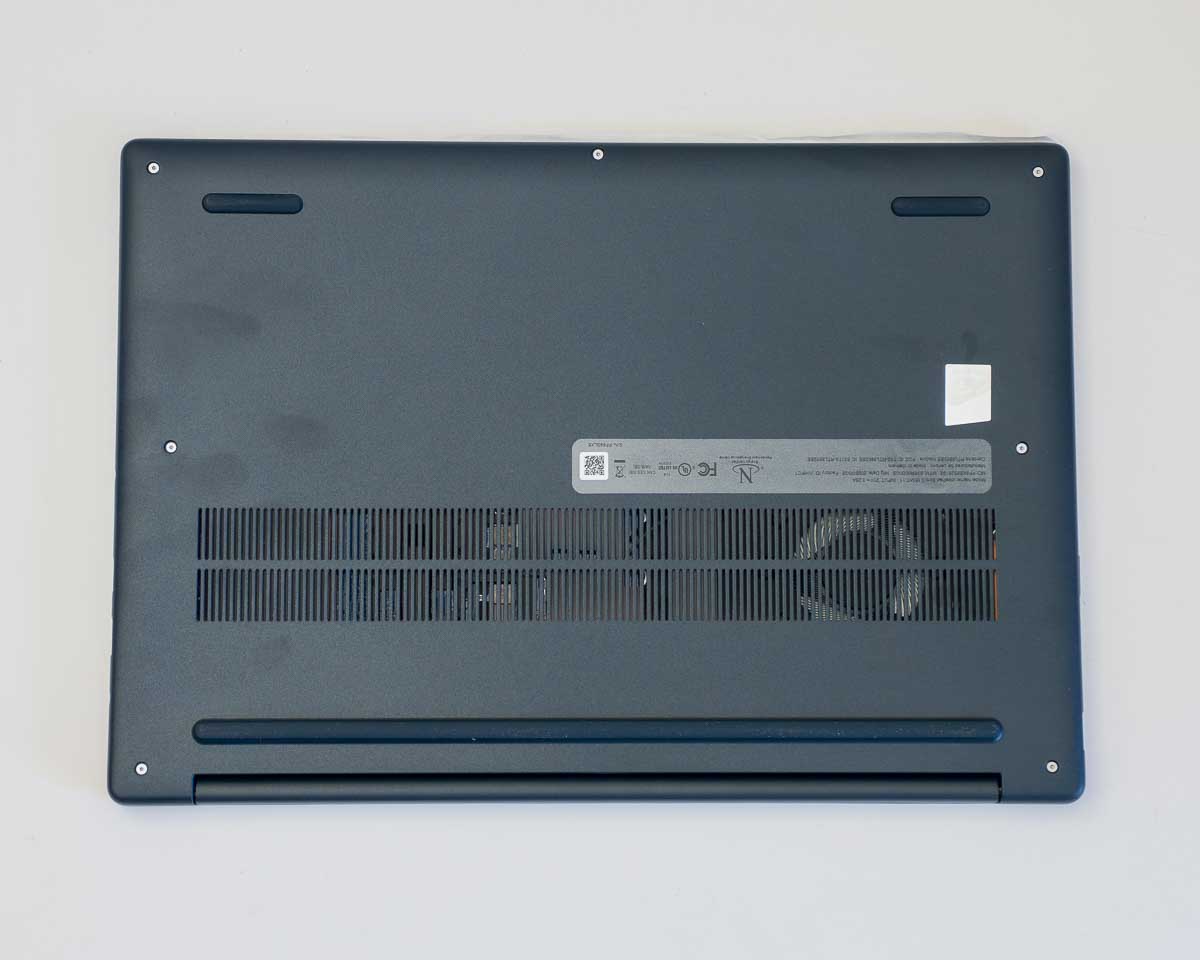
On the bottom, we’ve got more sturdy plastic along with some nice thick rubber risers to make room for air to flow through the ventilation grill. The rubber feet do not feel like they will come unglued very easily and that’s great. Fingerprints are visible here though, so that’s a little annoying.
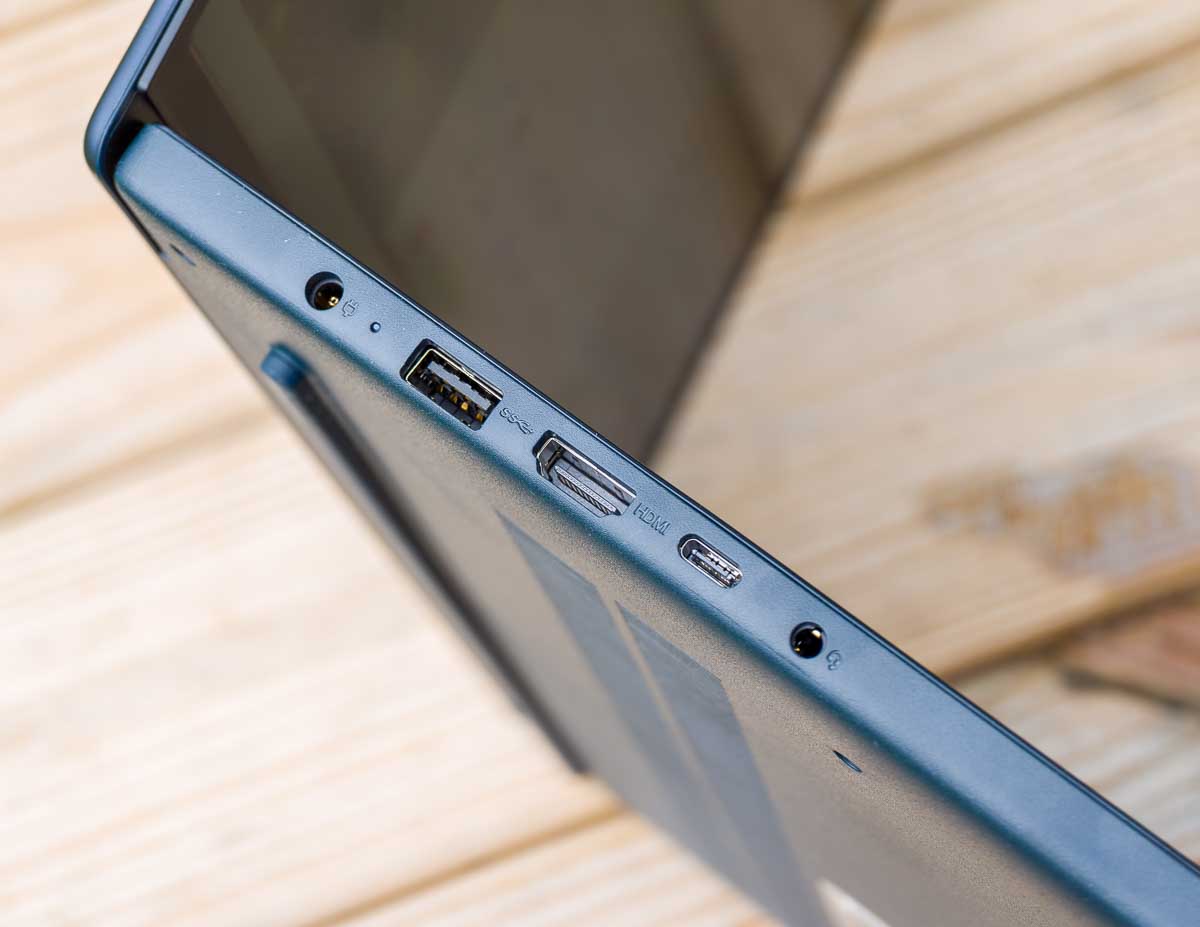

On the left side, we’ve got a barrel shaped power plug, USB-A port, full sized HDMI port, USB-C port and 3.5mm TRS audio port. The USB-C port can also be used for charging in case you don’t want to carry the included power brick around.
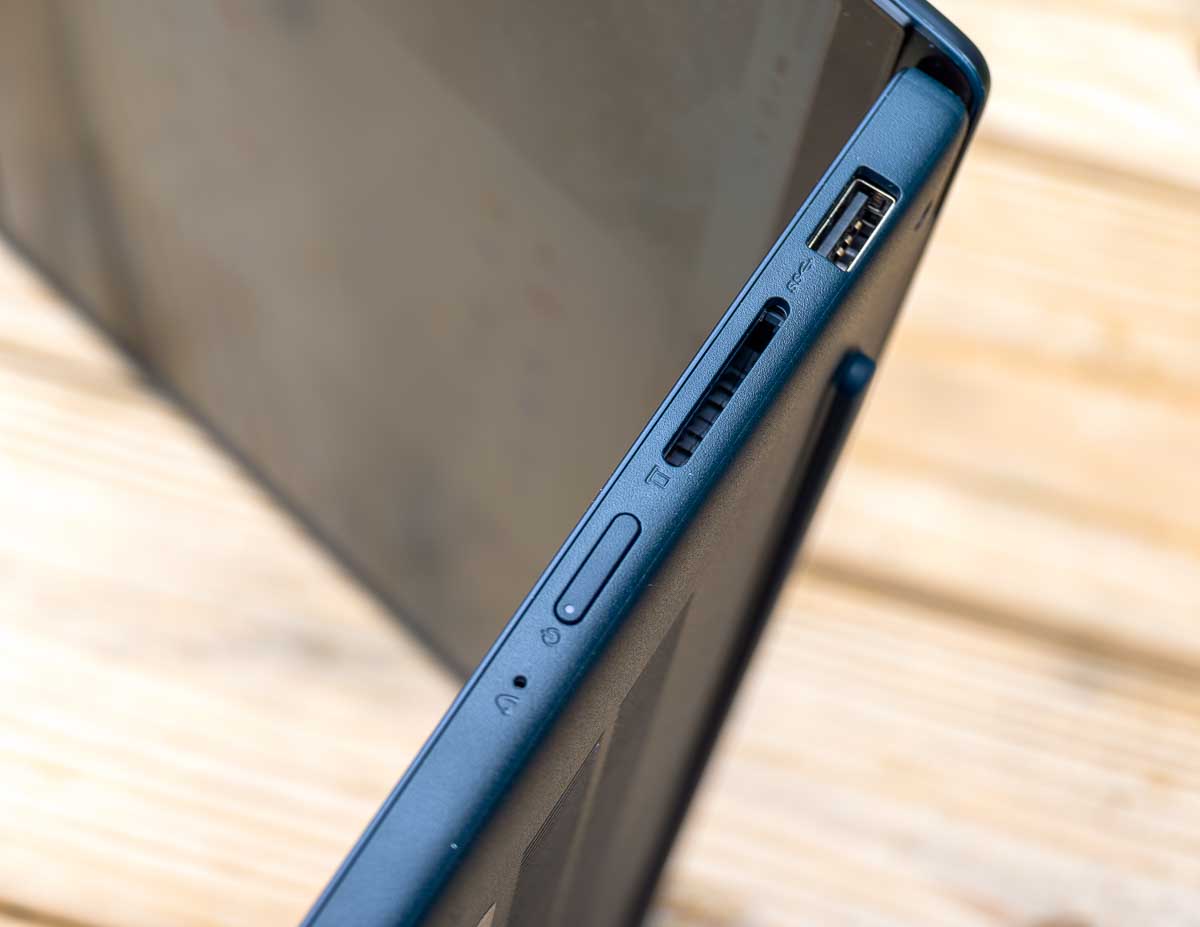
On the right side is the power button which is mostly flush with the right edge which should prevent accidental power button presses while carrying the IdeaPad Slim 3x around in a bag or your hands. We’ve also got a full-sized SD card slot on the right, which I love. This is great for editing photos or videos from a camera right away as you can just plug in the memory card and go. Another nice USB-A port is on this side as well for plugging in more peripherals. There’s a pretty great selection of ports to choose from on this Lenovo laptop. One more USB-C port over here might have been nice, but I wouldn’t want to trade the USB-A port or SD slot for that.
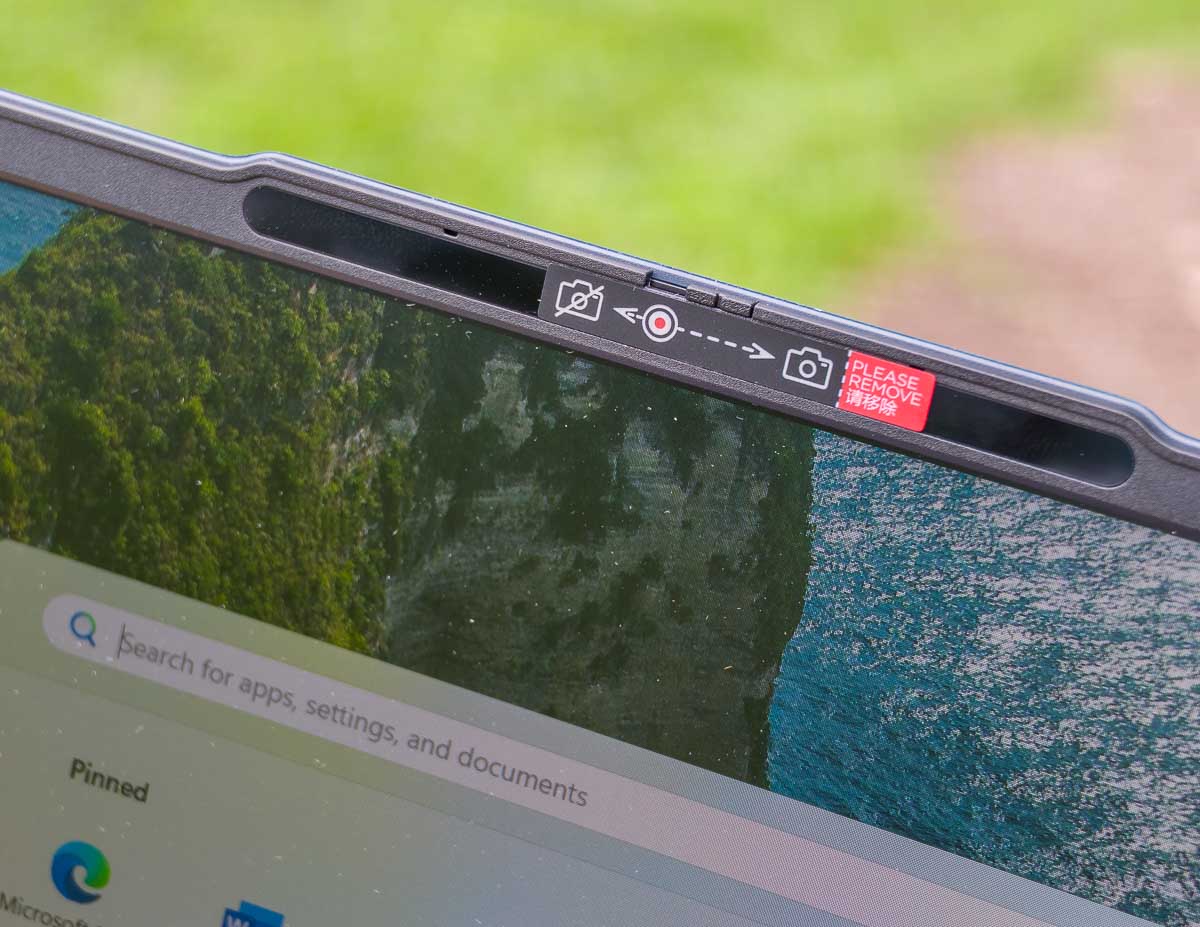
The 720p camera with dual array microphones has a bit of a riser ledge that extends beyond the bezel of the screen lid. There’s also the essential privacy shutter slider so that you can physically block out the camera whenever you want.
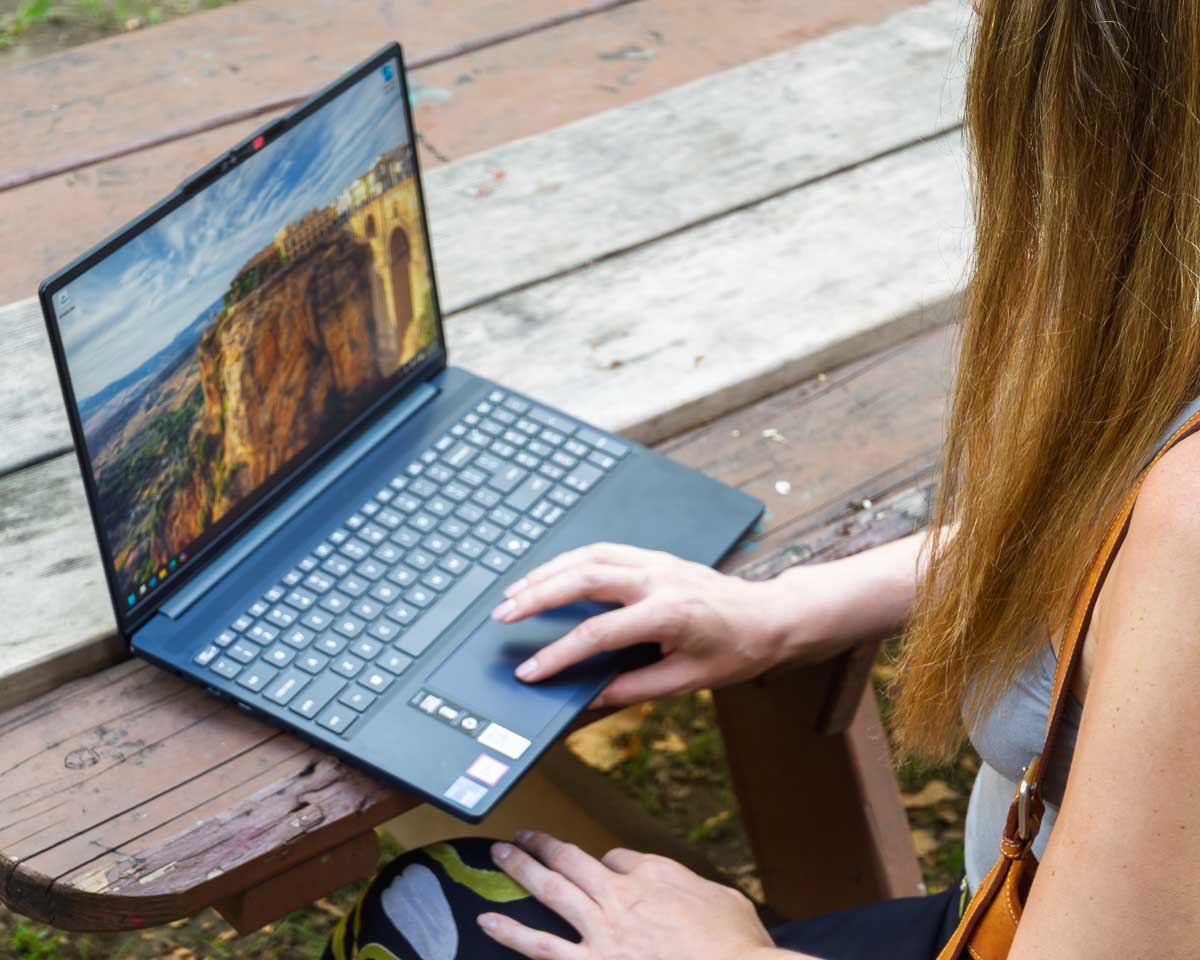
The keyboard is pretty great and feels like a standard Lenovo flat-keys keyboard. This one goes very close to the edges and nicely has room for a full number pad on the right side. This laptop does not have any fingerprint reader by the way, so that means typing your password or PIN code every time you log in. You’ll also notice a “Copilot” key which only launches the Microsoft Copilot web app for AI chatbot conversations.
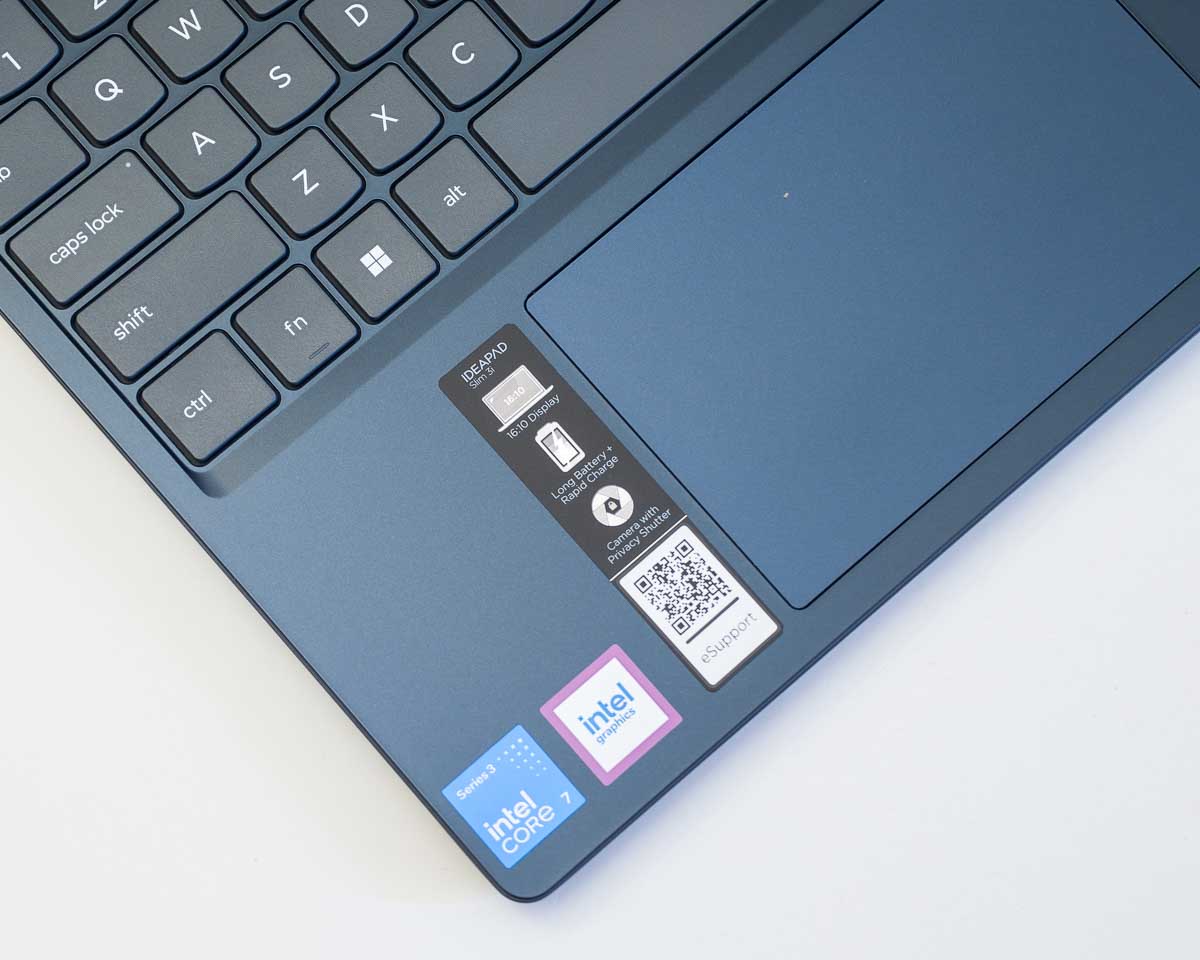
I know you want to see the stickers on the palm rest of the keyboard! Here we go! You’ve got two stickers from Intel; one for the processor and one for “Intel graphics”. Then we’ve got a Lenovo sticker with a QR code link to Lenovo Support. The QR code for support is actually potentially quite useful, so I kind of like that one. The trackpad is totally average for laptop trackpads these days and that’s perfectly fine. Making those different at this point would probably be annoying.
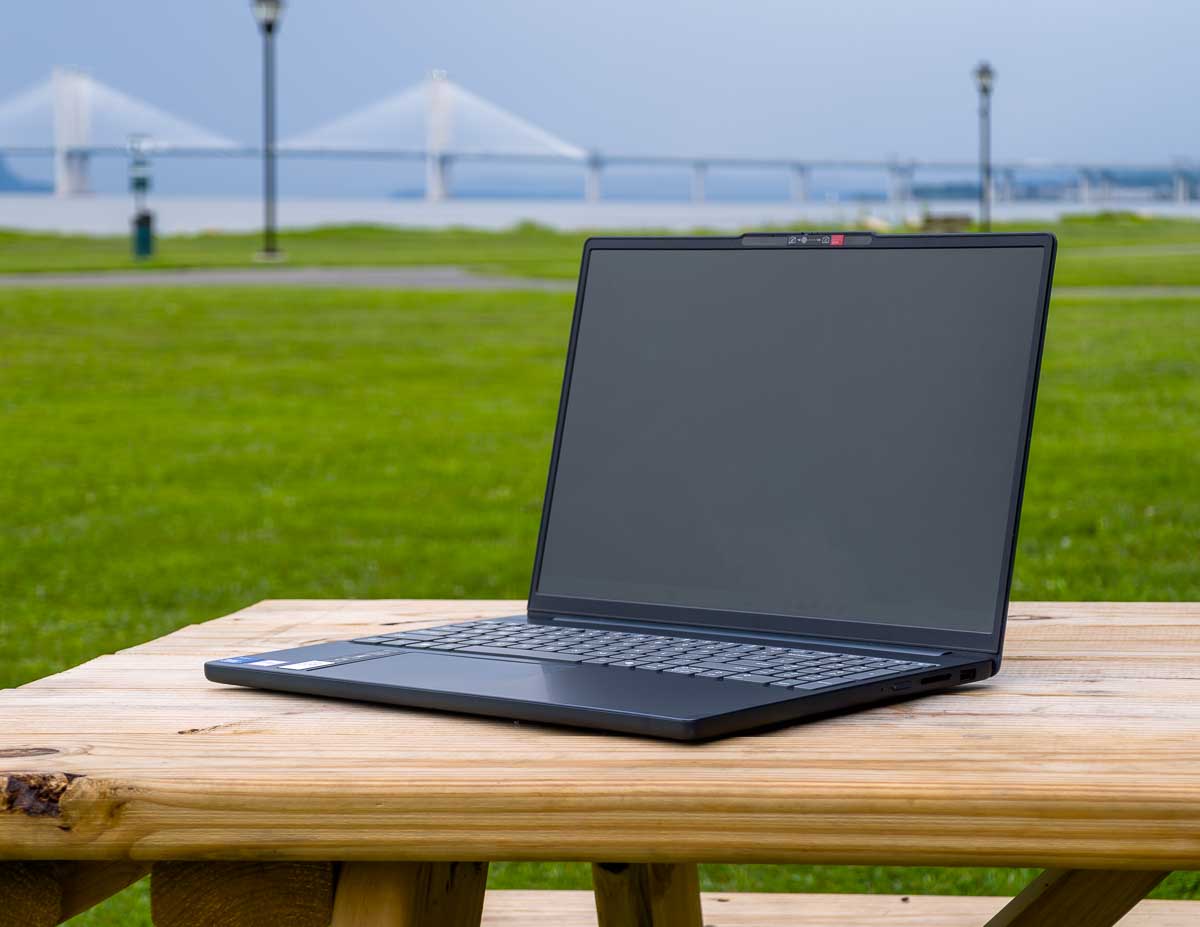
I know it’s called the IdeaPad Slim, but it’s not particularly slim by today’s standards. Still it’s not a problem to carry for a walk to the park.
Benchmarks
For benchmarks from the UserBenchmarks program we’ve got:
UserBenchmarks: Game 14%, Desk 82%, Work 14%
CPU: Intel Core 7 350 – 80.4%
GPU: Intel Graphics – 6.8%
SSD: Samsung MZAMX512HDLV-00BL2 512GB – 134.6%
RAM: Samsung M425R2GA3EB0-CWMOD 1x16GB – 83.5%
MBD: Lenovo 83RR
Software
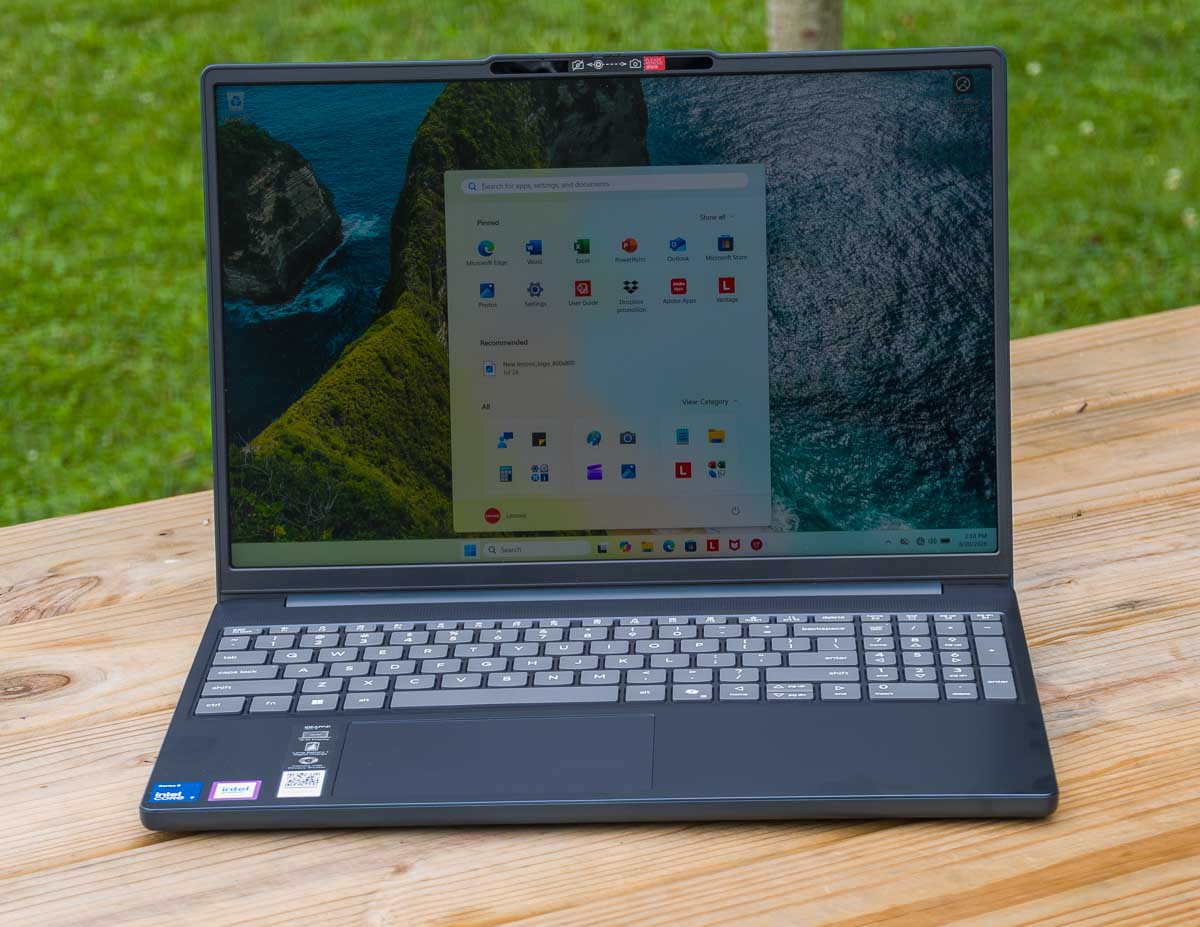
The Lenovo IdeaPad Slim 3i comes with Windows 11 Home edition along with a few bundled apps and utilities.
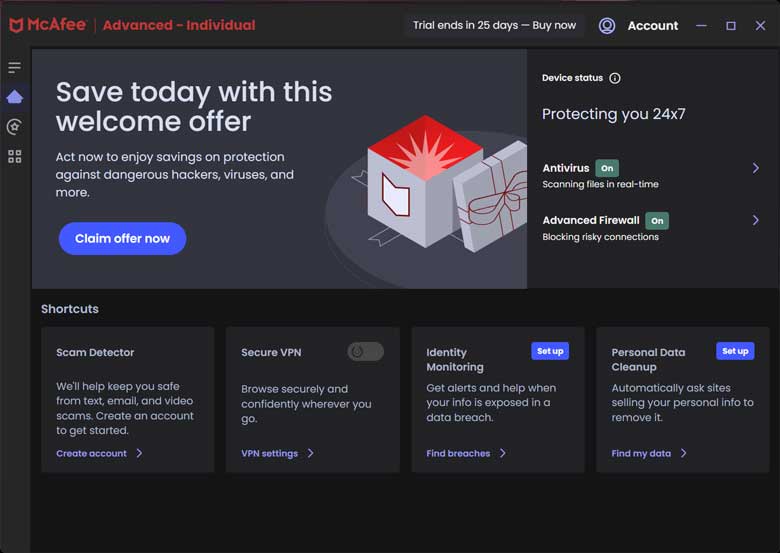

Of course we get McAfee antivirus for a free 1 month trial. Don’t worry, it’s easy to uninstall.
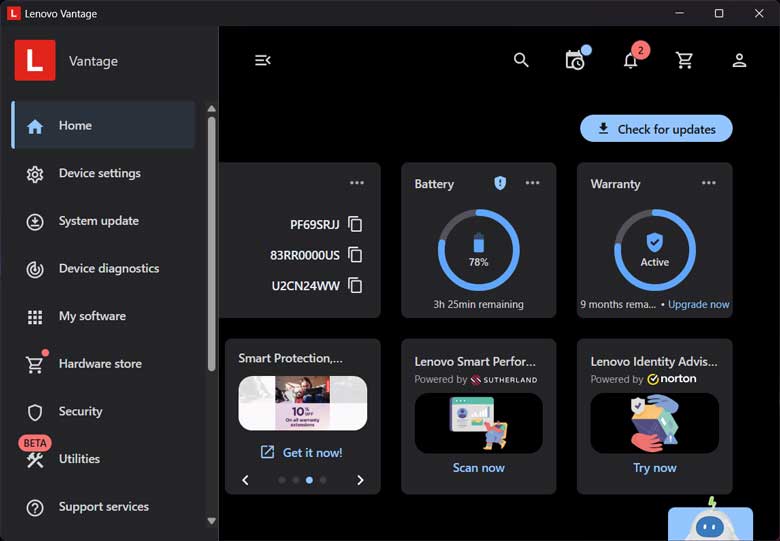

Lenovo Advantage is Lenovo’s updates, maintenance, and promotions app. There are device settings, utilities, warranty status, and up-sells here as well. There are free trials like Amazon Music, DropBox, and McAfee antivirus. The Microsoft Store app itself also includes a free 3 month trial of Game Pass, but this device isn’t going to be great for Game Pass usage (other than the low-resource games like Minecraft and such.)
There are also some icons bundled in the Windows 11 start menu that link to other promotions and information on the web. One links to the User Manual for the computer, which is helpful. There’s also a Dropbox promotion link as well as an Adobe apps promotion link. A “Lenovo Subscription Management” website link is also pinned to the taskbar by default. That webpage gives you a big list of software subscription services that you can sign up and pay for.
Battery Life
The battery life on the Lenovo IdeaPad Slim 3i is certainly much lower than the IdeaPad Slim 3x running the Qualcomm ARM processors (Lenovo IdeaPad Slim 3x Review: budget friendly with great battery life to compete with the Macbook Neo). In my normal use that includes mostly email and web browser usage as well as a little photo editing, I could get around 6 hours of battery life. Obviously, your usage my vary and the battery life greatly depends on CPU usage, screen brightness, etc.
Pros/Cons
Pros
- Inexpensive
- Acceptable performance
- Better than a Chromebook
- Plenty of expansion ports, including an SD card slot.
Cons
- Short battery life
- Attracts fingerprints
- May be less stable than more expensive hardware
Conclusion
Ultimately, the Lenovo IdeaPad Slim 3i serves as a practical and stylish entry point into the Windows ecosystem, offering a satisfying balance of performance and value for budget-conscious users. While it may not possess the raw power for demanding creative projects, its attractive Cosmic Blue finish, versatile port selection, and reliable handling of everyday tasks like web browsing and Microsoft Office make it a solid choice for students or former Chromebook users seeking a capable Windows companion. Despite minor drawbacks like average battery life and a fingerprint-prone chassis, the Slim 3i delivers exactly what it promises: a dependable, no-frills laptop that gets the job done without breaking the bank.
Guest model appearance by Brana Dane.