



It’s been quite a while since I’ve gotten to try an ARM processor laptop running Windows. Probably because I really hated the poor performance, but that was 8 years ago back in 2018 when I last used Windows on ARM and lots has changed since then! My Pinebook Pro Linux laptop running an ARM processor was pretty fantastic back in 2019. Today there are many new laptops, including Chromebooks and even Apple Macbooks running ARM processors. The performance gap has narrowed with the x86 architecture as has the software compatibility gap, so the relatively inexpensive Lenovo IdeaPad Slim 3 running a Qualcomm ARM processor and Windows 11 might make a lot of sense these days. The Lenovo IdeaPad Slim 3 is about a year old now too, but the pricing and performance still have it looking quite competitive.
There are several versions/configurations for the Lenovo IdeaPad Slim 3 laptop ranging from $360-$600 depending on what kind of specs you’re looking for.


Pros/Cons
Pros
- Battery life
- Inexpensive
- Acceptable performance
- 2nd M.2 slot inside for storage expansion
- NPU processor for AI background blurring in video calls
Cons
- Not all software programs run well under x86 emulation on ARM
- NPU doesn’t do anything when using AI apps like CoPilot, LM Studio, or ComfyUI
Specs
For specifications, the Lenovo IdeaPad Slim 3x has
- Qualcomm Snapdragon X (X1-26-100) 8-core Processor 3.0Ghz with 45 TOPS Hexagon NPU
- 15.3” WUXGA (1920 x 1200) Touch Display
- 720p Webcam with privacy shutter
- Up to 60Wh battery with Rapid Charge Boost
- MIL-STD-810H Mil-Spec Certified build quality
- 16Gb LPDDR5x-8448 RAM dual-channel soldered
- 256Gb SSD M.2 2242 PCIe 4×4 NVMe
- WiFi 7 + Bluetooth 5.4
- 60Wh, Rapid Charge Boost (2hrs of runtime with 15-minute charge)
- 343.4 x 239.5 x 16.9-17.9 mm (13.52” x 9.51” x 0.67-0.7”) dimensions
- 1.55kg (3.42 lbs) weight
- Color: Luna Grey, Aluminum (top), PC-ABS (bottom)
Hardware
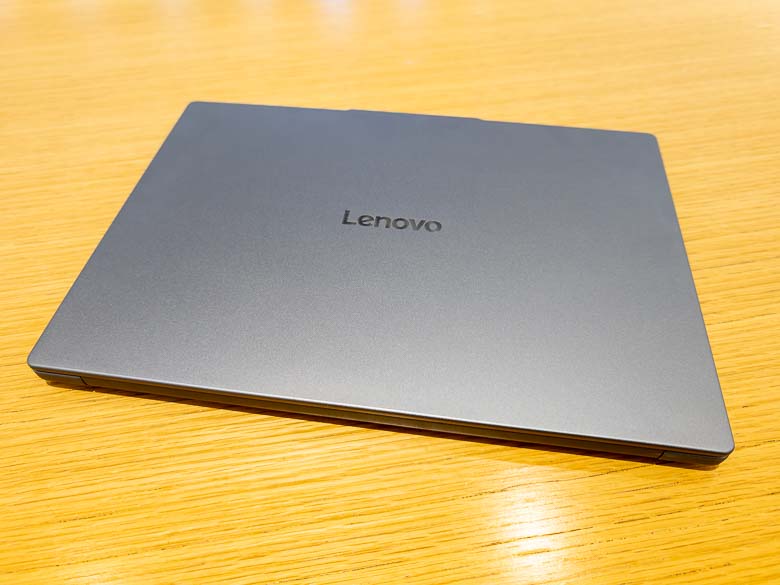

There’s nothing particularly spectacular about the looks of the Lenovo IdeaPad Slim 3x with its aluminum lid. When closed it looks just like any other laptop computer other than the shiny “Lenovo” logo in the center, and that’s fine. This is not supposed to be a flashy computer. It’s supposed to be something affordable and reliable.
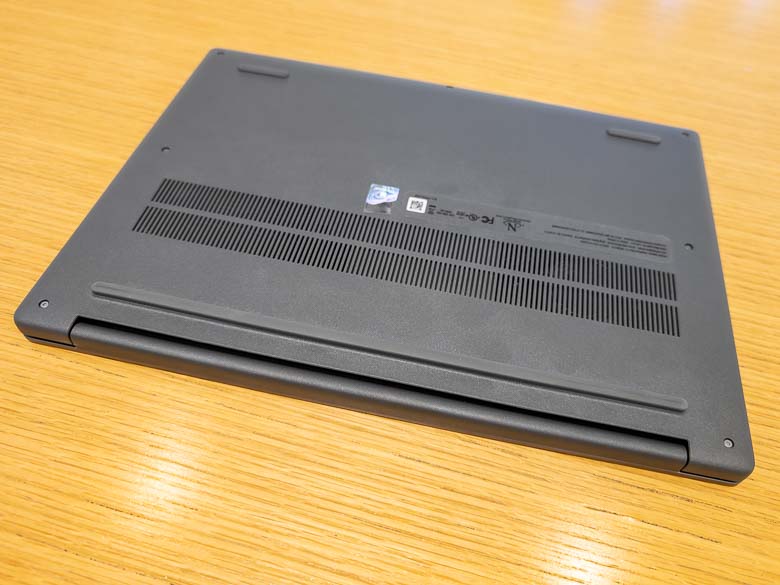
On the bottom, we’ve got more sturdy plastic along with some nice thick rubber risers to make room for air to flow through the ventilation grill. The rubber feet do not feel like they will come unglued very easily and that’s great.
While I didn’t open it, there’s also a 2nd SSD slot inside the case where you could install a 2242 SSD with up to 1Tb of more storage.
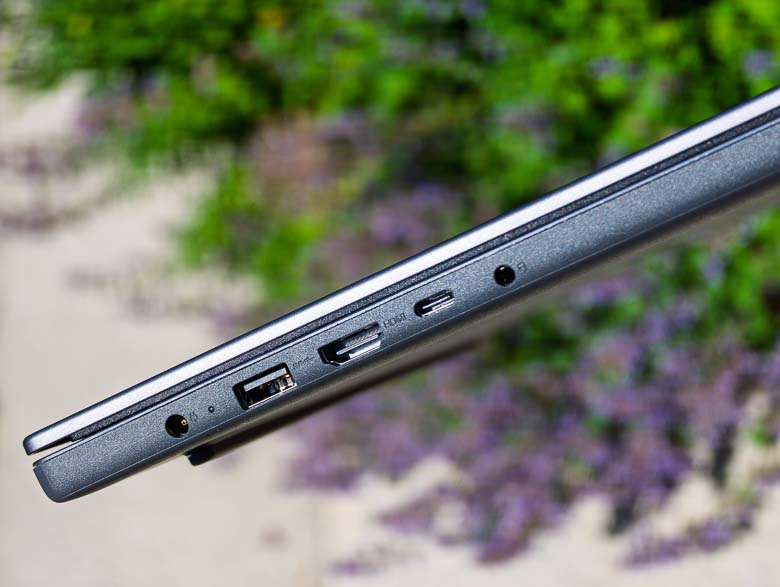
On the left side, we’ve got a barrel shaped power plug, USB-A port, full sized HDMI port, USB-C port and 3.5mm TRS audio port. The USB-C (USB 3.0 & DP 1.2) port can also be used for charging in case you don’t want to carry the included power brick around, and honestly you probably won’t need anything as the battery life is so good that you can go all day without charging.
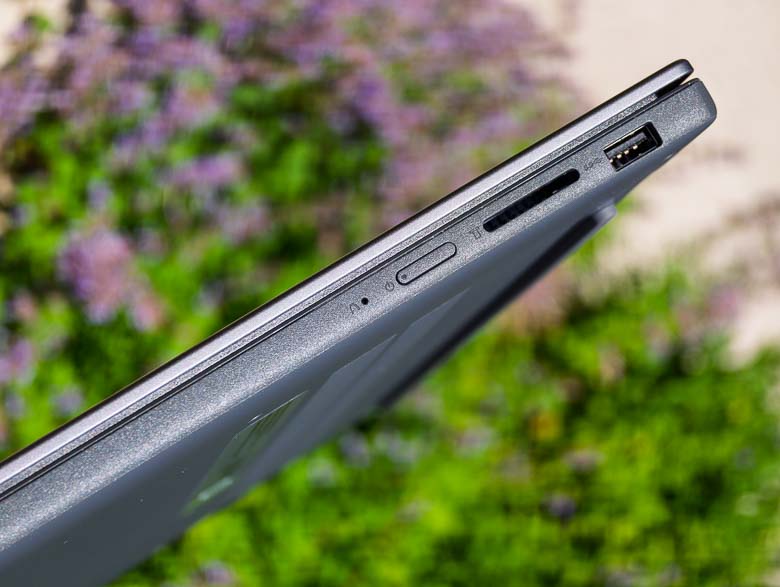
On the right side is the power button which is mostly flush with the right edge which should prevent accidental power button presses while carrying the IdeaPad Slim 3x around in a bag or your hands. We’ve also got a full sized SD card slot on the right, which I love. This is great for editing photos or videos from a camera right away as you can just plug in the memory card and go. Another nice USB-A port is on this side as well for plugging in more peripherals. Overall there’s a pretty great selection of ports to choose from on this Lenovo laptop.
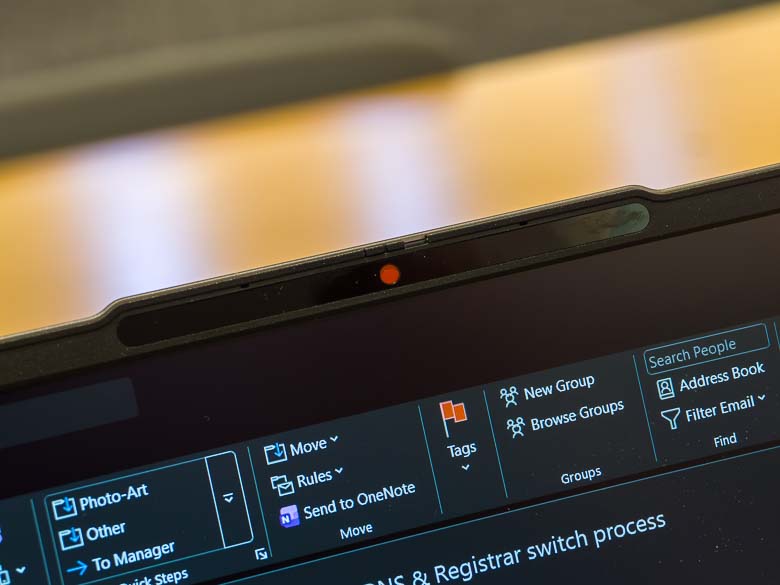
The 720p camera with dual array microphones has a bit of a riser ledge that extends beyond the bezel of the screen lid. In the above photo you can see the red spot indicates that the physical camera shutter is slid closed.
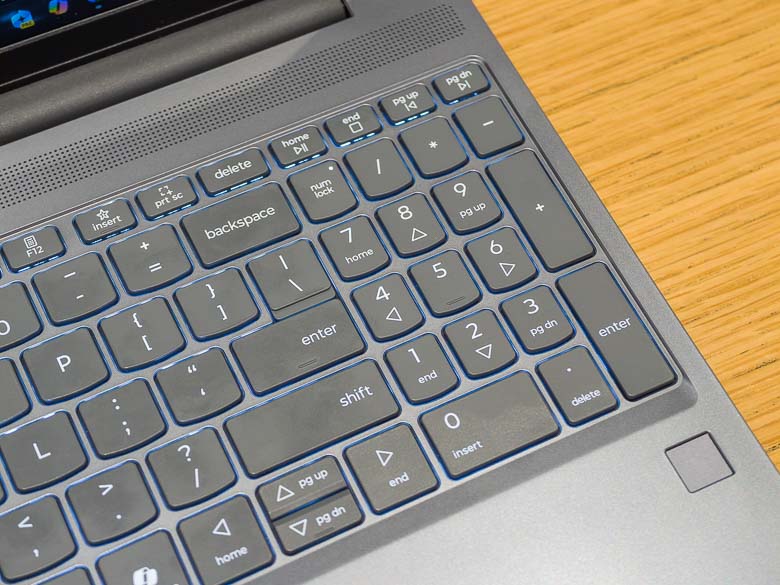
The keyboard is pretty great and feels like a standard Lenovo flat-keys keyboard. This one goes very close to the edges and nicely has room for a full number pad on the right side. Below the right corner of the keyboard is a little square which functions as the fingerprint scanner for Windows Hello biometric logins. You’ll also notice a “Copilot” key which only launches the Microsoft Copilot web app for AI chatbot conversations. I get that this is something Microsoft dictates, but in what world is a dedicated key for launching only one app useful for anyone?
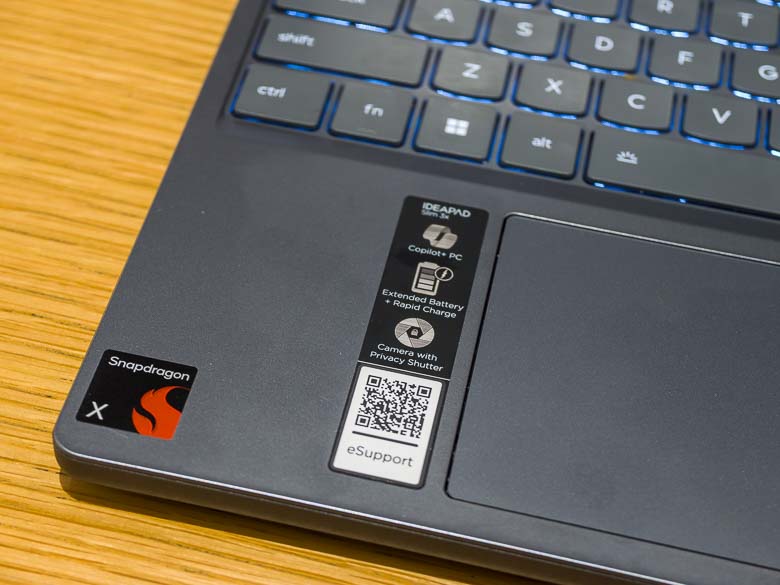
Does it have stickers on the palm rest of the keyboard? Yes it does! You’ve got one from Qualcomm to advertise the processor brand, and a couple more from Lenovo to advertise a few IdeaPad features as well as give you a QR code link to Lenovo Support. The QR code for support is actually potentially quite useful, so I kind of like that one. The trackpad is perfectly fine as well. There’s a bezel around it so it’s very easy to feel the edges without looking.
Software
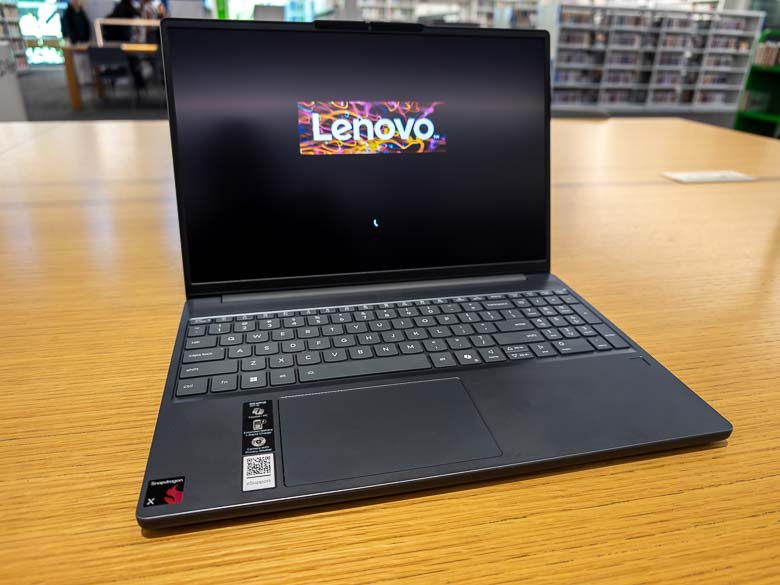
The Lenovo comes with Windows 11 for ARM processors and for the most part the difference between the x86/x64 version of Windows is unrecognizable. The processor does include a Neural Processing Unit (NPU) though, so we’ve got some extra CoPilot features enabled.


Of course we get McAfee antivirus for a free 1 month trial. Don’t worry, it’s easy to uninstall.
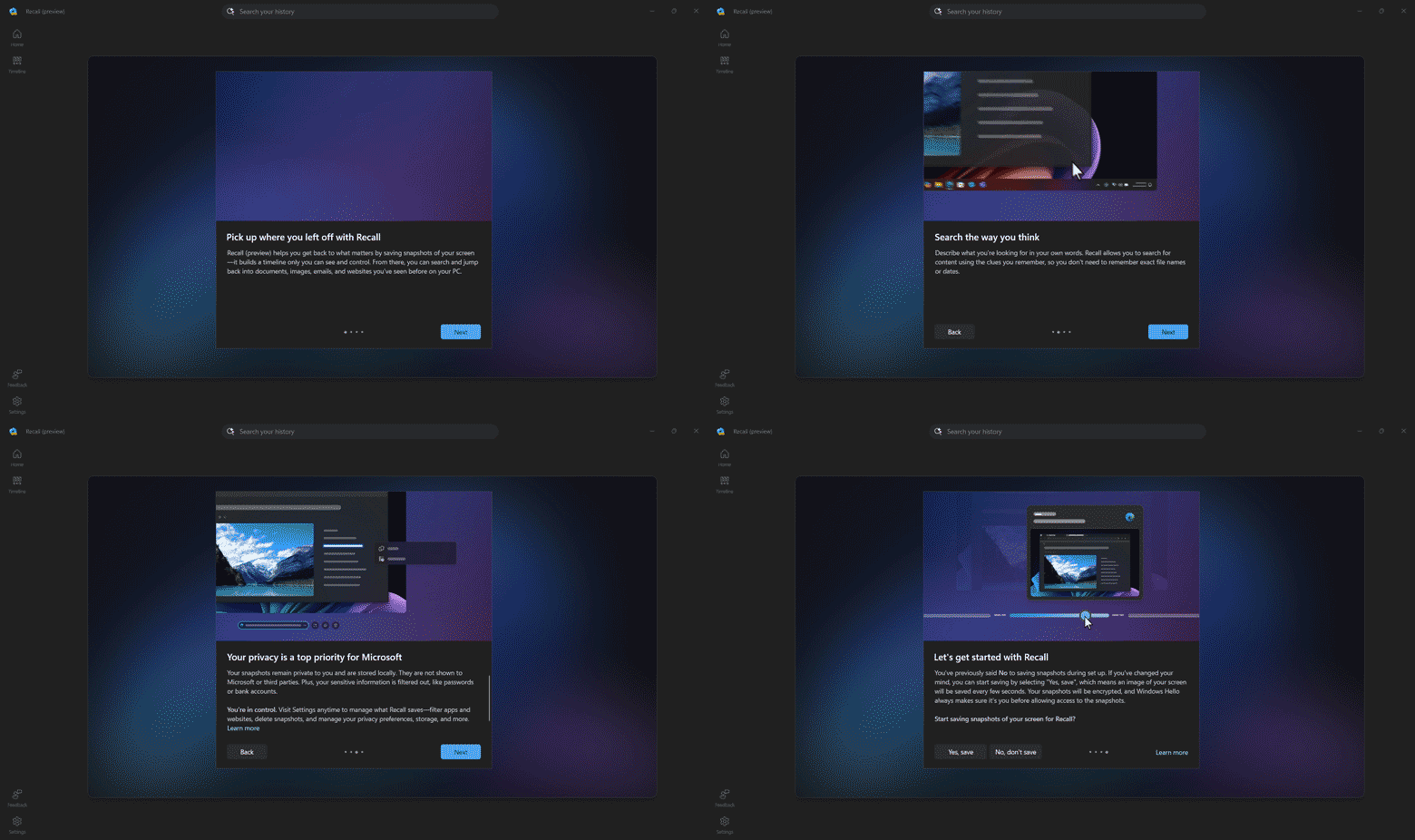

Since this is a “CoPilot PC”, we’ve got the new “Recall” feature from Microsoft that screenshots everything you do and keeps track of it in a history database that you can search later. There’s a lot of controversy about this in terms of the privacy and security issues as well there should be. I’m just going to turn it off for me.
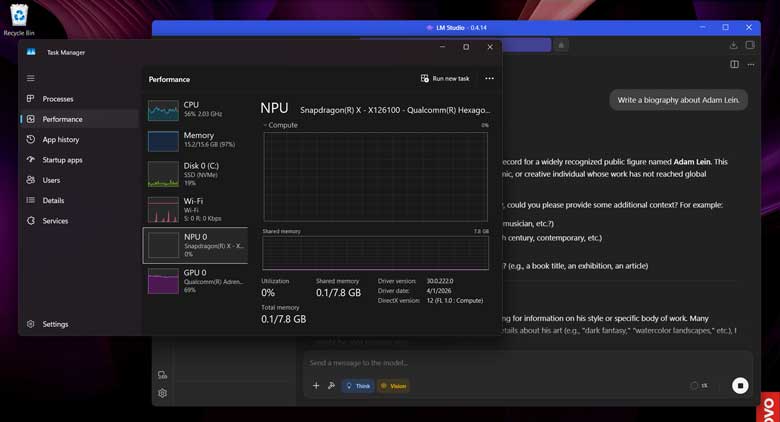

The NPU does a whole lot of nothing when running offline AI tools like LM Studio or Comfy UI. It’s not even used when running the CoPilot app that’s included with the PC.
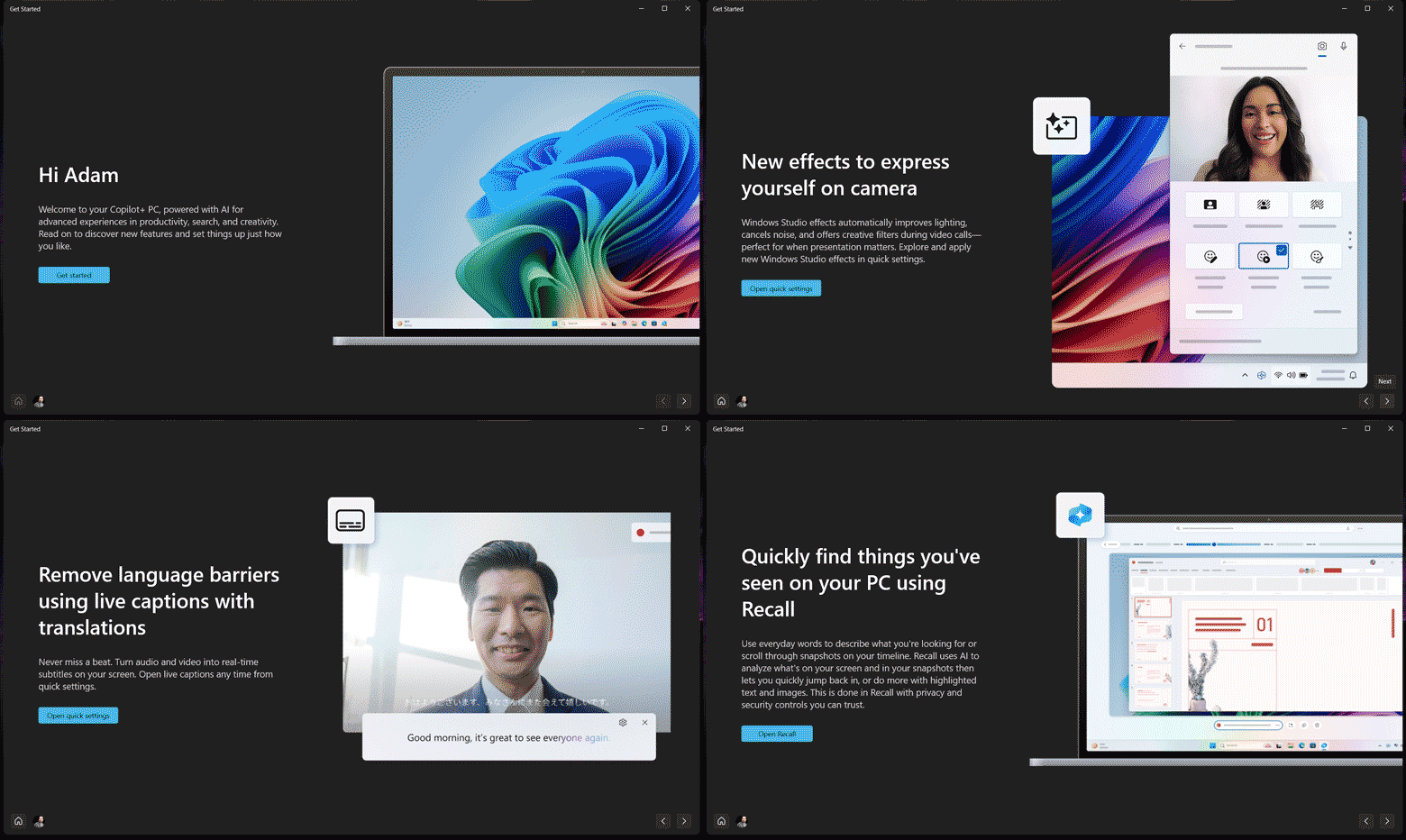

It is however nicely active when turning on the live web cam filters like background blurring and other adjustments. It can also be used for live translations or captions during video calls.
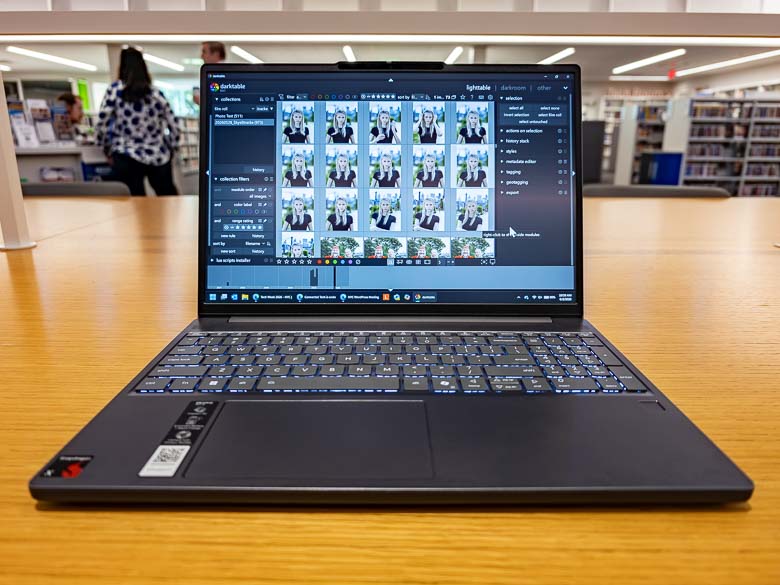
Most programs run great on the Lenovo IdeaPad Slim 3x even if they’re not built for the ARM architecture. The x64 emulation usually does a pretty good job, but you will probably still notice some slow-downs especially compared to a more powerful and more expensive x64 computer.
Battery Life
I love the battery life on the Lenovo IdeaPad Sliim 3x! One of the advantages of the ARM processor architecture that everyone talks about is that it’s much more power efficient than the x64/x86 processors that we generally use from Intel. It’s why most smartphones and tablets use ARM processors as efficient battery life is an important thing there.
The Lenovo IdeaPad Slim 3x running Qualcomm’s Snapdragon X processor can easily last all day without a charge, and probably two days depending on how heavily you’re using everything.
Conclusion
The standout feature for the Lenovo IdeaPad Slim 3x for me is definitely the battery life. Being able to walk around all day carrying only the laptop with no charger and just be able to open up and get some work done whenever and wherever is pretty awesome. I’m used to using much more powerful mobile computers that have pretty terrible multi-hour battery life, but those computers are much more capable when it comes to photo/video editing, graphics, gaming, and even scrolling through extremely long web pages. The Lenovo IdeaPad Slim is not really for the graphics heavy RAM heavy power users. However it is pretty great for the more casual business, home, and school uses and it is absolutely better than a Chromebook in the same price range.
Guest model appearance by Brana Dane.
… reposted this!