


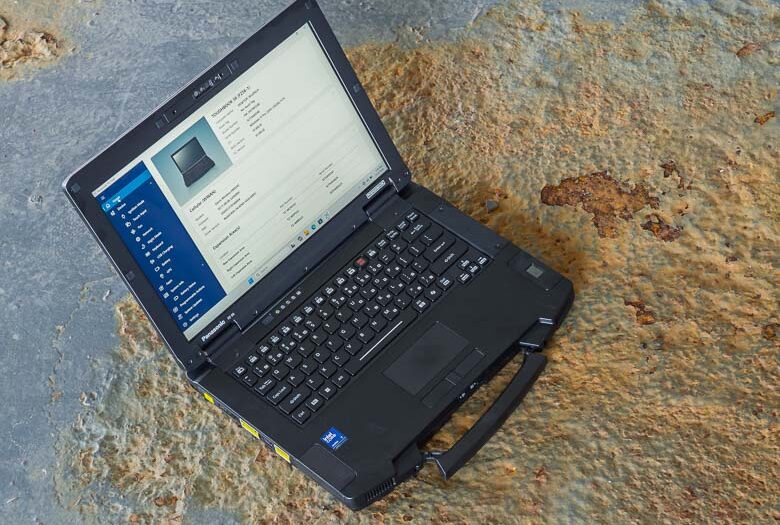
Panasonic just announced their latest Toughbook rugged industrial strength modular laptop computer for demanding outdoor workloads; the Toughbook 56. This actually marks the 30 year anniversary of the Toughbook brand which began in 1996. The Toughbook 56 continues the tradition of laptop computers designed specifically for heavy duty outdoor and mobile workplaces, but brings some nice improvements like the latest Intel processors, an 8Gb dedicated GPU option, improved modular options, and more, while still maintaining compatibility with mounting gear, docking stations, and external hardware that companies may have been using for many decades.
The Panasonic Toughbook 56 will be available in May and the price will start at $3,325. Meanwhile, you can find other versions on Amazon right now.
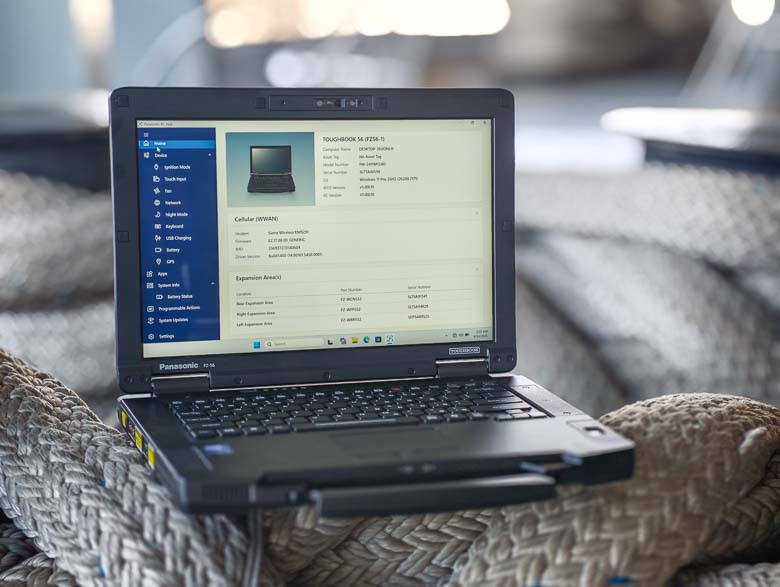

A few specifications for the Panasonic Toughbook 56:
- Six modular areas, including 3 xPAKs, battery, RAM and SSD
- Intel® Core™Ultra Series 2 processors powering Intel vPro™(up to 16 CPU cores)
- Optional AMD™Radeon™PRO W7500M (8GB dGPU)
- 14” WUXGA 16:10 display featuring Corning® Gorilla® Glass (optional 1000 nit touchscreen)
- 16-64 GB DDR5 RAM
- 512-2TB OPAL or FIPS encrypted SSD’s (up to 4TB total and optional RAID-1 mirroring)
- 5MP webcam and dual-array microphone with AI noise reduction
- 98dB speakers
- Up to three ethernet ports (1 Gbps standard, with 2.5 and 10 Gbps optional)
- Wi-Fi 7 and Bluetooth
- 4G or 5G connectivity options, private cellular ready, and dual SIM (physical + eSIM)
- 24 hours of battery life (MobileMark) with optional second battery
- 3’ Drop, MIL-STD-810H, IP53, Air Worthiness
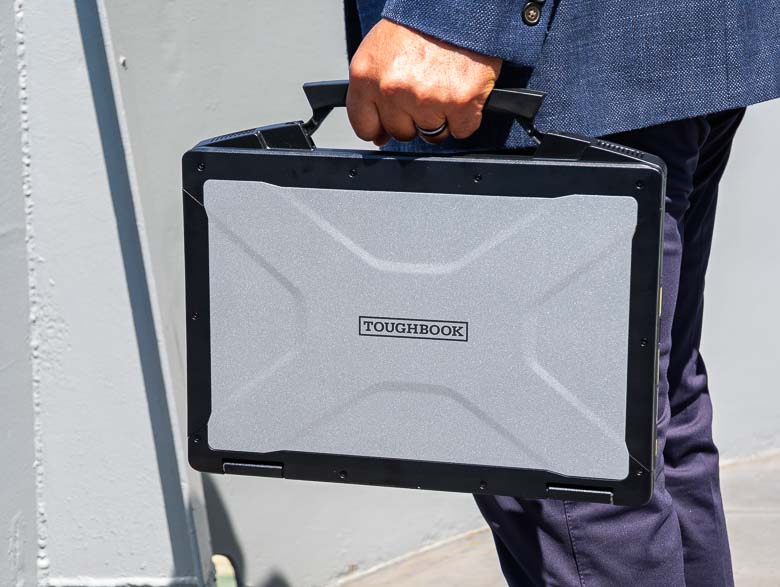
The first thing I noticed about the Toughbook 56 is that it feels much lighter than the older ones as far as I can remember. That’s great, because the other Toughbooks I reviewed were very heavy. This could have something to do with the configuration of the modular bays of course.
The handle is new too. This one still collapses into the body of the Toughbook, but it should feel a bit more ergonomic than previous styles.
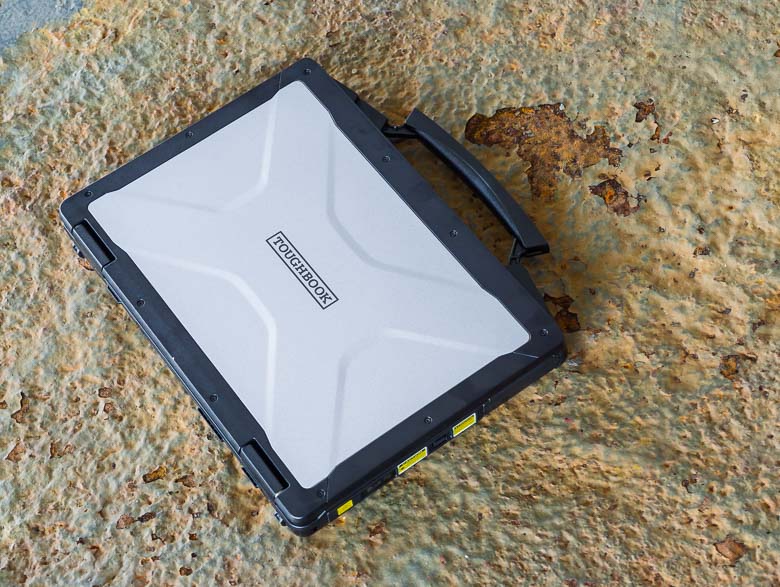
The exterior looks a lot like other Toughbook models and is built to withstand repeated accidental dropping or stacking of multiple Toughbooks on top of each other.
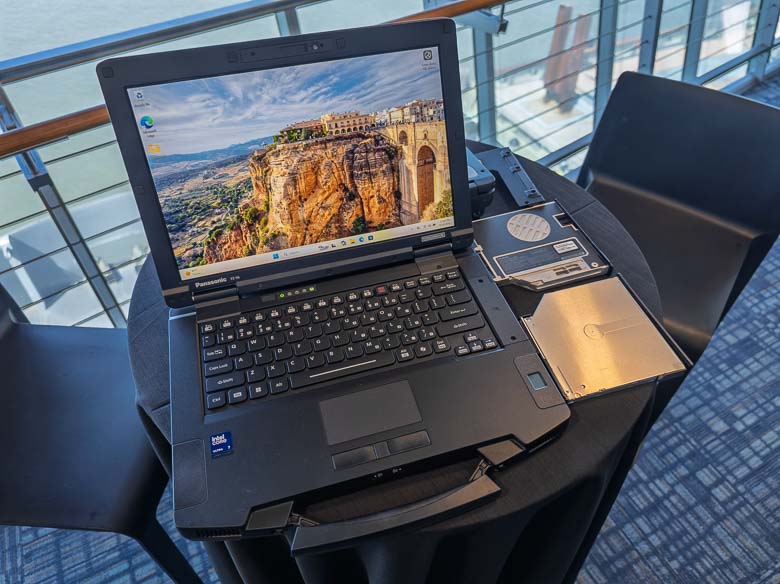

Of course the Toughbook 56 has modular bays for swapping out components and configuring the PC for your precise usage needs. There are bluray drives, DVD drives, extra SSD drives, fingerprint scanners, barcode readers, extra batteries… lots to choose from!
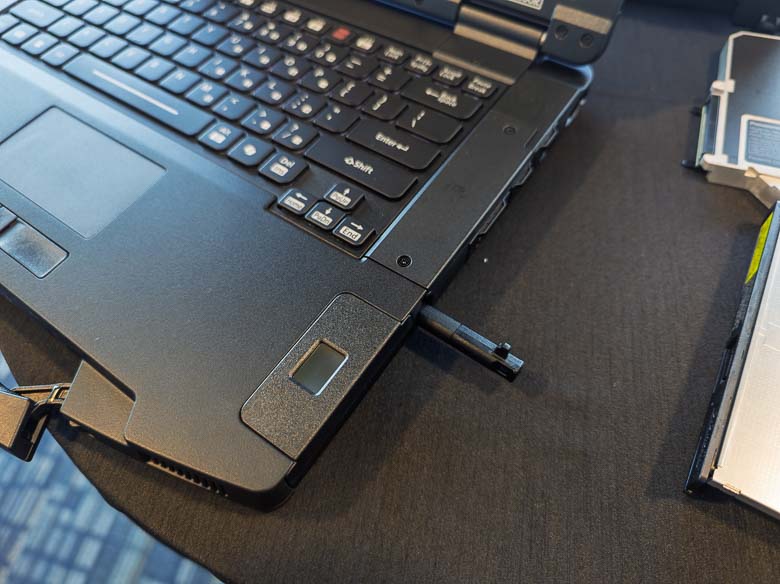
The Toughbook 56 has a capacitive stylus with a silo for it on the right side between customizable bays. You can press the stylus in to release it with a little spring.
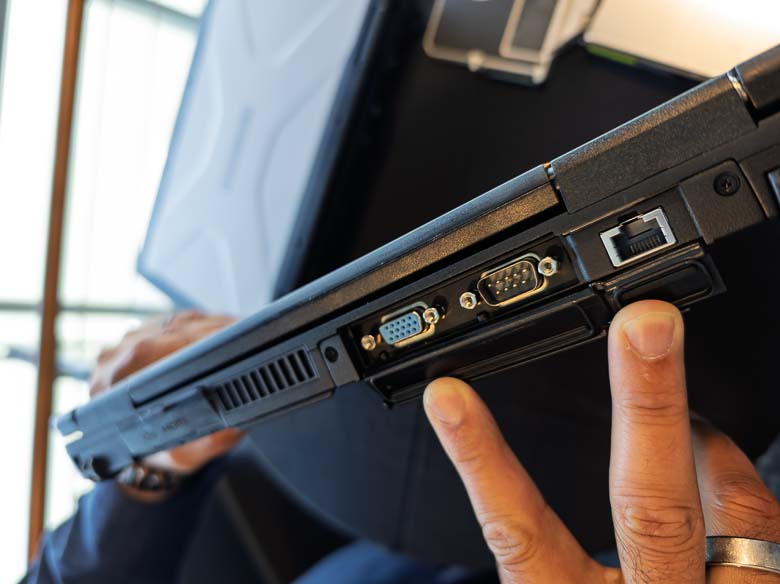
The above section on the back is also modular. Do you have some peripherals or external hardware that was designed in the 1900’s? Well, we’ve got a serial port there for you! There’s also an ethernet port that newly supports fast 10Gbps bandwidth speeds.
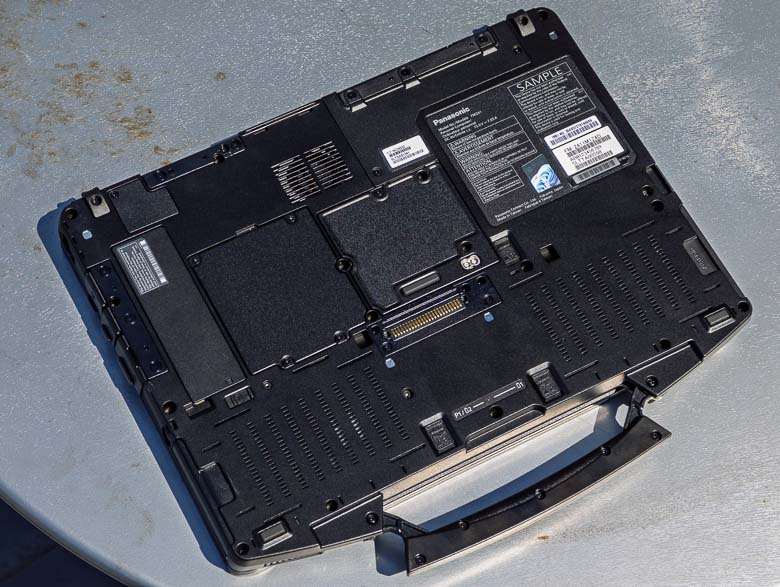
On the bottom, we’ve got lots of doors that can be opened with a screwdriver in case you want to change or fix some things like the SSD or RAM. There’s also a docking connector port and antenna ports.
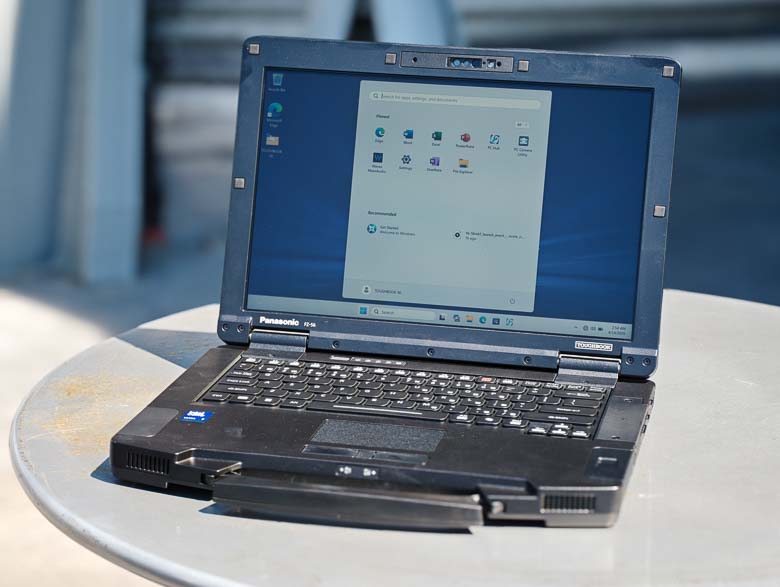
Having a display that’s visible outdoors is another very important feature of this type of rugged laptop computer and the Toughbook 56 does this really well. The above photo was shot on the rear deck of the Intrepid aircraft carrier in direct sunlight, and you can see Windows 11 there looks perfectly usable. The anti-glare screen prevents reflections nicely as well.
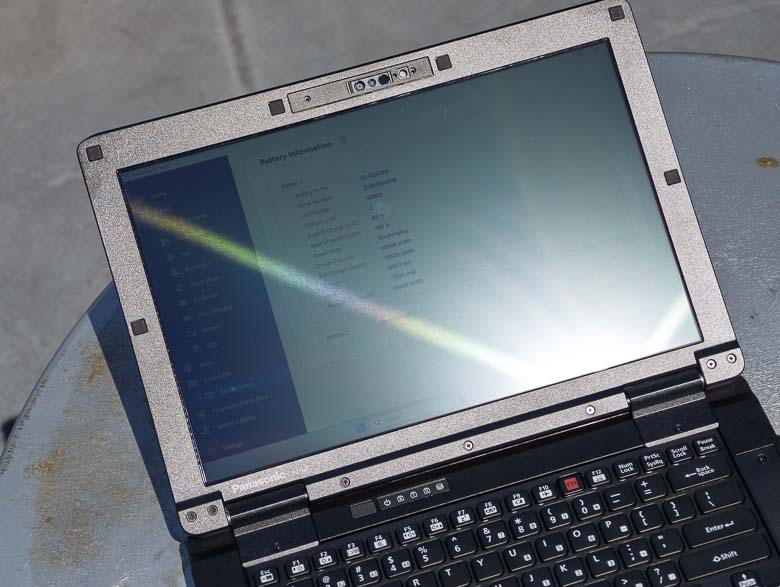
I had to try really hard to get some glare on the Toughbook 56’s screen. Basically, you need to angle it so that it’s reflecting the sun straight into your eyes to get some glare (as seen above).
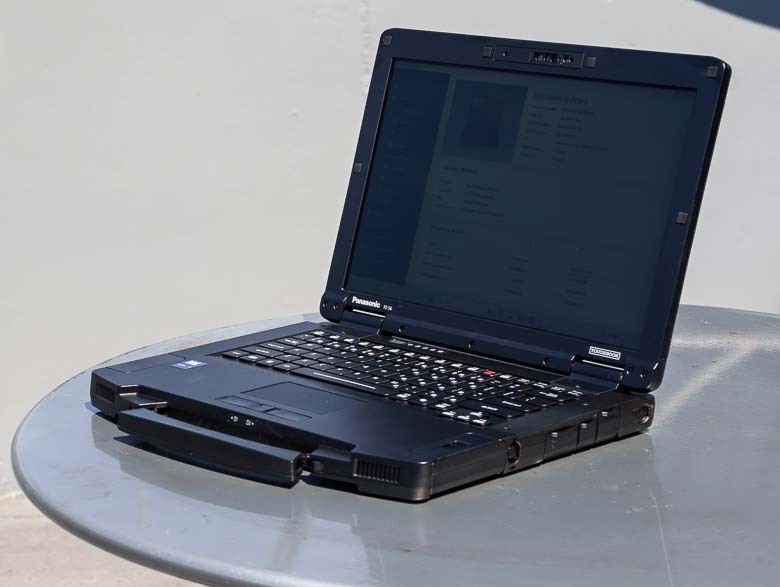
When it comes to viewing angles, the Toughbook 56’s display has pretty narrow ones. I know some reviewers really like wide viewing angles so that the display would still look good from the side, but in this case, I think having the display only be viewable by the person actually interacting with the computer is a feature. You don’t want everybody else seeing the potentially private data that you’re working with. So, as you can see in the above photo, spying on a Toughbook 56 user from the side doesn’t work very well.
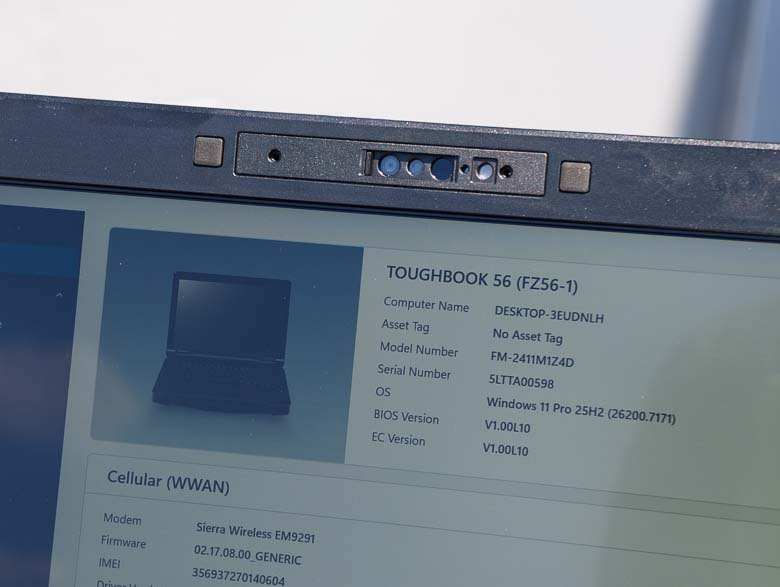
In the bezel above the display we’ve got a video conferencing web camera as well as infrared emitter/sensors for facial recognition.
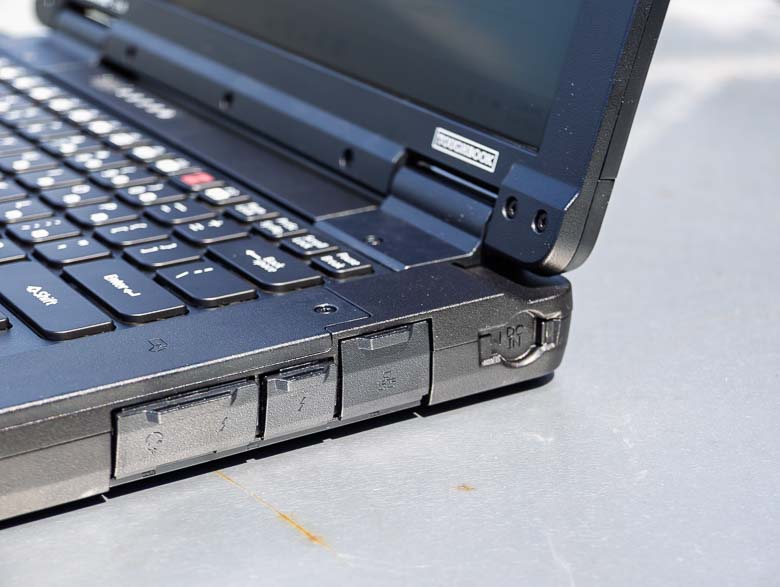
The right side’s ports area is not user-replicable, but you can choose different options here when you order the computers. For example, you could add a fingerprint scanner to the edge next to the keyboard.
Another new feature is the barrel shaped power plug at the end now has a sliding door cover to help keep dirt out.
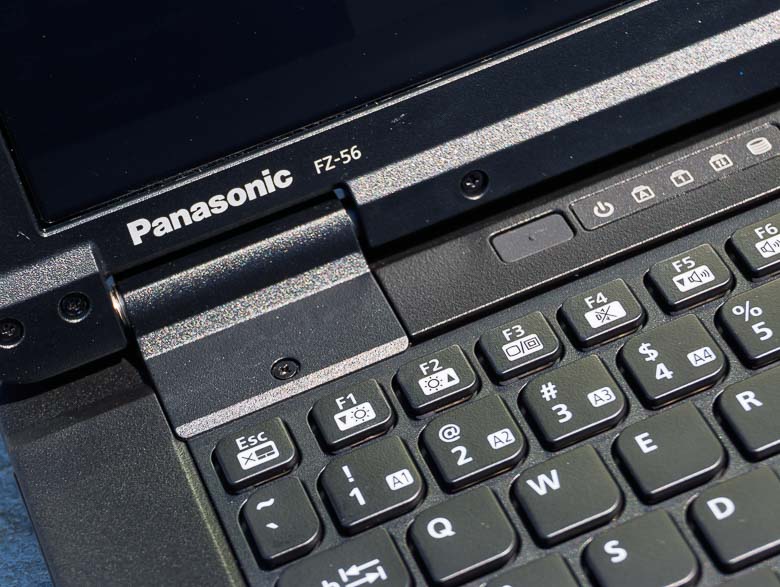
Here we can see the Panasonic branding, a few function keys, the rubber sealed power button, and a few indicator light icons above the keyboard.
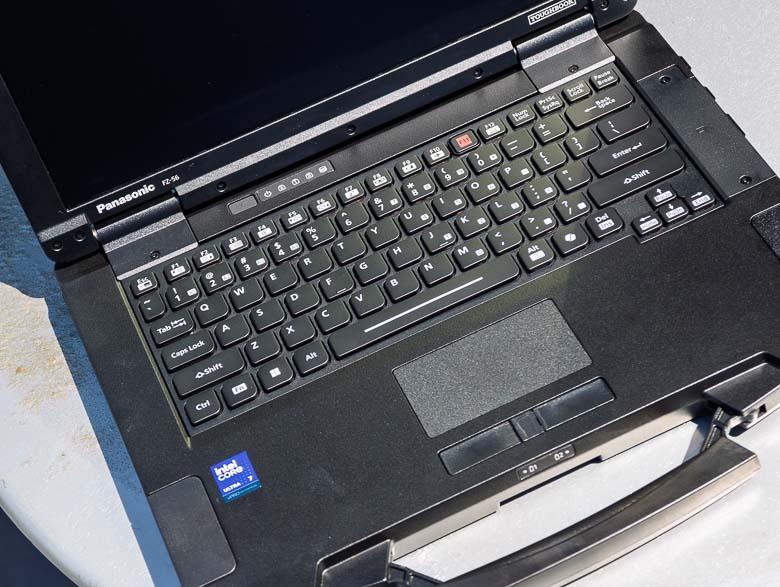
The trackpad and trackpad buttons are recessed a bit so that they’re easier to feel for with your fingers without having to look for them with your eyes.
… reposted this!