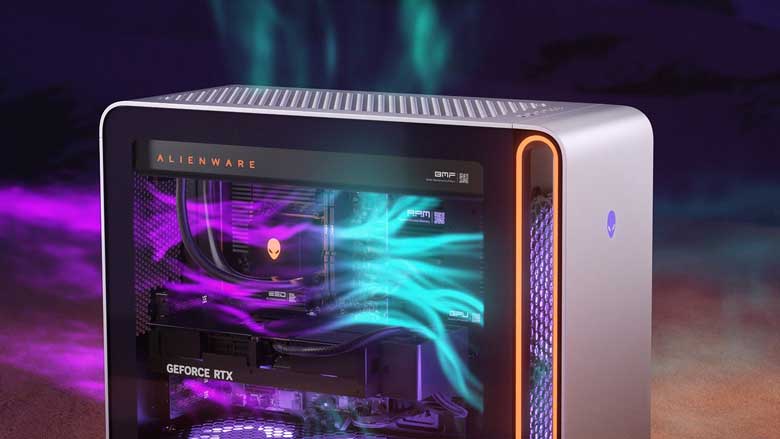
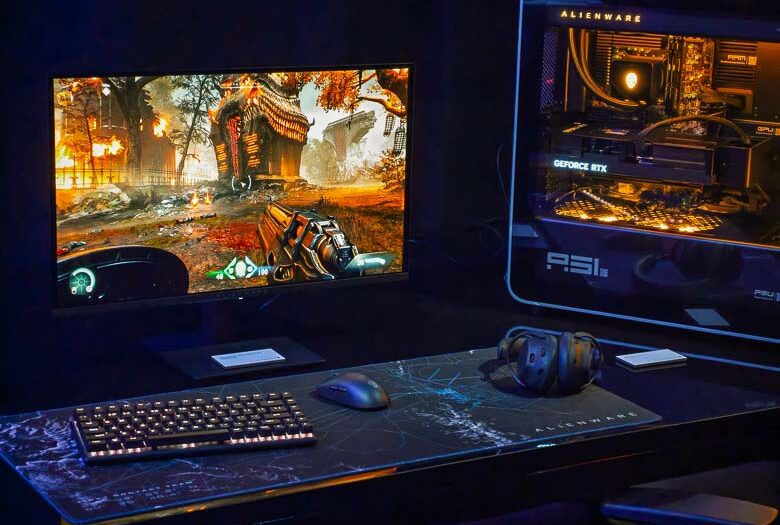
Alienware is the first to use the AMD Ryzen 9 9950X3D2
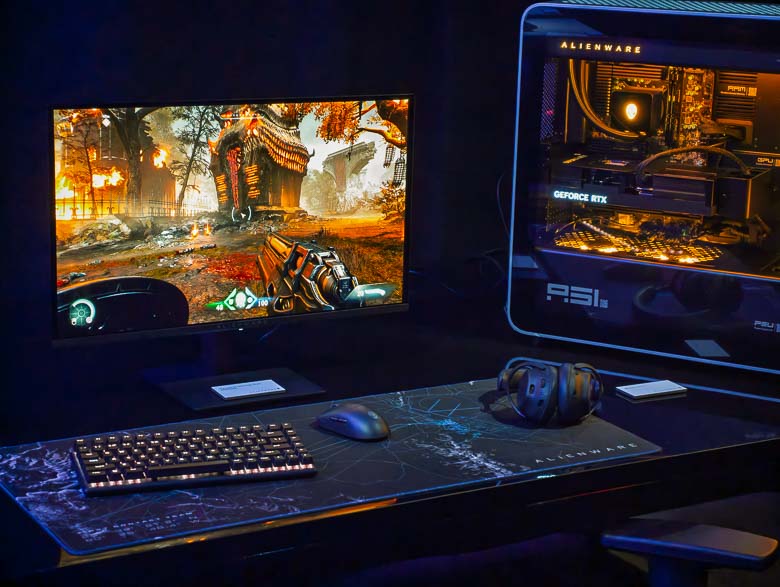
The most powerful Alienware desktop ever built with AMD processors is now available. The Alienware Area 51 can now be bought with the AMD Ryzen 9 9950X3D2 processors. The new AMD Ryzen 9 CPU has: 16 cores ‘Zen5’ Architecture, 32 threads, 192Mb of L3 cache, 4.3 GHz base speed, 208 MB Cache (L2+L3), up to 5.6 GHz Max Boost clock speed, and 200W TDP. It’s a drop-in upgrade for Socket AM5 and includes onboard Radeon Graphics as well as AMD’s new dual 3D V-Cache technology.
The Alienware Area 51 desktop gaming PC is also available in many other configurations which you can find and configure on the Dell website. Pricing starts at $3550 for the Area 51 desktop.
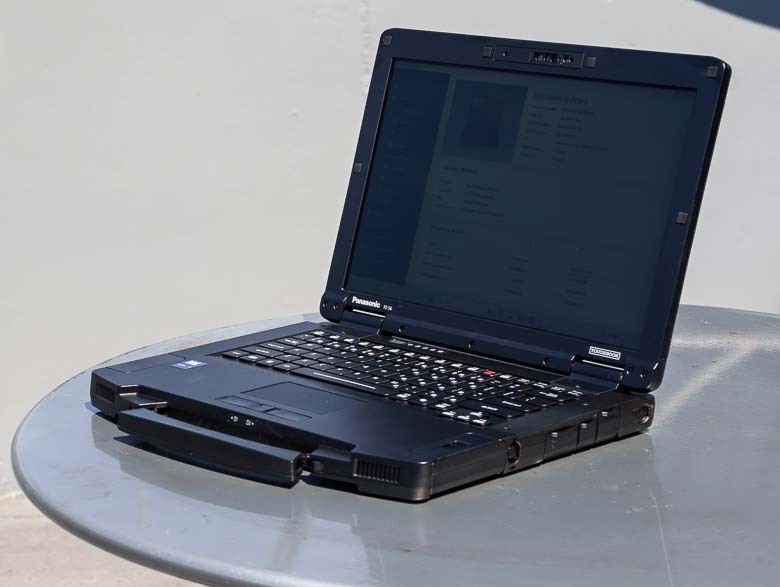
Panasonic Toughbook 56: Hands on with the latest rugged laptop
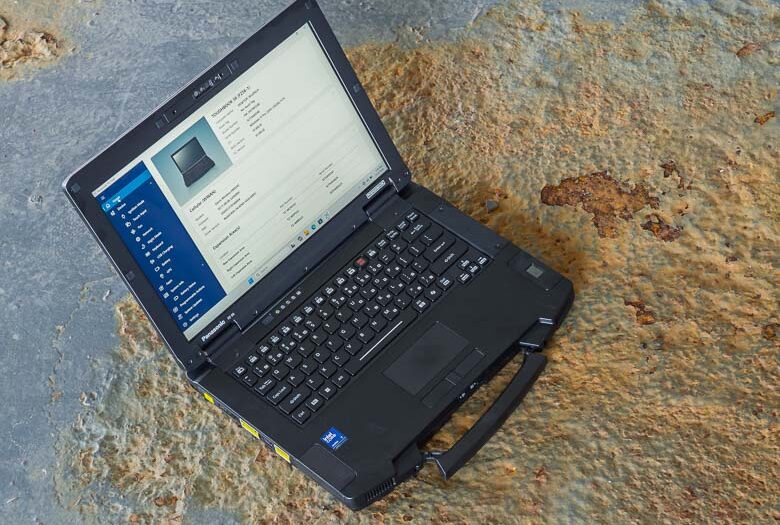
Panasonic just announced their latest Toughbook rugged industrial strength modular laptop computer for demanding outdoor workloads; the Toughbook 56. This actually marks the 30 year anniversary of the Toughbook brand which began in 1996. The Toughbook 56 continues the tradition of laptop computers designed specifically for heavy duty outdoor and mobile workplaces, but brings some nice improvements like the latest Intel processors, an 8Gb dedicated GPU option, improved modular options, and more, while still maintaining compatibility with mounting gear, docking stations, and external hardware that companies may have been using for many decades.
The Panasonic Toughbook 56 will be available in May and the price will start at $3,325. Meanwhile, you can find other versions on Amazon right now.
A few specifications for the Panasonic Toughbook 56:
Six modular areas, including 3 xPAKs, battery, RAM and SSD
Intel® Core™Ultra Series 2 processors powering Intel vPro™(up to 16 CPU cores)
512-2TB OPAL or FIPS encrypted SSD’s (up to 4TB total and optional RAID-1 mirroring)
5MP webcam and dual-array microphone with AI noise reduction
98dB speakers
Up to three ethernet ports (1 Gbps standard, with 2.5 and 10 Gbps optional)
Wi-Fi 7 and Bluetooth
4G or 5G connectivity options, private cellular ready, and dual SIM (physical + eSIM)
24 hours of battery life (MobileMark) with optional second battery
3’ Drop, MIL-STD-810H, IP53, Air Worthiness
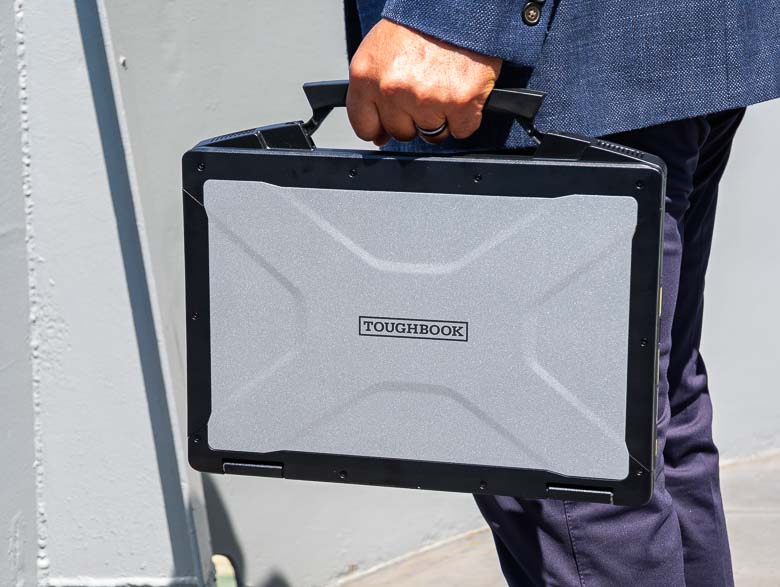
The first thing I noticed about the Toughbook 56 is that it feels much lighter than the older ones as far as I can remember. That’s great, because the other Toughbooks I reviewed were very heavy. This could have something to do with the configuration of the modular bays of course.
The handle is new too. This one still collapses into the body of the Toughbook, but it should feel a bit more ergonomic than previous styles.
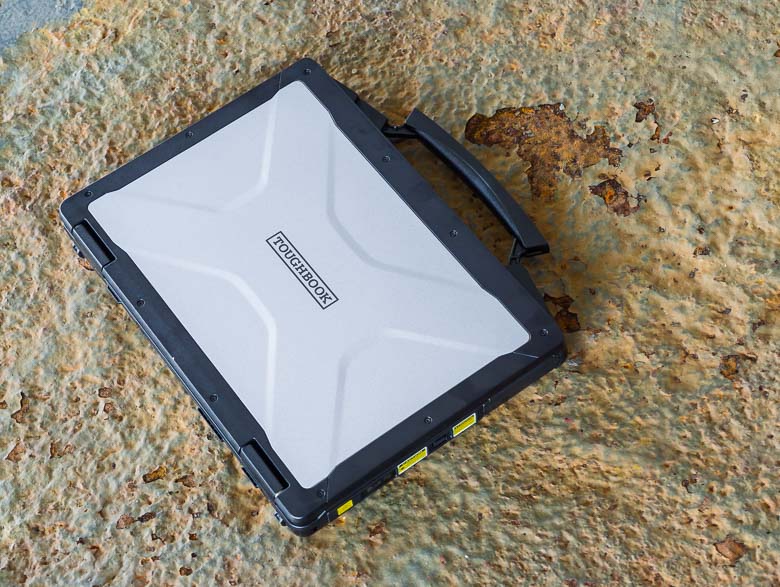
The exterior looks a lot like other Toughbook models and is built to withstand repeated accidental dropping or stacking of multiple Toughbooks on top of each other.
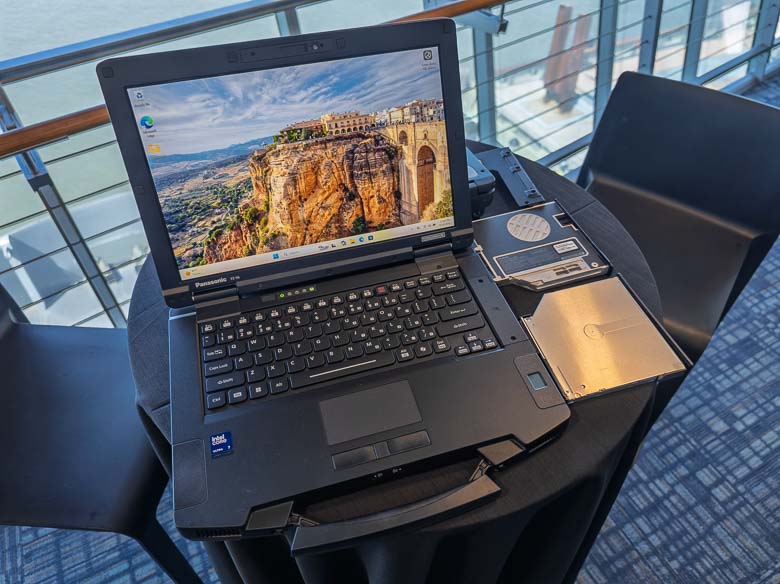
Of course the Toughbook 56 has modular bays for swapping out components and configuring the PC for your precise usage needs. There are bluray drives, DVD drives, extra SSD drives, fingerprint scanners, barcode readers, extra batteries… lots to choose from!
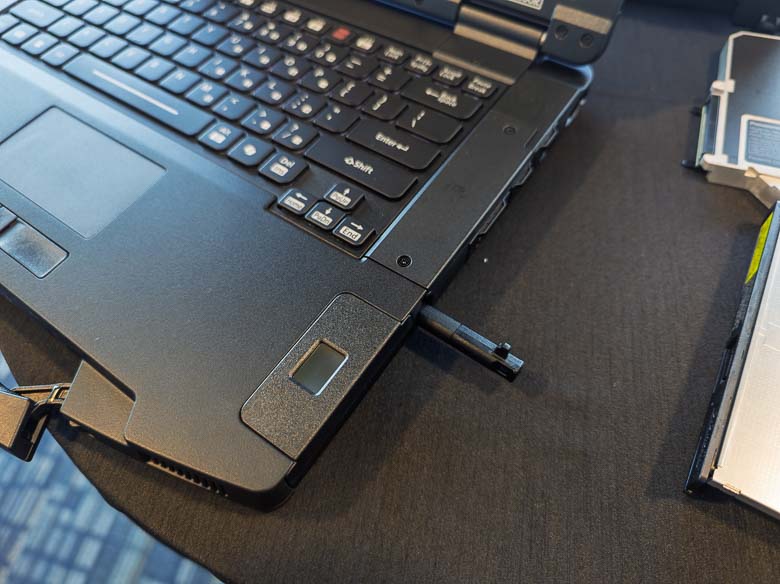
The Toughbook 56 has a capacitive stylus with a silo for it on the right side between customizable bays. You can press the stylus in to release it with a little spring.
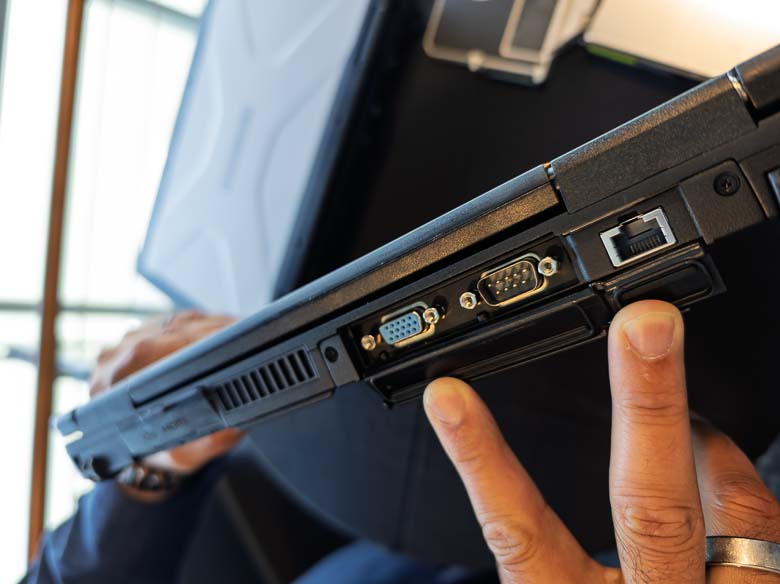
The above section on the back is also modular. Do you have some peripherals or external hardware that was designed in the 1900’s? Well, we’ve got a serial port there for you! There’s also an ethernet port that newly supports fast 10Gbps bandwidth speeds.
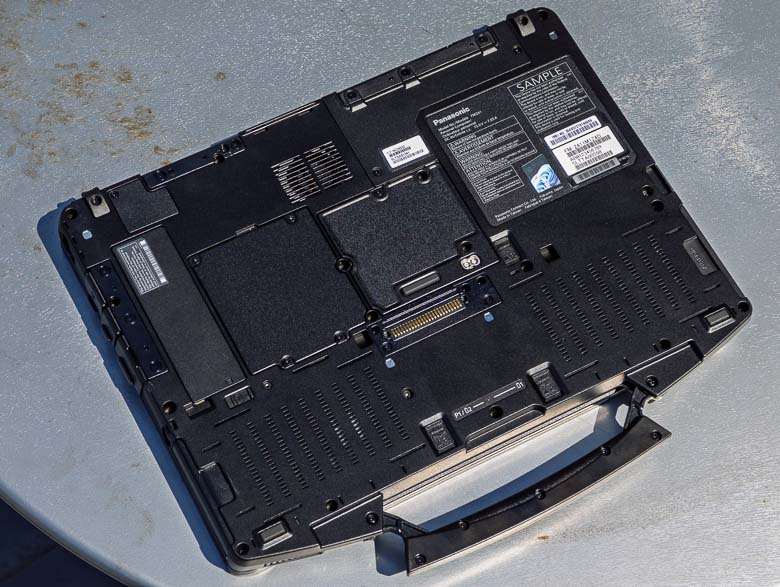
On the bottom, we’ve got lots of doors that can be opened with a screwdriver in case you want to change or fix some things like the SSD or RAM. There’s also a docking connector port and antenna ports.
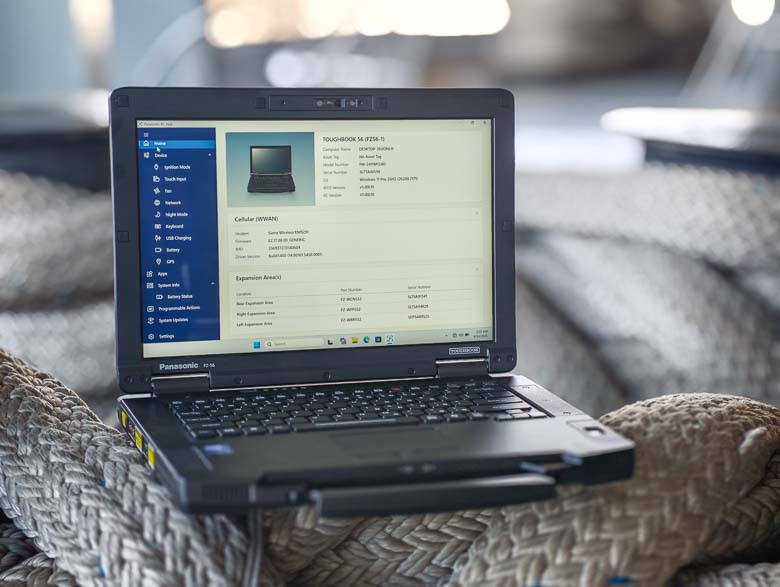
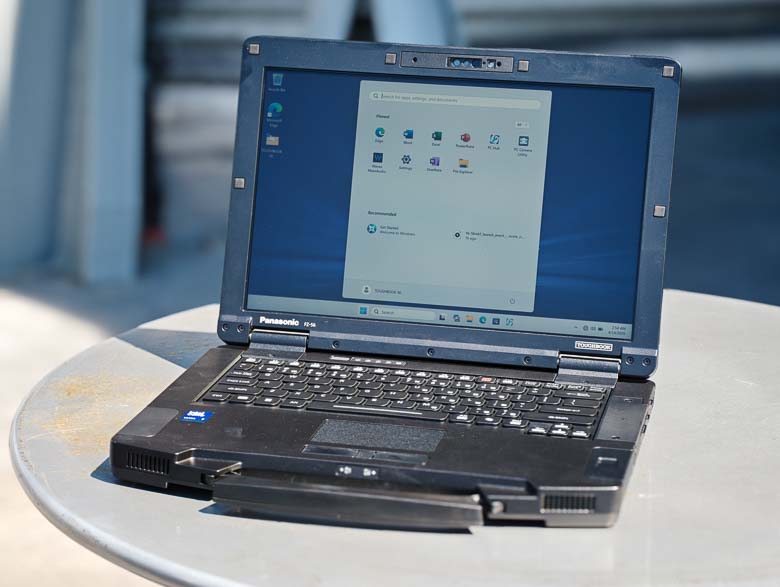
Having a display that’s visible outdoors is another very important feature of this type of rugged laptop computer and the Toughbook 56 does this really well. The above photo was shot on the rear deck of the Intrepid aircraft carrier in direct sunlight, and you can see Windows 11 there looks perfectly usable. The anti-glare screen prevents reflections nicely as well.
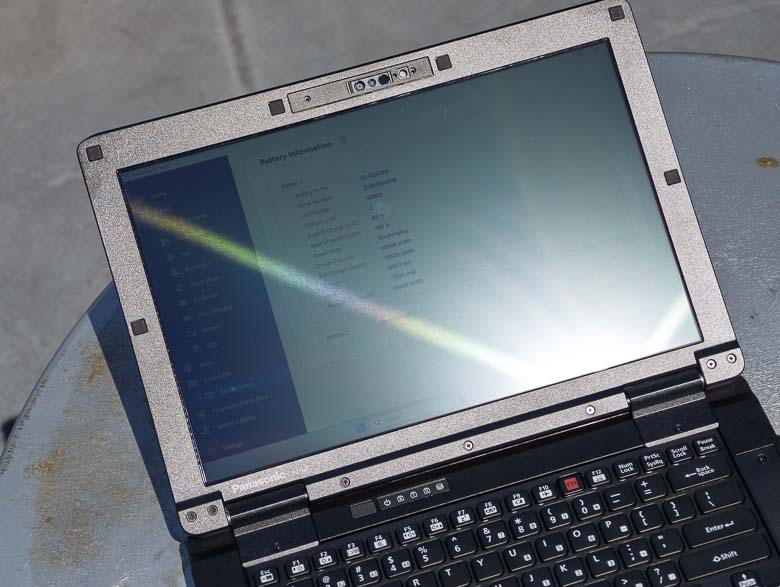
I had to try really hard to get some glare on the Toughbook 56’s screen. Basically, you need to angle it so that it’s reflecting the sun straight into your eyes to get some glare (as seen above).
When it comes to viewing angles, the Toughbook 56’s display has pretty narrow ones. I know some reviewers really like wide viewing angles so that the display would still look good from the side, but in this case, I think having the display only be viewable by the person actually interacting with the computer is a feature. You don’t want everybody else seeing the potentially private data that you’re working with. So, as you can see in the above photo, spying on a Toughbook 56 user from the side doesn’t work very well.
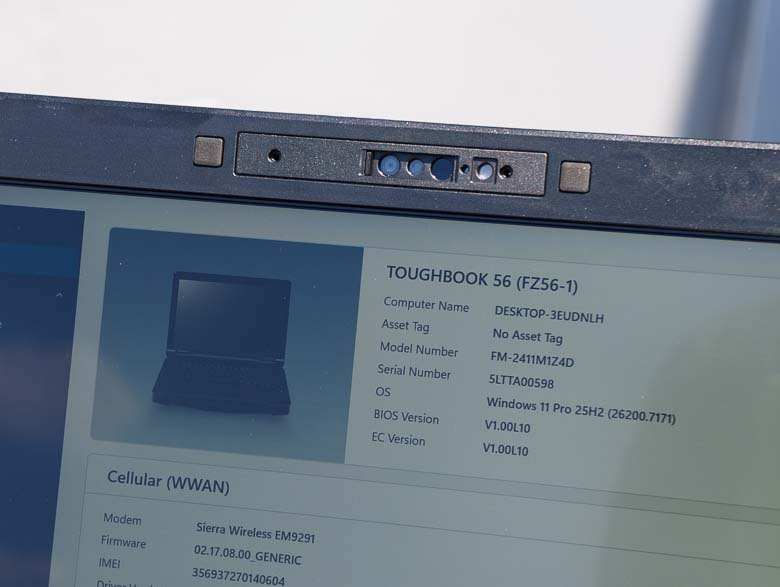
In the bezel above the display we’ve got a video conferencing web camera as well as infrared emitter/sensors for facial recognition.
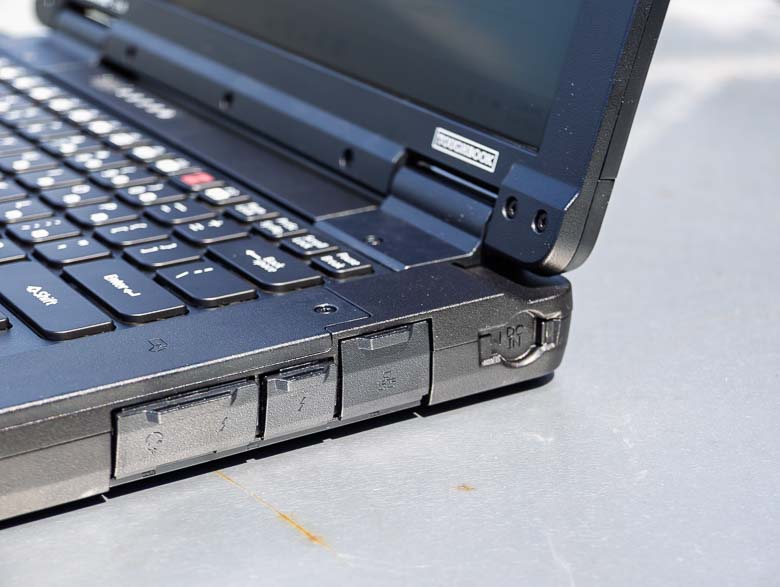
The right side’s ports area is not user-replicable, but you can choose different options here when you order the computers. For example, you could add a fingerprint scanner to the edge next to the keyboard.
Another new feature is the barrel shaped power plug at the end now has a sliding door cover to help keep dirt out.
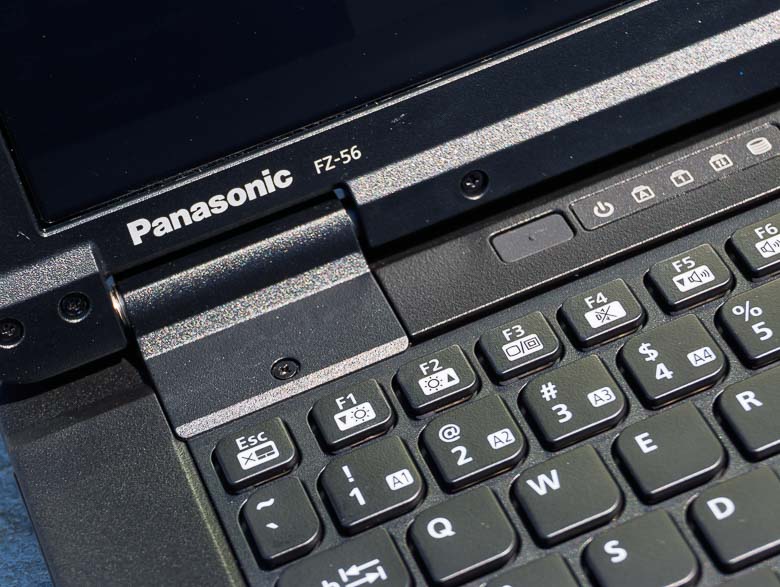
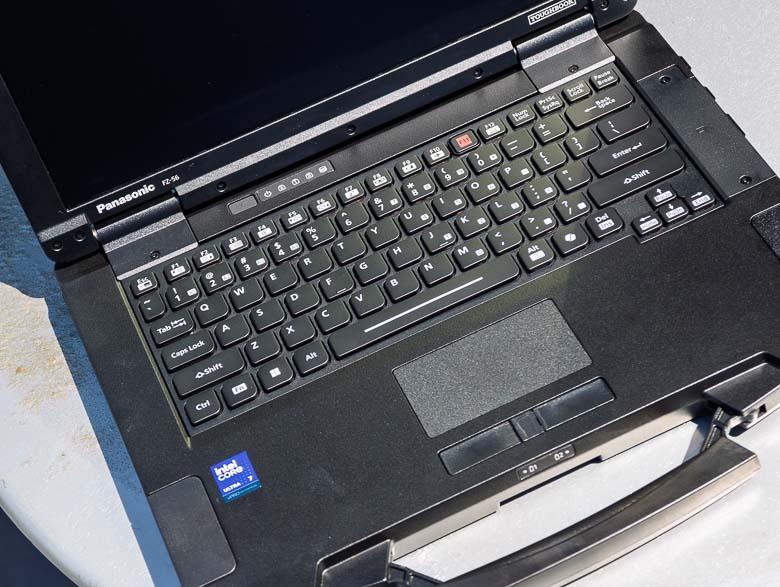
Here we can see the Panasonic branding, a few function keys, the rubber sealed power button, and a few indicator light icons above the keyboard.
The keyboard feels about the same as older Toughbook models. The keys have flat tops with 2 rounded corners and 2 sharp corners. I kind of wish the concave/convex keyboard keys would make a broader comeback so that fingers can really tell which keys are which just by the feel. Flat keys don’t have any tactile feedback for the center location of each key.
The trackpad and trackpad buttons are recessed a bit so that they’re easier to feel for with your fingers without having to look for them with your eyes.
The Alienware 27 QD-OLED Gaming Monitor brings a great low price for QD-OLED
Alienware’s got a new 27″ QD-OLED gaming monitor for the spring of 2026 and it goes nicely with the Alienware Area-51 gaming desktop tower. The new monitor has a 0.3ms response time 240Hz refresh rate, 2560 x 1440 pixel resolution, along with DCI-P3 99% color gamut coverage and an “infinite contrast ratio”, whatever that means. Ok, infinite contrast ratio means the black pixels are completely black with no backlighting at all thus making for a very high contrast ration between the brightest white and no light at all in the black pixels. The base includes full 360 degree swivel adjustment, -5 to +21 degree tilt adjustment, 90 degree pivot adjustment for vertical or horizontal orientations, and 130mm height adjustment capabilities. There’s also a 3 year OLED burn in warranty to back up their anti-burn-in technology along with an Advanced Exchange Service where Alienware will ship you a replacement if necessary (after remote diagnosis).
And for the big news, the Alienware 27-inch 240Hz QD-OLED gaming monitor (AW2726DM) will be available at only $349.99 USD. That’s the lowest price point for this type of monitor on the market. It will be available at Alienware.com in North America.
Weight without stand and cables: 8.60 lb (3.90 kg)
Ports & Cables
Joystick port
Power Connector
2x HDMI (HDCP 1.4 & HDCP 2.3) (Supports up to 2560 x 1440, 120 Hz, HDR, VRR as specified in HDMI 2.1(TMDS))
DisplayPort 1.4 (HDCP 1.4 and HDCP 2.3)
Audio headphone out
Security lock slot (based on Kensington Security Slot )
Included Power Cable & HDMI cable, 1.80m
HP Imagine 2026 shows off new local IQ AI chatbot, Z8 Fury G6i workstation, and EliteBook 6 G2q
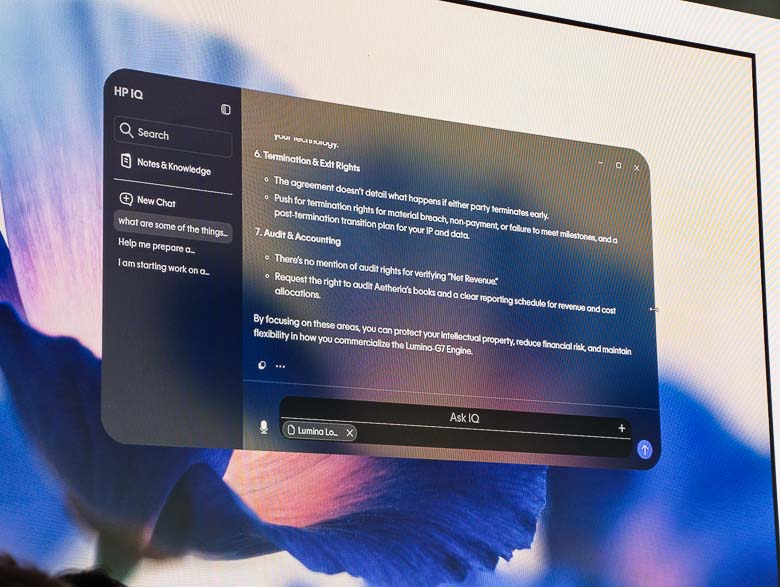
This week HP had a big “Imagine” event where executives gave speeches and announced a few new things to check out. We’ve got a new “HP IQ” program that sounds like it will be bundled with new HP computers. This is an on-device artificial intelligence chat bot that sits in the top edge of the screen at all times. We’ve also got a new HP Z8 Fury G6i workstation tower for the super high-end computing power, and a new HP EliteBook 6 G2q which is going to be a nice new laptop to carry around.
The new HP IQ application is a local chatbot, but it also detects nearby devices on the network in order to let you easily transfer files to them in case you never learned about the file transfer protocol or network drive file shares that we’ve been using for 40 years.
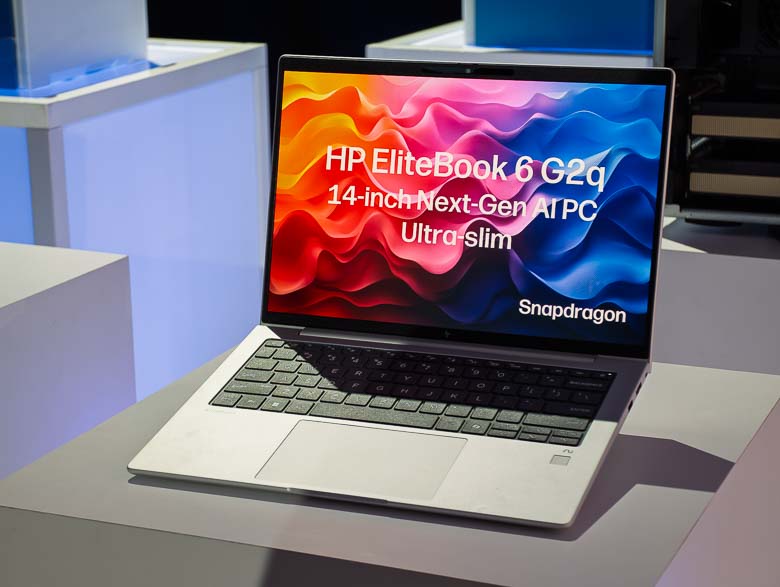
The HP EliteBook 6 G2q is a premium ultra-thin ultra-light Qualcomm based laptop with Snapdragon X2 Elite and X2 Plus processors for fast ARM-based computing and extended battery life. It will be available with the HP Go 5G mobile internet service which will automatically switch between carriers for the best wireless internet coverage.
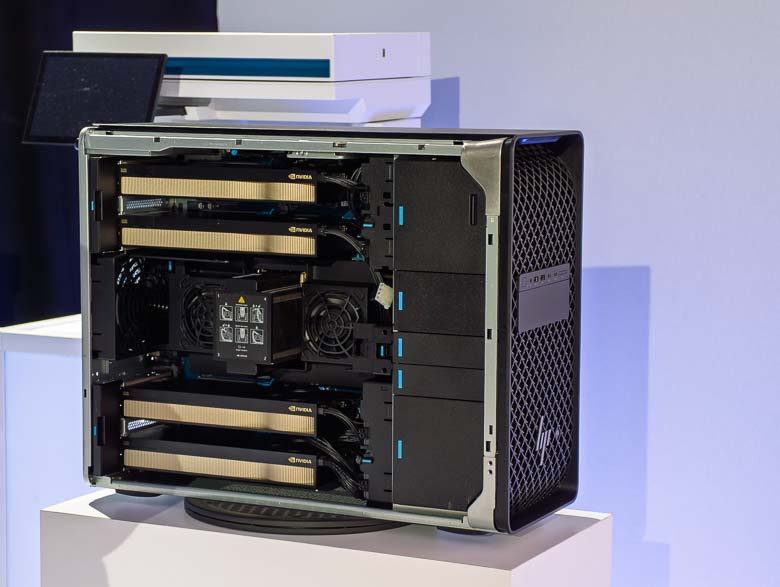
The new HP Z8 Fury workstation allows for up to four NVIDIA RTX PRO 6000 Blackwell Max‑Q GPUs along with Intel’s next generation processors. The case is also a bit wider now to allow for larger GPU cards in case someone makes those in the future.
Dell’s 2026 Pro level & Pro Precision business laptops have more power and less thickness
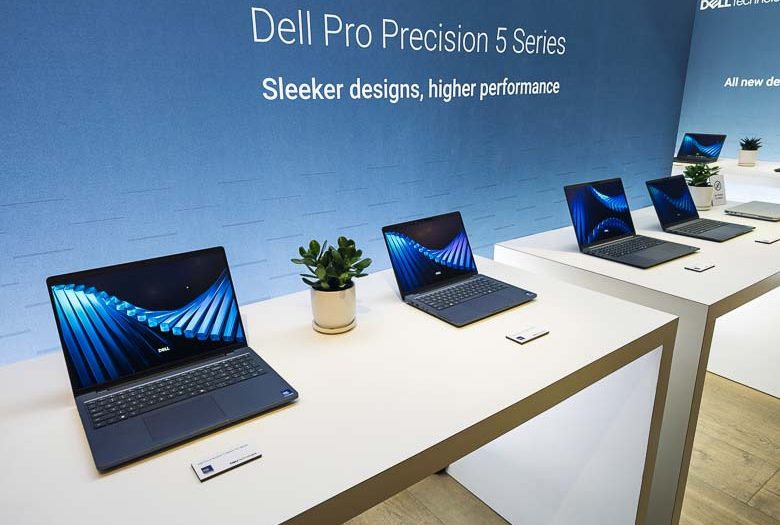
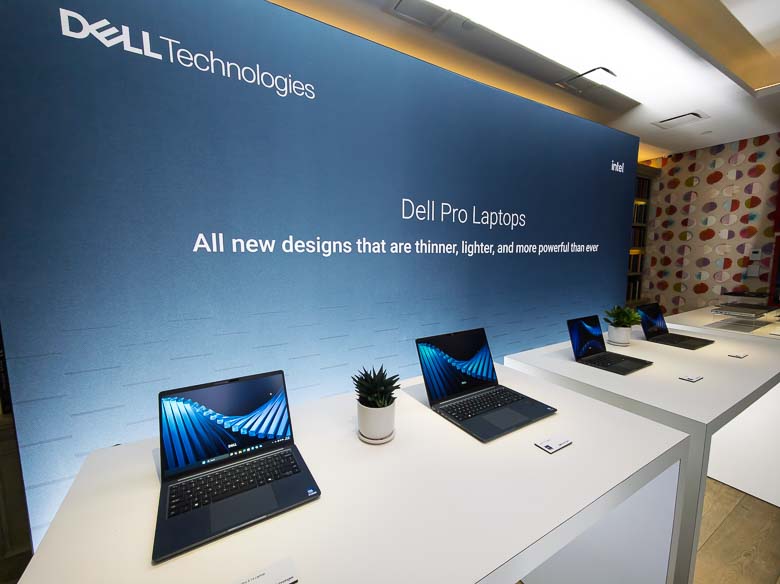
A bunch of new Dell Pro and Dell Pro Precision laptops have just been announced for release in March through May of 2026. The big news is that the naming schemes are consolidated into something that makes a little more sense. We’ve got the Dell Pro 14 Premium and Dell Pro 5 Micro coming out March 31 of 2026. Then in May we’ve got the Dell Pro 3 in 14/16″ sizes, the Dell Pro 5 in 14/16″ sizes, the Dell Pro 7 in 13/14″ sizes, and the Dell Pro 7 tablet PC convertible in 13/14″ sizes. Also in May, you’ll see the Dell Pro Precision 5 Series and 14S and 16S model sizes.
Now we have simple one-digit numbers to signify the range of Dell Pro laptops.
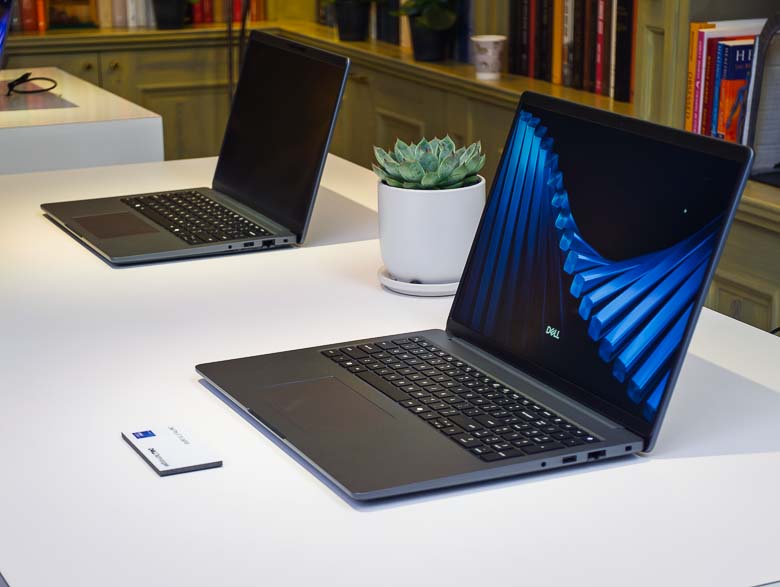
All of the Dell Pro and Pro Precision laptops are now a bit thinner and a bit more powerful.
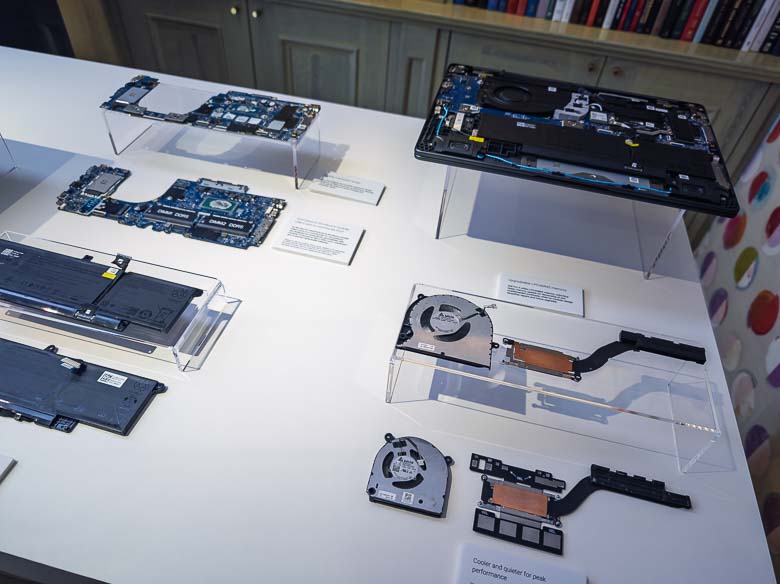
The Dell Pro laptops also now use a more modular component structure. The motherboard can easily be reused for all of the different component specification configurations instead of having to make something custom for each model. Plus there’s more room for a larger cooling system now.
Intel’s Arc Pro B70/B65 graphics cards and Core Ultra Series 3 step up competition
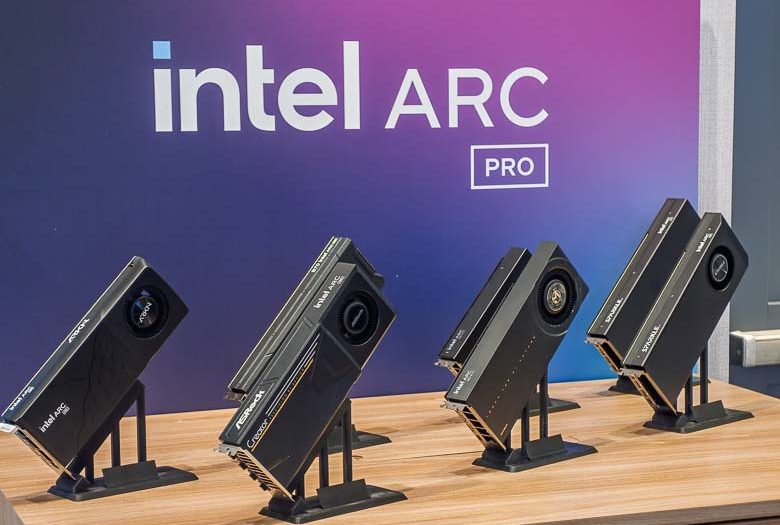
Today Intel announced their new Arc Pro B70 and B65 graphics processing units aiming to bring some competition to both the gaming PC world as well as the generative AI computing world. An impressive new Intel Core Ultra Series 3 also with Arc Pro GPU built in was announced as well. I got to see a few things these new GPUs are capable of, so let’s check it out.
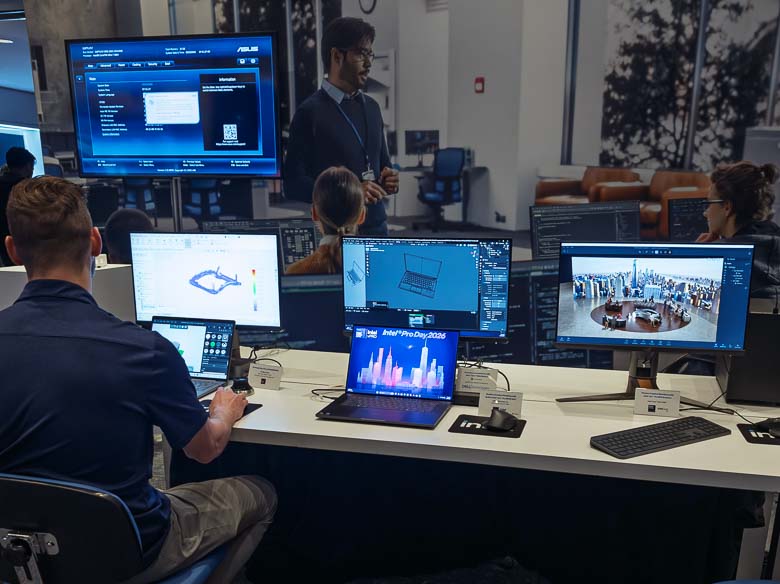
The 3D graphics software and AI diffusion model image generation capabilities were the things I was most interested in. In the above photo, the middle computer is running Blender and includes an open source noise reduction component made by Intel for preview renders which was very impressive.
On the right computer, Intel had a Comfy-UI installation with a custom front-end that was running the Z-Image Turbo diffusion model for generating images on the fly. It was quite fast, but Z-Image Turbo is already pretty fast, so it was hard to tell exactly how it might compare with more expensive NVIDIA GPUs. The staff said that Comfy-UI and Z-Image Turbo worked right out of the box, but I couldn’t tell if they were using the NVIDIA accelerated version of Comfy-UI or what. Still, it was looking pretty good.
The new GPUs will have up to 32 X cores, 32Gb of VRAM, 4x DisplayPort 2.1, Gen 5 PCIe, 32 ray tracing units, and 367 total TOPS. They’ll show up to 69% higher performance compared to the older Intel Arc Pro B60 GPUs as well.
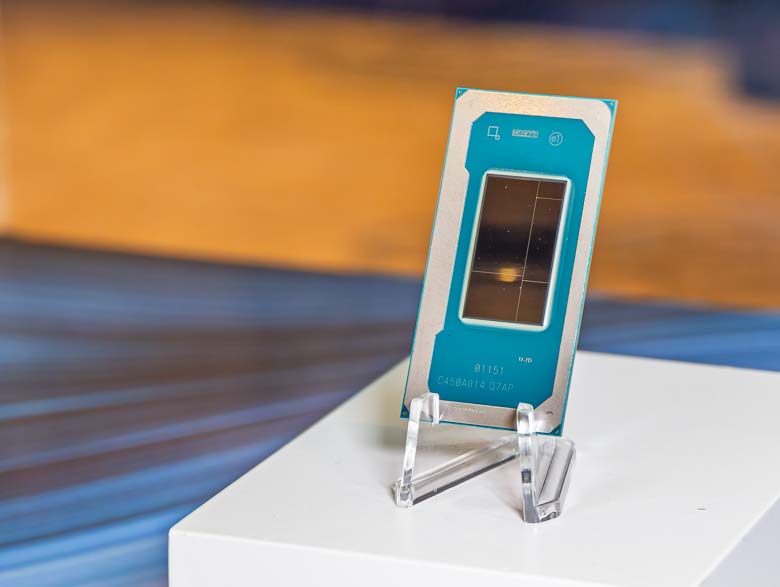
The new Intel Core Ultra Series 3 mobile processors also have Intel Arc Pro B390 graphics processors built in. That gives you up to 86% faster graphics than the previous generation, up to 12 ray tracing units, and up to 12 X-cores, with up to 4 dsiplays at 6K 60fps. We’re also looking at an up to 95% performance increase over something like the AMD HX Pro 375.
Some other Core Ultra series 3 specs to brag about are in the battery life. You can get up to 27 hours of video streaming or up to 9 hours of Microsoft Teams 3×3 with Windows Studio Effects. That 9 hours of video conferencing sounds pretty amazing from a specifications and battery life perspective, but as a human I certainly wouldn’t want to be stuck in a video call for 9 hours straight.
Still, those kind of battery life numbers on an x86 architecture sure sound like we might not really need ARM processors so much after all.