


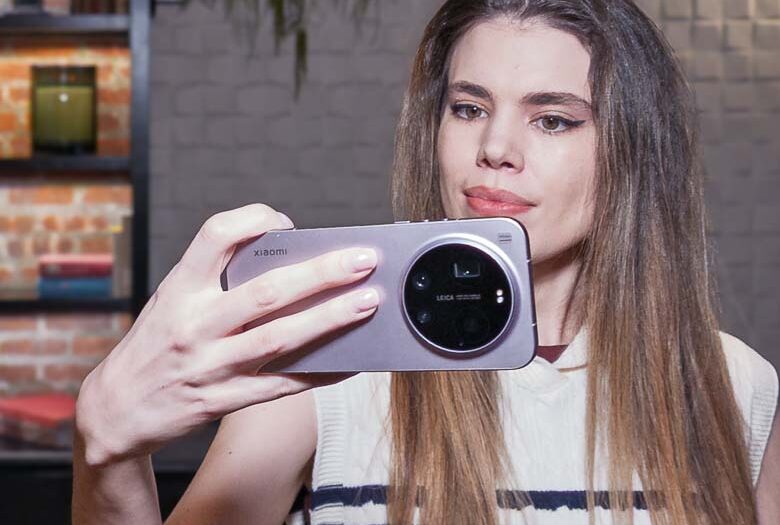
Since the Xiaomi 17 Ultra was released, I’ve been looking for reviews that really talk about the photography capabilities and especially the RAW output capabilities. 50% of photography takes place in post-production, so you don’t want to just let the camera apply whatever post processing values and filters it has right there as you take the picture. You want to have control over the post processing like an artist and to get the most flexibility in that phase of photography, you really want to have the RAW data straight from the camera’s sensor. None of the dozens of Xiaomi 17 Ultra reviews that I’ve seen even mention the RAW output capabilities. To me, this is one of the most important aspects of the camera. So I will review the actual photographic capabilities of the Xiaomi 17 Ultra, since I was unable to find any other reviewers who even know what to do with RAW output. We’ll also talk about the other aspects of the phone too of course.
If you’ve seen other reviewers saying that the Xiaomi 17 Ultra is “more camera than smartphone” or “a camera with a smartphone attached”… they don’t know what they’re talking about. The Xiaomi 17 Ultra is very much just like all other smartphones out there; it’s shaped like a smartphone, it has a touch screen like a smartphone, it has cameras built into the back, it does everything a smartphone does. I mean it doesn’t even have a dedicated camera shutter button, tripod mount, or lighting shoe, or (the biggest tell of a serious camera) detachable lenses to call it a camera.
Table of Contents
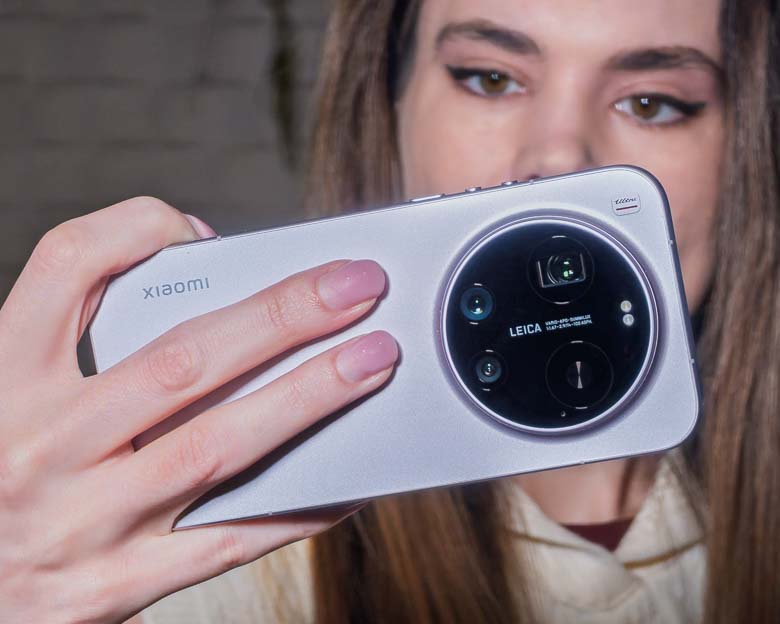

I got the silver purple version, by the way (the color of kings), not the Leica version and I’ll tell you why. The Leica edition has extra moving parts; a rotating ring around the camera hump that really isn’t necessary and doesn’t even have a one-to-one control over the very limited optical zoom. Plus the photographer’s grip case and attachment don’t add anything especially useful. Again, it doesn’t have a tripod mount or cold shoe for mounting a light. It does have a lanyard hole so you can dangle it from your wrist, but that’s not a great way to carry this phone around anyway. I’m obviously going to have to use my own camera rig hardware to get the important tripod mount and lighting shoes attached to the Xiaomi 17 Ultra so there’s no point spending extra money on photographer’s kit accessories that don’t provide what an actual photographer is going to need.
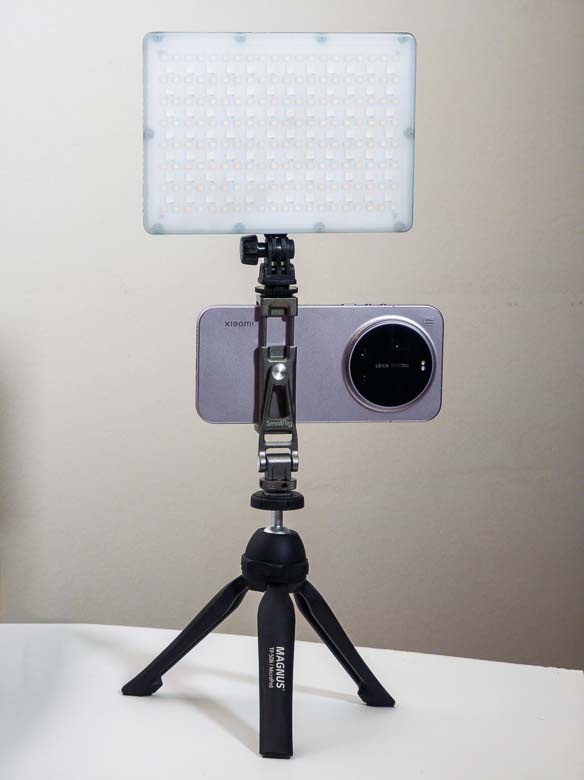

A 7×5″ Genaray RGB LED panel along with a SmallRig Metal Cold Shoe Smartphone Mount is perfect for getting a large amount of soft light and still being very mobile. If that 7×5″ light is too large, I also sometimes use a 5×2″ Pixel G1s RGB Video Light which fits nicely into a coat pocket. You may also see in the camera sections below that I’ll use a larger 12×12″ GVM 1200D LED panel on a light stand for some of my photography with the Xiaomi 17 Ultra. A 58mm push-on or slip-on lens cap also fits perfectly over the circular camera hump. I love using one of those to protect the camera lenses from finger smudges and such without having to get a big custom case.
What’s in the Box
The regular Xiaomi 17 Ultra that I’ve got only includes the smartphone itself, a 90W charging brick, and a USB-A to USB-C charging/data cable. There’s also a nice clear plastic case to provide some protection without hiding the cool looking finish.
Specifications
For specs, the Xiaomi 17 Ultra has:
- Display: 6.9 inches, M10 AMOLED, with a resolution of 1200 x 2608 pixels, LTPO AMOLED, 68B colors, 120Hz, 2160Hz PWM, Dolby Vision, HDR Vivid, HDR10+, 3500 nits
- Processor: Qualcomm Snapdragon 8 Elite Gen 5 (SM8850-C) with 2x 4.61 GHz Oryon and 6x 3.63 GHz Oryon cores.
- Graphics: Qualcomm Adreno 840 GPU 768 MHz.
- RAM: 12 GB or 16 GB, 5333 MHz.
- Storage: 512 GB or 1024 GB
- Battery: 6800 mAh, Li-Polymer
- Operating System: Xiaomi HyperOS 3.0
- Dimensions: 77.6 x 162.9 x 8.29 mm
- Weight: 223 grams
- Water resistant: IP68/IP69 dust tight and water resistant (high pressure water jets; immersible up to 6m for 30 min)
- Rear Cameras:
- 50 MP, f/1.7, 23mm (wide), 1.0″-type, 1.6µm, dual pixel PDAF, OIS
- 200 MP, f/2.4-3.0, 75-100mm (periscope telephoto), 1/1.4″, 0.56µm, multi-directional PDAF, OIS, 3.2-4.3x continuous optical zoom
- 50 MP, f/2.2, 14mm, 115Ëš (ultrawide), 1/2.76″, 0.64µm, dual pixel PDAF
- TOF 3D, (depth)
- Front Camera: 50 MP, (wide), 1/2.88″, 0.61µm, 4K@30/60fps, 1080p@30/60fps, gyro-EIS
Hardware
Let’s take a look at the updated design and formfactor of the Xiaomi 17 Ultra. There are a number of changes from previous versions, and I’d say they’re all for the better.
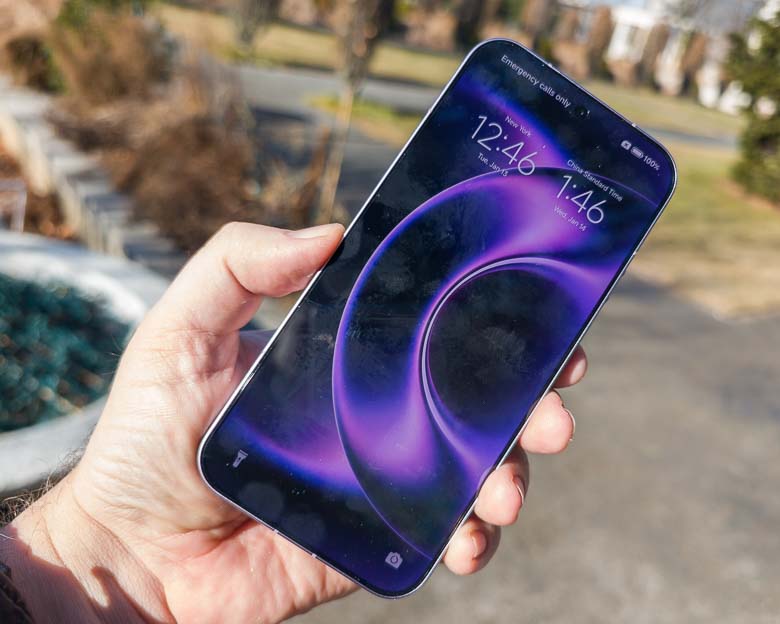
First of all, the display is now flat, which I honestly prefer. The sloped rounded glass edges of other smartphones make for a smaller surface area where your fingers can grip the device. It also can cause false activation of touch screen actions since your fingers may flex to the touch screen parts unintentionally. The flat screen and the flat sides make it easier to securely grip and easier to avoid accidental screen touches. The disadvantage is that it “feels” thicker because the edges are thicker, but the advantages definitely outweigh this minor issue.
The display looks great outdoors. It has plenty of brightness to compete against full on sunlight, so that’s fantastic, but it is still pretty glossy and prone to ugly fingerprint smudges.
Unfortunately the display corners are very very rounded now. That means the top edge notifications area and the bottom edge navigation area take up a lot more vertical space than if the corners were sharper. So I’m left with 1 less row of icons on the home screen. Plus, things like remote desktop access have less area or else functions get covered by the huge corner radii.
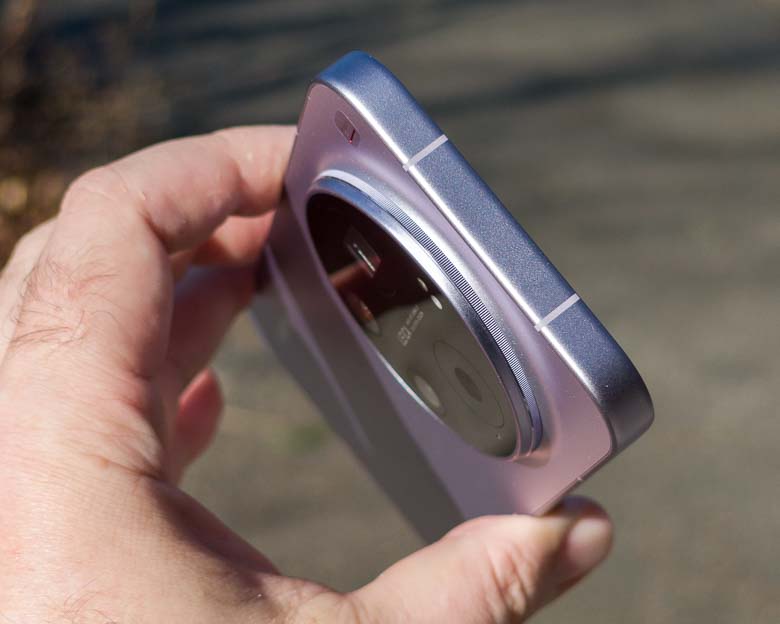
The top edge is completely smooth metal with two visible lines that function as antenna spacers.
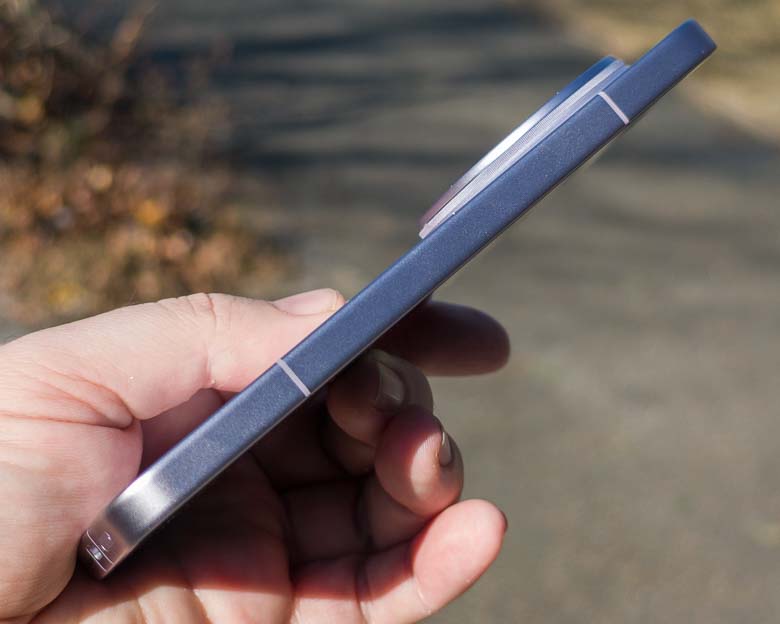
The left side is also completely smooth metal with some more antenna spacers.
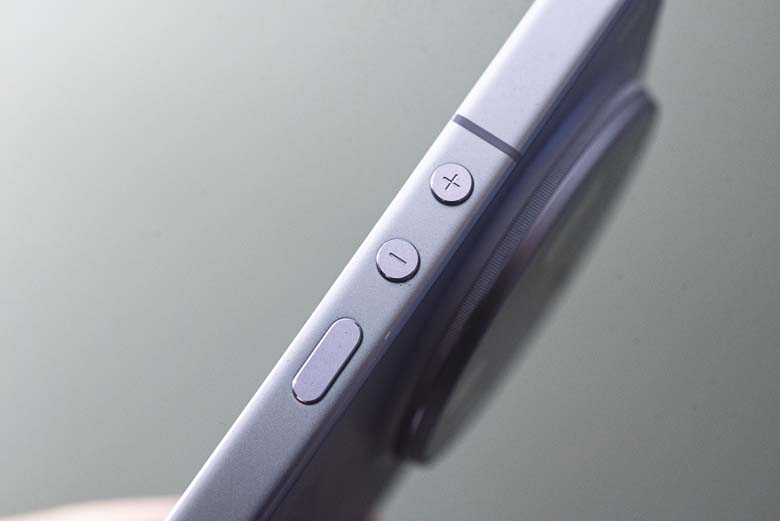

On the right side we’ve got newly designed buttons. There’s a pill-shaped power button and two circular volume up/down buttons. The volume buttons nicely have + and – labels etched into them. All three are very easy to differentiate between by using only your tactile touch senses. In other words, it’s easy to simply feel for which one you want to press with your thumb without having to look at them (very important for one handed usability).
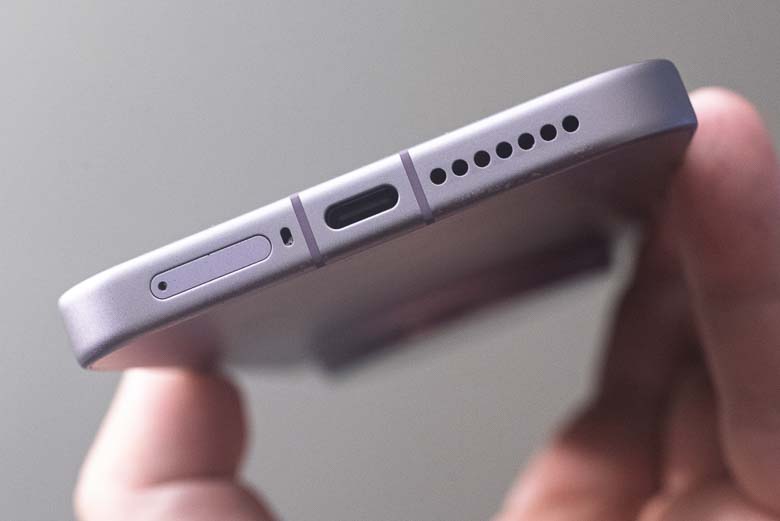
The bottom edge is where all of the Xiaomi 17 Ultra’s holes and ports are. You’ll have the SIM card tray here, a microphone hole, the USB-C charging/data port, and speaker grill holes on this panel.
Of course, we’ve got some branding on the back with a shiny silver Xiaomi logo nicely positioned.
There’s also a little “Ultra” logo branding in the corner just above the camera array. The Leica version has the red Leica logo here instead of Xiaomi’s “Ultra” branding.
Cameras
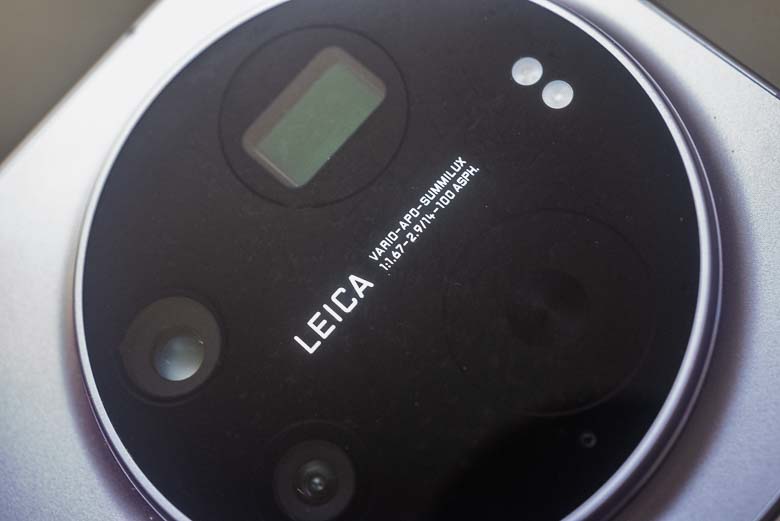
Ok, this is what we’re here for; the camera array and photography features of the Xiaomi 17 Ultra. I’ve been doing a lot of photography with the Xiaomi 17 Ultra and there are some pretty impressive capabilities. One of my early tests was shooting a fashion show for about an hour where I took about 800 photos switching between RAW, portrait-filter, and video modes. The device got pretty hot under these circumstances and the portrait mode filter preview actually stopped working completely at one point. It came back after cooling down a bit though.


In the above animated GIF you can see the range of focal length views from 14mm to 23mm to 75mm to 100mm. As you can see, there’s a huge gap in focal length coverage from 23mm to 75mm, while the 75-100mm zoom lens covers a very small field of view range.
View Full Quality Xiaomi 17 Ultra Sample Photos on Flickr
75-100mm equivalent 200Mp Optical Zoom camera
The big new thing about the Xiaomi 17 Ultra is that two of the telephoto cameras have been replaced with an actual optical zoom camera module. Previously on the Xiaomi 13-15 Ultra and Xiaomi Mi 10 Ultra, we had one 70mm equivalent telephoto lens and one 120mm equivalent telephoto lens. That was pretty great, having two cameras with those focal lengths, but having a zoom lens that covers multiple focal lengths smoothly without resorting to digital cropping to get the focal lengths in between… would be pretty awesome.




Unfortunately, the 75-100mm range is very small. It’s not much different from taking 10 steps forward. So it doesn’t zoom very much. For some reason, we only get smooth zoom controls in the “photo” and “video” mode, but not the “pro” mode which is the only mode capable of shooting RAW DNG photos. Instead there are focal length step buttons for 75mm, 85mm, 90mm, and 100mm focal lengths. Getting RAW output between those focal length steps seems to be impossible. Hopefully the software can be updated to allow for smooth optical zoom in Pro mode.
Another bug is in the meta-data output. Xiaomi’s camera software doesn’t label the lenses properly anymore in HyperOS 3 on my Xiaomi 13 Ultra and that problem still appears in the Xiaomi 17 Ultra. For example, the 85mm focal length does get a metadata label of “Xiaomi 17 Ultra Rear Telephoto Camera” in JPG and DNG modes, but none of the other focal lengths for that same lens get that label. So that means anything shot with the 75mm, 90mm, or 100mm focal length is missing a lens label completely in the file output metadata. The lens label metadata is something I use all the time to sort DNG files and apply specific RAW correction profiles to (distortion corrections, noise reductions, color corrections specific to those lens/sensor combinations for example), so having missing labels is pretty annoying. To be clear, the lens focal length metadata numbers are saved correctly, so I can still sort by camera model and lens focal length metadata fields. It’s just that the “lens model” metadata is what’s very inconsistent and often missing, but that field is usually what’s used for matching lens distortion correction profiles in software like Adobe Camera Raw and Lightroom, so having that field populated makes things much easier.
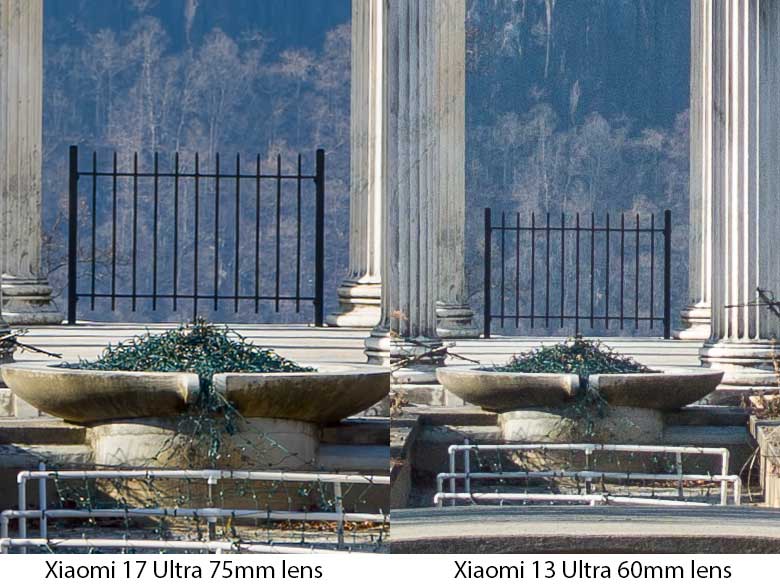

When comparing the 75mm focal length on the Xiaomi 17 Ultra to the 60mm focal length lens on the Xiaomi 13 Ultra, the detail and sharpness of the 75mm RAW photos from the Xiaomi 17 Ultra is certainly superior. By the way, both of these lenses are labeled as “3.2x” in Xiaomi’s camera software, but their focal lengths are massively different.
Fake background blur (portrait mode)
Now, usually the “portrait mode” fake background blur filters on smartphones look extremely fake. They don’t detect depth properly and wipe out hair outlines with terrible low-quality filter masking. The Xiaomi 17 Ultra combined with the 75-100mm telephoto zoom lens and a larger sensor size, however, has some very much improved background separation and filtering (if you know what you’re doing). You do still have to choose your backgrounds properly so that it is able to detect and separate things well, but the ability to get low-depth-of-field simulation out of the new optical zoom lens is much better than other phones.




I’m pretty sure the new portrait mode background blur filter here uses an AI imaging model to recognize and separate the focused subject from the background because if you look at the photo right after taking it, the background blur filter might show some very bad filtering & masking errors, but if you wait some seconds or don’t look at it for a little while, the mistakes disappear. It’s probably being processed in the background to get the beautiful, detailed hair masking done right and I kind of love it. I only wish that the portrait filter could have been applied in a non-destructive manner as part of RAW DNG files. Currently, I have to choose the aperture simulation level and bokeh style before taking a shot and it’s saved as a compressed JPG only. I wish there was a setting where the output could be DNG and the filter settings would be saved procedurally. For example, Adobe Camera Raw has a similar filter that is applied non-destructively and who’s settings are saved within the DNG file metadata (although their masking and depth estimations are not as good at the moment).
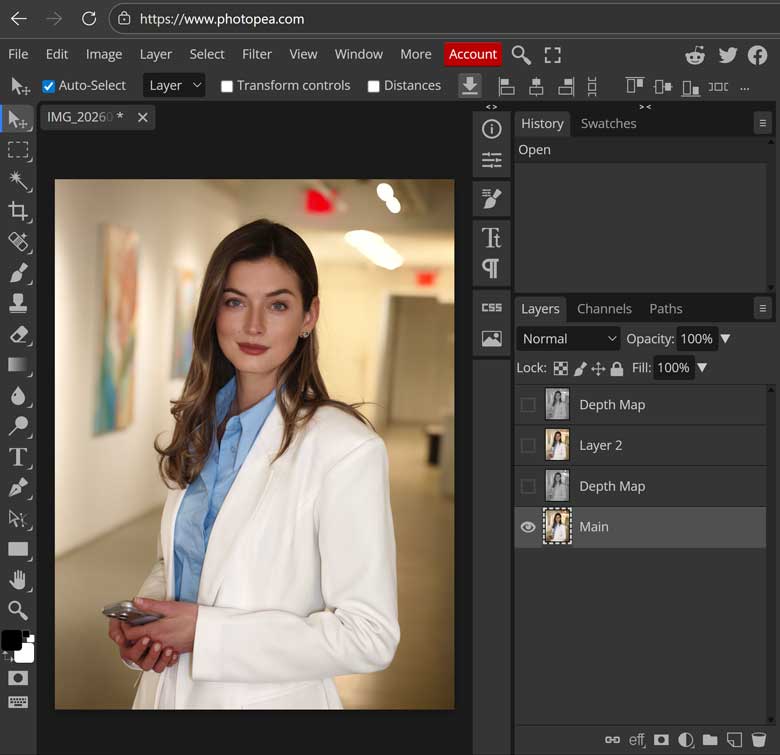

That being said, the JPGs generated in portrait mode do contain the original photo plus a couple greyscale channel images used to create the background blur. Photoshop cannot access the original image layer, but Photopea can. Photopea can also save the JPG as a PSD file that retains the image layers so that you can access the original unfiltered JPG along with the “depth map” layers (which aren’t really depth maps; just greyscale versions… a real depth map would have the closest pixels be white and the furthest pixels set to black).


The Xiaomi 17 Ultra’s fake background blur filter is so good that it’s becoming difficult to differentiate it from a full frame Nikon D750 with an 85mm f1.4 lens. Above left was shot with the full frame Nikon DSLR while above right was shot with the Xiaomi 17 Ultra portrait mode and the 85mm equivalent telephoto zoom lens.
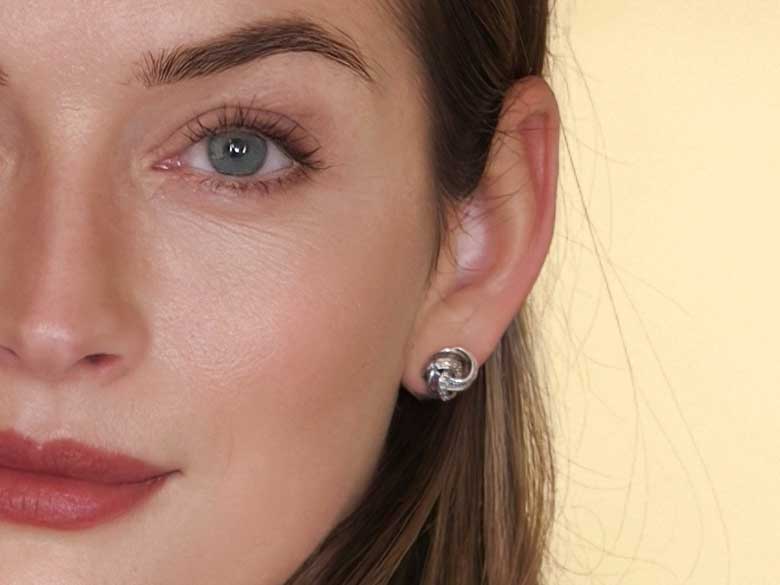
Above is a 100% crop of a portrait mode photo I took with the Xiaomi 17 Ultra. The detail in the hair, even with the fake background blur filter, is very impressive. When it works properly, the portrait mode filter is absolutely gorgeous.
200Mp photo mode
Now the specs say that the 75-100mm equivalent zoom lens has a 200 megapixel sensor and while that might be technically true, it really only outputs to 12.5Mp RAW data. There is a 200Mp mode that creates a JPG image that does include 16320×12288 pixels of data, but if we look closely it looks extremely processed.


The 200Mp JPG looks very processed zoomed in. That’s not a clean 200Mp image. It looks like it was upsampled from a 12.5Mp image. To be fair the 12.5Mp pixel binned images are extremely clean, detailed, and sharp. I don’t think they need to be upsampled to 200Mp afterwards at all.
In the dedicated 200Mp camera mode you’ll notice a very slow animation blocking and rendering different rectangular areas of the image over time. This indicates that it’s not just taking the photo, but calculating it. In the Pro camera mode, you can also set the format to 200Mp JPG which does NOT include the processing animation, but the processing still happens in the background as you won’t be able to view the picture or take another until processing completes.
While the upsampled image quality is fine, it looks like an AI upsampling image diffusion model may be being used… the fact that it takes so long to process leads me to believe that it’s not worth using. You can’t output to RAW for further editing anyway and there isn’t a significant amount of actual detail to gain, but there is a lot of speed to lose.
23mm Main Camera
The 50Mp 23mm “1x” main camera is the only one that outputs to 50Mp RAW DNG files. All of the others only output 12.5Mp pixel-binned RAW files. So this is the only real 50Mp camera on the Xiaomi 17 Ultra.




There aren’t many differences with the 23mm camera compared to my old Xiaomi 13 Ultra. It’s still a large 1″ sensor, the image quality is still pretty great, and it still has the full 50Mp RAW DNG output option. It is missing the variable physical aperture now, but that was never very important anyway. The 50Mp RAW DNG photos are very clean and sharp with a lot of range when it comes to exposure and color adjustments in RAW photo editors. Of course with very little light in a dark ally, we will get some noise, but overall I’m very pleased with the 23mm main camera here.
14mm Ultra-Wide Angle Camera
While I already miss the 12mm ultra-wide angle lenses from previous Xiaomi Ultra smartphones, the 14mm is still ok in terms of focal lengths. I love having an ultrawide angle lens on smartphone cameras so this one is essential to me. It’s great for landscapes and interiors where you really want to see a large field of view.
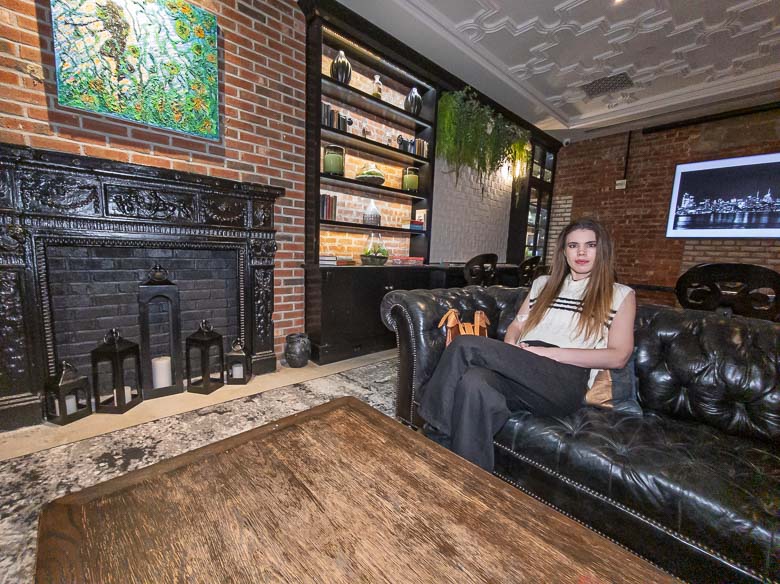



The samples above look great at low quality web resolutions, but unfortunately at the full resolution 12.5Mp RAW DNG output, the focus is a little soft so this camera-lens combo could probably use some fine tuning.
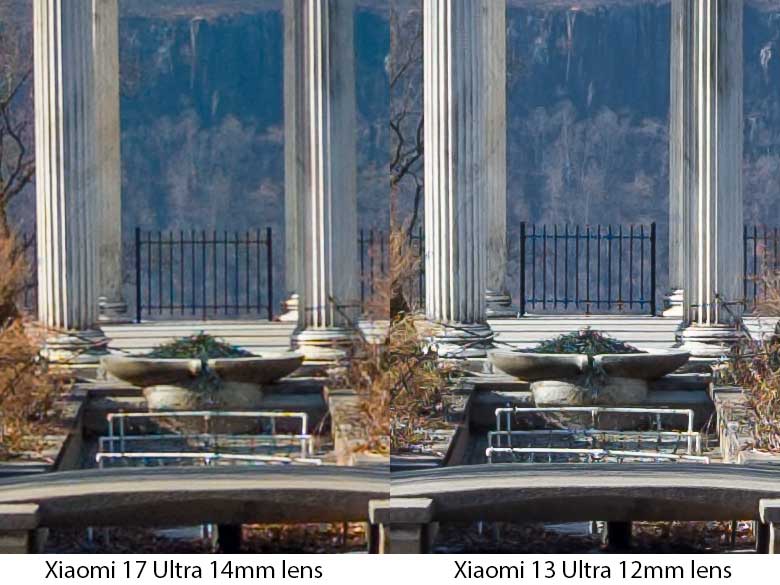
As you can see in the above 100% crop comparing the Xiaomi 17 Ultra with Xiaomi 13 Ultra’s ultra-wide angle camera lens, the Xiaomi 17 Ultra is consistently soft focus with distant subjects. Using manual focus in Pro mode doesn’t seem to fix or improve the quality either, so I’m inclined to think that this is a Leica lens design defect. You can also see some purple chromatic aberrations in the 17 Ultra which is another indicator of poor lens design. The difference probably won’t be noticeable to normal people looking at small smartphone screens, but it’s still a regression from the Xiaomi 13 Ultra from 3 years ago.
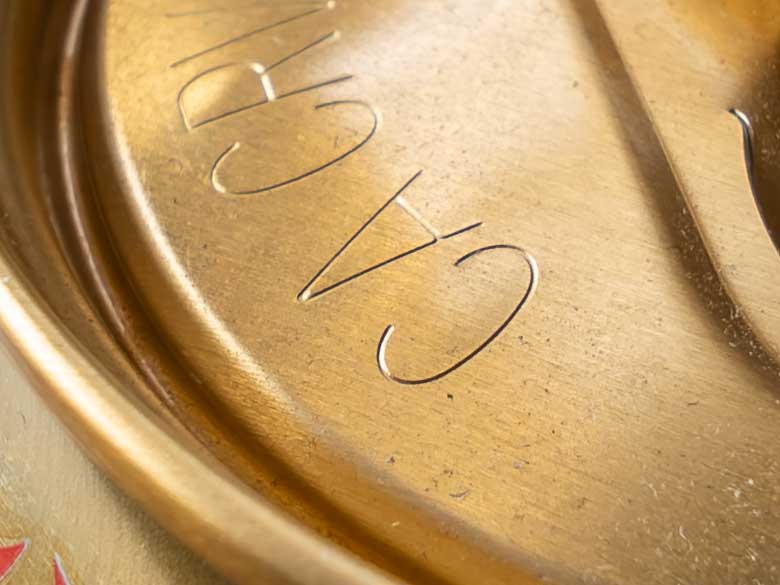
On the other hand, if you get that 14mm ultrawide angle lens pretty close to something, the focus turns out to be pretty sharp as seen in above 100% crop of a sample photo of an Arizona ice tea can. So macro photos might be pretty good, but I wish the lens was better at landscapes like older Xiaomi Ultra devices have been.
50Mp Front facing camera
The front facing camera is a huge improvement over the front camera on my old Xiaomi 13 Ultra, but it still has the major problem of not outputting to RAW DNG format. With the older Xiaomi I was able to get RAW output via the OpenCamera app and the Google Camera APIv2, but that doesn’t work at all on the new Xiaomi 17 Ultra. So unfortunately, we’re stuck with the JPG format, but at least the resolution and image quality is a lot better now. The front facing camera has a 21mm lens which is nice and wide, but it will often auto-crop to a 26mm view depending on the subject. The depth of field is sometimes a little too narrow for group photos as people in the background will probably be a bit blurry, but the main subject is nice and sharp with the 50Mp JPG images.




Video
There are some impressive new capabilities when it comes to video recording on the Xiaomi 17 Ultra as well. I’ve been using Xiaomi Ultra phones for influencer model event coverage and product promotional videos for a while now as it’s perfect for the quick turnaround Instagram reels that they need to produce. The Xiaomi 17 Ultra includes some major upgrades from my 13 Ultra such as 8K resolution, 120fps at 4K, as well as Dolby Vision color mode, and LOG mode for more flexible editing. There is a LUT available to download in the camera settings for use with LOG mode, so you’ll want to save that and import it into your video editor of choice such as Adobe Premiere Pro or Davinci Resolve.
Above video was an experiment with the Dolby Vision mode for video recording with the Xiaomi 17 Ultra. This proved to be a bit problematic as the color mode used by Dolby Vision is different from what things like Instagram expects.
For another more in-depth analysis of the Xiaomi 17 Ultra video capabilities, I recommend: Xiaomi 17 Ultra VS 15 Ultra — I Shot 4TB of RAW Video to Find the Surprising Truth!
Camera errors
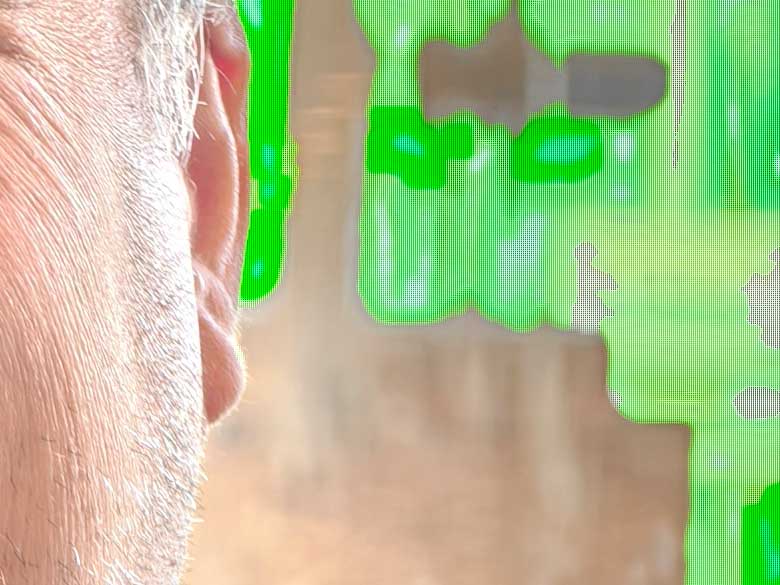
While it’s relatively rare, twice I’ve had photos with corrupt artifacts even in the RAW DNG output. One was with the 23mm camera where a person’s face had parts of his hat superimposed on his face, and parts of his forehead superimposed on the hat. Below is another example where the bright window behind the subject rendered large green splotches where highlights probably should have clipped. The green areas should be bright white.
Filters & Camera Software


This being a Leica branded camera phone, of course there are a number of Leica filters that you can apply while shooting. I would avoid these completely as it’s better to create effects like this in post-production with the RAW files since you’ll have much more control that way and can always revert and modify filter results whenever you want (including 20 years later).
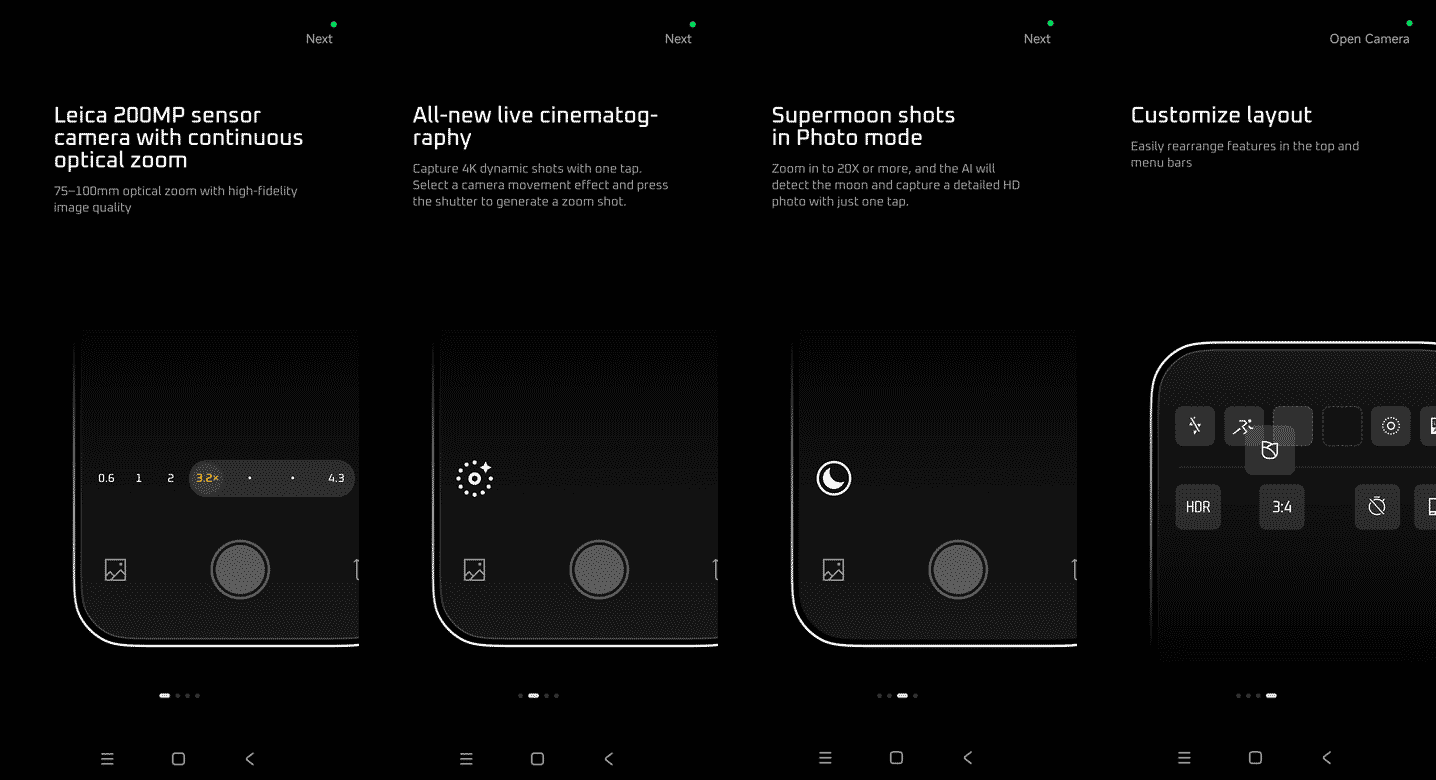

The camera app software has an onboarding tutorial which shows off some of the new features like the 200Mp mode, continuous optical zoom lens, and customizable interface. One thing that’s odd about the interface for the continuous optical zoom lens is that its buttons are labeled as “3.2x” and “4.3x”, but the buttons in between those are labeled as “85mm” and “90mm”. It switches between crop factor measurements and 35mm film equivalent focal length measurements. In the auto photo mode, these buttons can be switched to a dial which has both crop factor measurements and focal length measurement labels aligning with most of the digital and optical zoom levels. I wish it could be consistent though; perhaps 35mm film equivalent focal length measurements in “Pro” mode and crop factor measurements in auto mode?
Another thing I hate about the camera software is that it often changes output formats when switching lens/camera focal lengths. For example, if I’m in Pro mode and using the 1x 23mm main camera in RAW or URAW output mode with the 50Mp resolution option and then switch to the 3.2x or 0.6x lens, guess what… the camera software automatically switches the output mode to JPG! That’s not what I want at all. The output format should ALWAYS be what I set it to. Really, the resolution should change to what the camera supports in that output format. So, I’d much rather have the 0.6x lens or 3.2x lens switch to the 12.5Mp resolution and keep the RAW/URAW format when I switch lenses, rather than switching everything to JPG. What’s worse is when I switch back to the 1x camera, it doesn’t go back to the RAW format I was using previously. It stays in JPG, which again is not what I want at all as a photographer.
To compensate, I keep the software mostly in 12.5Mp RAW mode and that will stick between lenses and between opening/closing the camera app without removing RAW mode. The problem is when I want 50Mp RAW out of the 23mm camera, I have to remember to either go back to 12.5Mp before switching lenses or make sure to switch back to RAW mode after switching lenses. Also in the camera settings there’s a General > “Preserve Settings” section where you can turn on persistent settings for a bunch of different modes/aspects, but the “Photo resolution” preserve settings switch only works between camera modes and does not remember settings between lenses in Pro mode.
In the camera settings and operating system, you can configure the “double press volume down” button to do different things and by default it’s set to open the camera app. You could set it to go straight to taking a picture. You can also configure different functions for the volume buttons when the camera app is loaded such as take photo, burst photos when held down, 15 second video record, 2s timer start, zoom in/out, or sound volume. Those hardware button configurations are essential for quick, don’t miss the moment, photography.
Software
When it comes to the rest of the software on the Xiaomi 17 Ultra, we’ve got the latest Xiaomi HyperOS 3 as the operating system which has some excellent improvements over HyperOS 2.
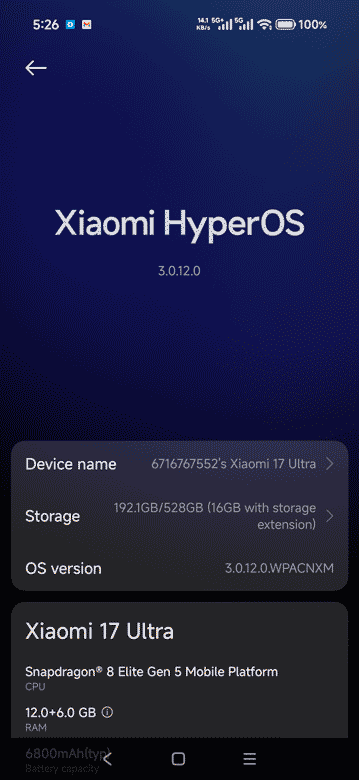
This is the HyperOS 3 ROM made for China only so it only includes Chinese and English languages. It also includes several bundled apps meant only for the Chinese market such as the “GetApps” app store, Mi Browser, Xiaomi Cloud, Xiaomi AI features, and the car mode for Chinese vehicles.
I installed “personalDNSFilter” from F-Droid right away and used that to monitor and block all of the server hostnames that HyperOS3 likes to constantly connect to for no reason. The amount of Xiaomi tracking servers that HyperOS likes to connect to all the time is almost as bad as the amount of Google tracking servers other Android versions like to connect to all the time.
Battery Life
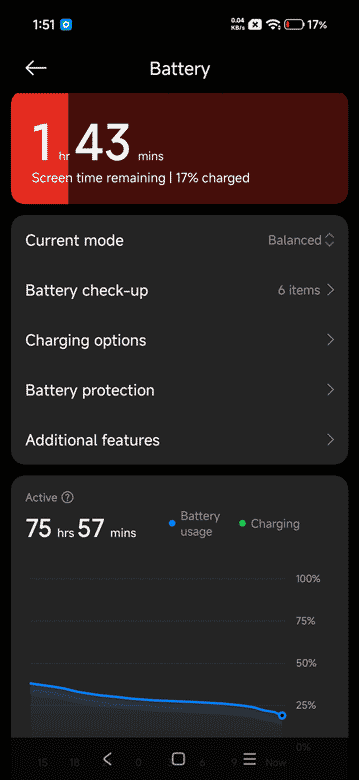
The 6800mAh battery is pretty fantastic. Obviously, your mileage may vary based on usage and the life of the battery will reduce as it gets older, but I’ve gotten over 75 hours of normal low-intensity usage out of it after initial setup and one full charge.
Of course, there’s Qi wireless charging in the Xiaomi 17 Ultra as well, and this is slower than the wired charging, but I’ve got a 55-watt Qi charger from Xiaomi that works beautifully for a bit more charging speed compared to the slow 15-25W charging from other devices.
Pros & Cons
Pros
- Actual optical zoom lens (75-100mm equivalent)
- Excellent image quality most of the time
- Very fast processing even of RAW photo data
- Portrait mode’s background blur filter detects and masks flyaway hair really well now
- Excellent battery life
Cons
- The 14-100mm equiv focal length range is narrower than the 12-120mm range other Xiaomi Ultra devices had
- 200Mp mode looks like it is upsampled in software from the 12.5Mp pixel-binned data
- 14mm ultra wide lens doesn’t have sharp focus
- The missing focal lengths between 23mm and 75mm is too vast to make up for with digital zoom/cropping
- When taking many photos & videos it can get warm
- Lens metadata is often missing
- High radius rounded corners of the screen decrease usable area
Conclusion
I’ve been a huge fan of the Xiaomi Ultra series since I got the Xiaomi Mi 10 Ultra anniversary edition 6 years ago. That phone had 4 rear cameras with separate 12mm, 24mm, 70mm, and 120mm focal length lenses and I loved it. That was such a perfect range which each lens taking up a very useful slot in the field of view range. Today’s latest, the Xiaomi 17 Ultra, unfortunately reduces that range to 14mm, 23mm, 75mm, and 100mm which causes a huge gap in field of view between the 23mm and 75mm focal lengths. However, the 75-100mm focal lengths are now covered by an actual continuous optical zoom lens and it’s paired with a much-improved 200Mp sensor. I absolutely love the quality of the 75-100mm zoom lens camera sensor combination on the Xiaomi 17 Ultra. The larger sensor size brings some nice real natural bokeh as well. I’m finally impressed with the fake background blur portrait modes as well which combine some of that natural bokeh with computational photography (background blur filter) that actually looks realistic.
Overall, I think the Xiaomi 17 Ultra is a very worthy phone for photographers. Hopefully in the future we can get something with multiple optical zoom lenses. I want 3 cameras on the back of my phone: a 12-24mm zoom, a 24-70mm zoom, and a 70-200mm zoom all with 200Mp sensors. Is that too much to ask?
Guest appearances by Brana Dane, Anna Zaia, Liga Friemane, Josie Webb, Angelina, Avalon Rayne, Jac Ayala, & Raquel Gerlani.
… reposted this!
… liked this!
Where can You process the raw-files?
Anything that can handle DNG files should be able to do it. Adobe Camera Raw, Lightroom, RawTherapee, Darktable.
Thanks for the detailed review! I’ve just bought the Xiaomi 17 Ultra to replace my Xiaomi 13 Ultra, and I have mixed feelings. I really miss the variable aperture on the Xiaomi 13 Ultra and its ultra‑wide camera, but I only received the 17 Ultra yesterday and haven’t had much time to check it thoroughly yet, so maybe I’ll change my opinion over the next few days.
I think you’ll notice that I have very similar mixed feelings in this review, but since using it even more, I’m pretty well in love with the 75-100mm 200Mp camera and how much faster the 17 Ultra is at shooting/saving RAW photos.
This is by far the best review of this phone’s camera capabilities. Thank you so much for the review, it has helped me decide not to purchase.
Not many ppl know it’s possible, but I have always used the lightroom camera app to shoot a hdr raw file which I found always superior. It really saved my 10t pro from the horrible stock camera proccesing.
It will take the 100mp 1/1.3 sensor and bin it to 25mp raw files with full color information and beautiful details and colors. Had some amazing pictures with it and still using it. Can you please test it on your 17 ultra?
Ooh, yeah! Good question!! I just tried it. On the 17 Ultra, only the 24mm 50Mp main camera can be used from Lightroom Mobile. It does save a RAW DNG file at the full 50Mp resolution (I got a 57Mb DNG file). Trying to switch to any other camera causes the Lightroom camera to freeze… so I can’t get RAW from the 200Mp 75-100mm camera or the 14mm ultra wide angle camera or the front facing camera. Usually 3rd party camera apps have to use the Google Camera API v2 and usually phone manufacturers do not make their cameras fully compatible with that API. So that’s probably why we only get partial camera support in 3rd party apps.